

Not everyone has the budget for a fancy, high-end workspace. And that’s not a big deal.
You don’t need to break the bank to create a functional and stylish space. In this roundup of 16 budget desk setups, makers from different corners of the world are showing us how it’s done.
From cosy attic nooks to sleek, practical workstations, we’ve scoured for some of the most affordable yet creative setups out there.
1. Artistic attic workspace with second-hand furniture. Cost: almost free
| Item | Model |
|---|---|
| Laptop | MacBook Pro 13″ (2016) |
| Tablet | Apple iPad Pro (2017) and Apple Pencil (2017) |
| Mobile phone | Apple iPhone 11 64 GB (2019) |
| Label Makers | Second-hand Dymo Maxi 1755, 1980s Dymo Omega Embosser |
| Desk | Second-hand carpenters bench 1980s |
| Chair | Second-hand Labofa work chair 1970s |
| Lamp | Second-hand DEMKO architect lamp from the 1970s |
“My workspace is on the sixth floor in the attic of a large apartment building from 1885, where we also live on the first floor. I was lucky enough to have an old, forgotten room handed over from a previous resident. The rooms behind the dark corridors are neither insulated nor have electricity. The room was completely bare, with walls of rough wooden planks and holes directly out into the open. But it was love at first sight,” says Zwitzh, a street artist from Denmark.
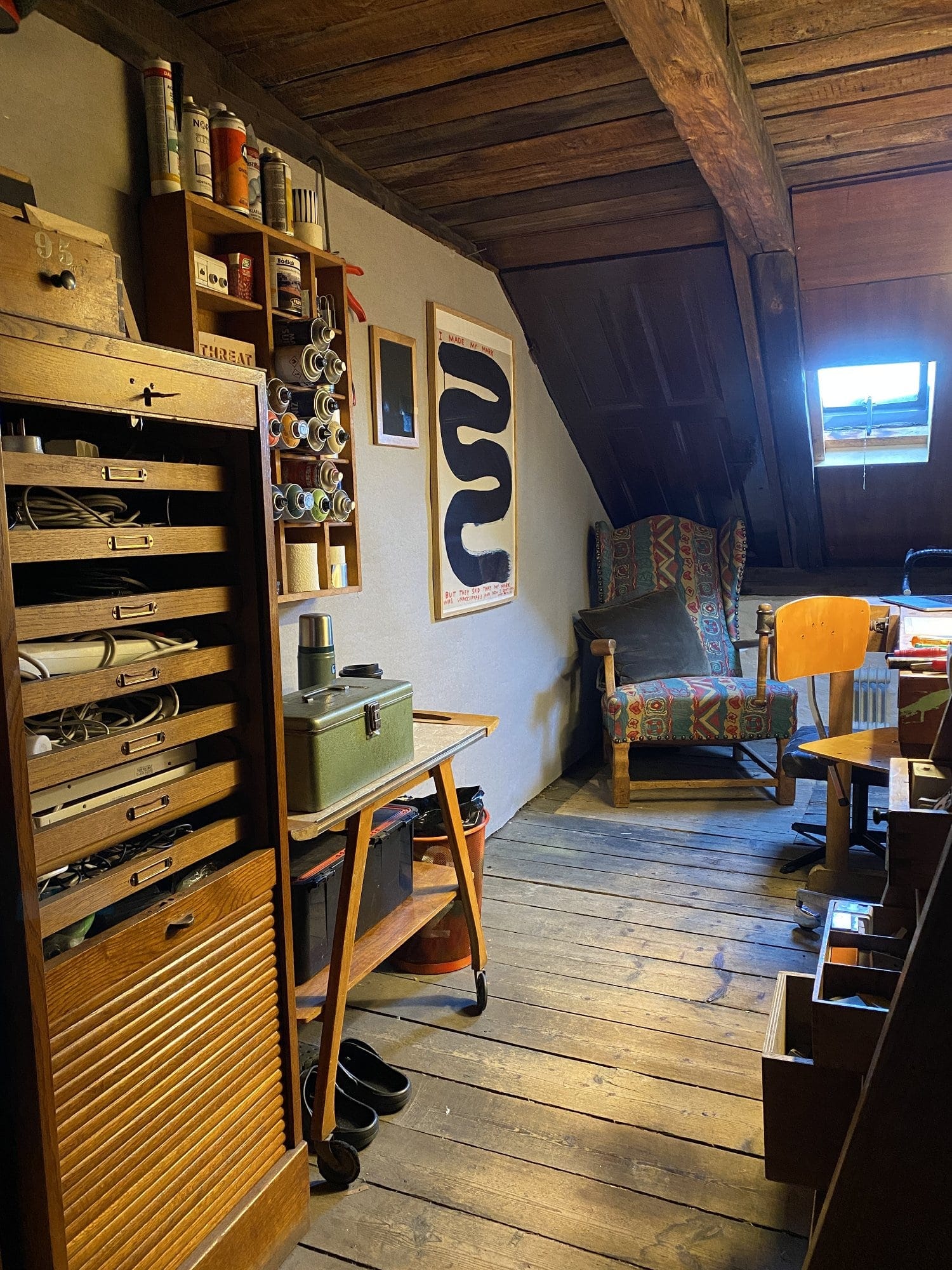
“Since it is illegal to use the attic for anything other than light storage, the first thing I did was to make it invisible. […] After that, I connected electricity for light and heat from the power grid and started to set up my little secret hideaway. Most things are something I’ve either bought second-hand, found in bulky waste, or given as a gift.”
2. Budget study setup. Cost: $640
“I wanted to have a nice workspace so badly that I started saving money,” shares Christian Realin, a student from the Philippines.
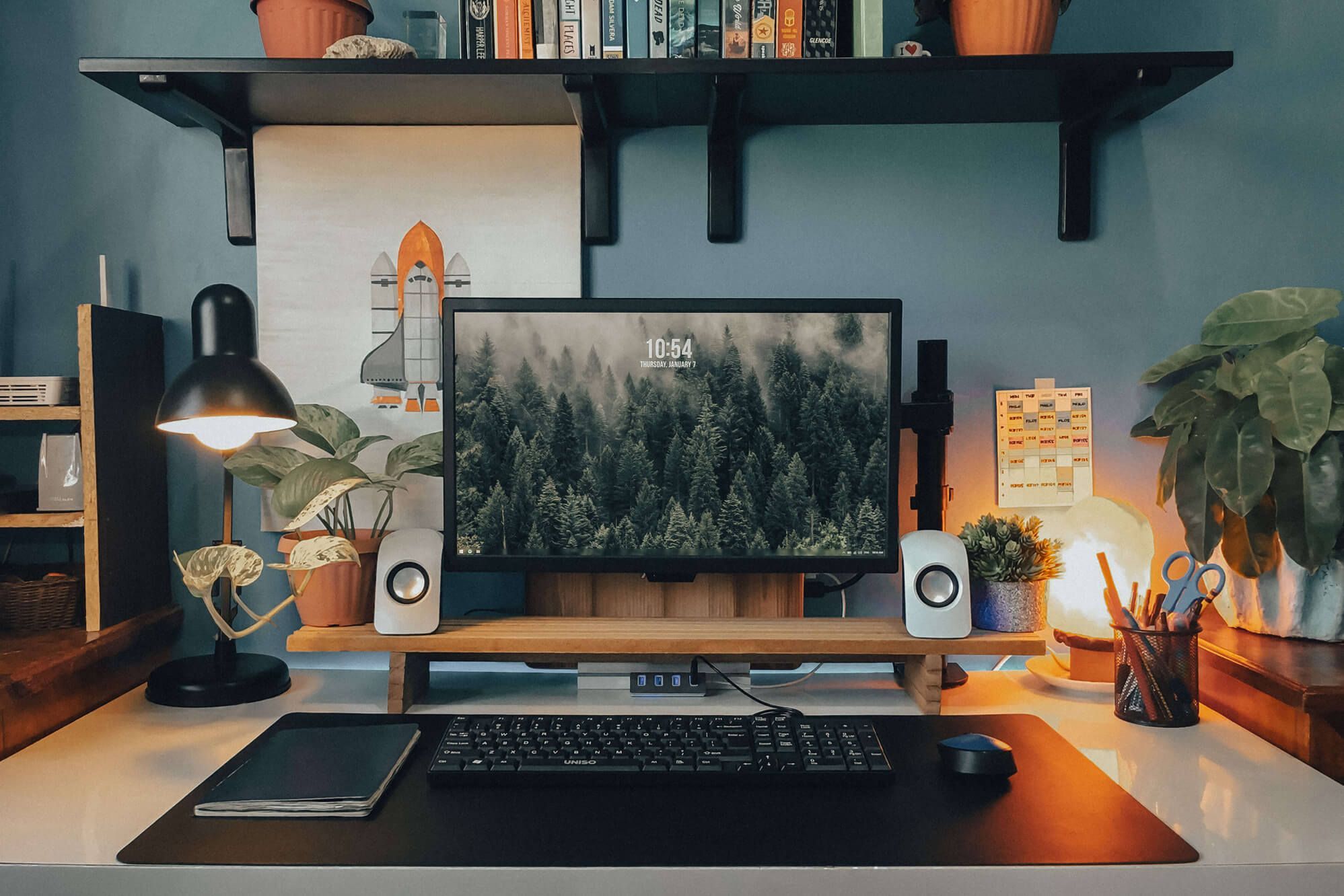
“After I had saved enough, I purchased a monitor, speakers, and other items one by one. Rather than buying other things I wanted, I decided to create them myself.”
3. Small nook workspace at home. Cost: $910
| Item | Model |
|---|---|
| Laptop | Dell Inspiron (company-issued laptop) |
| Chair | COMHOMA ergonomic office chair |
| Desk shelf | Nathan James Theo 2-shelf wall-mounted desk |
| Accent chair | CANMOV modern accent chair with ottoman |
| Mouse | VicTsing wireless mouse |
| Mouse mat | LeadsaiL mouse pad |
| Laptop stand | SOUNDANCE laptop stand |
| Webcam cover | MESMOS laptop camera cover |
| Selfie ring light | GearLight selfie ring light |
“When decorating the home office, my main goal was to design a tranquil and organised environment where I could fully concentrate while also making it a space where I’d enjoy spending eight hours a day,” shares Rochelle McNally from Georgia, US.
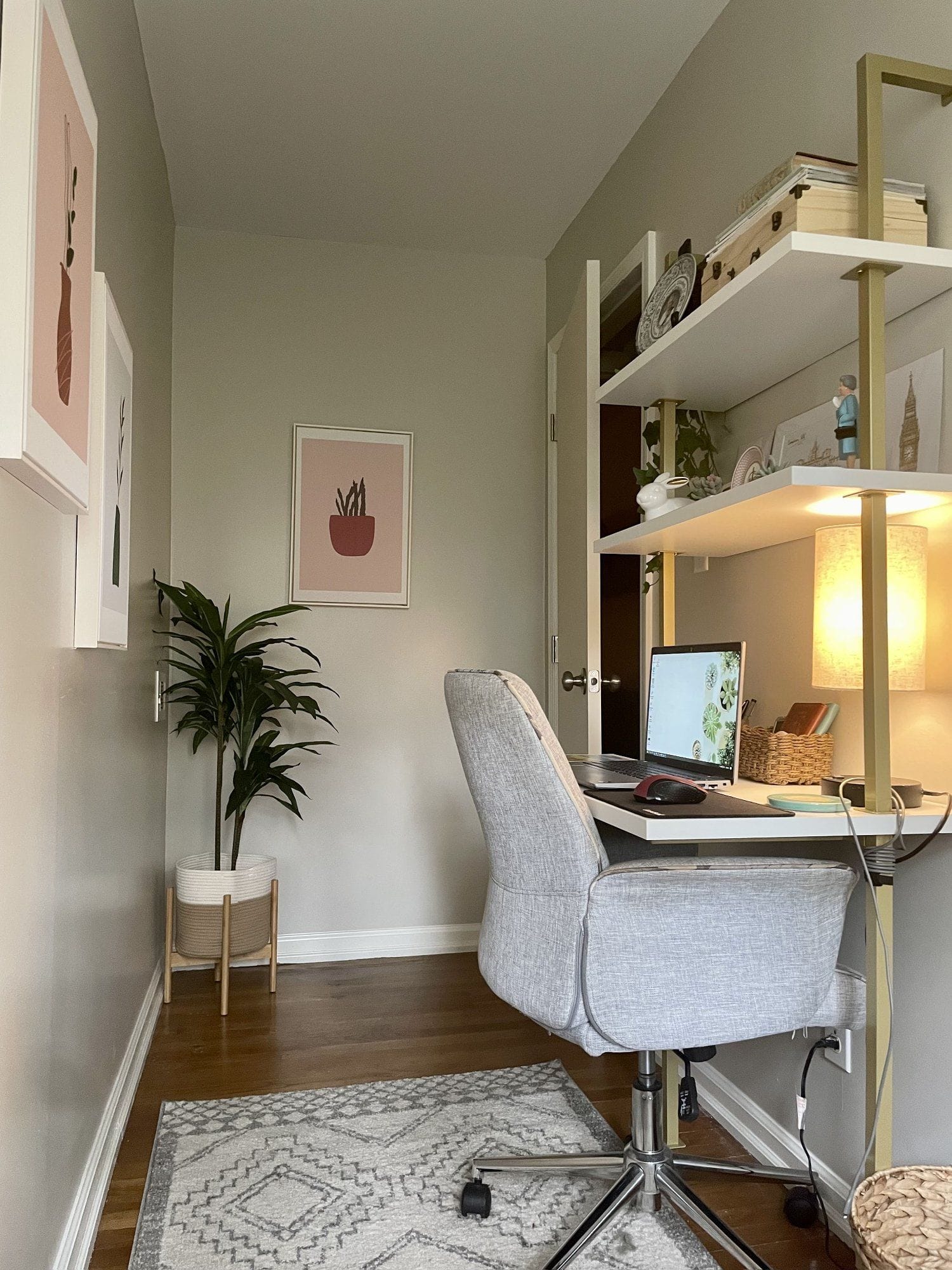
Photos: Rochelle McNally’s small home office of an Anglophile
“I’m a huge Anglophile and have been to England many times, so one of the ways I personalised my office was by putting up all of the little trinkets I have gotten from England while visiting. From start to finish, it took me about two weeks to redecorate my office. I bought everything from Amazon. I wanted quick delivery and was ready for my office to be more than just the one sad work desk I had been using for the year prior.”
4. Home office with pre-loved items. Cost: $1K
| Item | Model |
|---|---|
| Monitor | ASUS |
| External GPU | Dell OptiPlex 3050 |
| Keyboard | Arteck K730 |
| Mouse | Logitech M220 |
| Mouse mat | Orange desk pad |
| Chair | Vintage |
| Bookshelves | Amazon Basics ladder bookshelves |
Ashley Sainato, a constraction service coordinator and a working mom from North Carolina, US, loves all things mid-century and retro. She sourced lots of her workspace items from Facebook Marketplace and local vintage resellers.
“Although the space feels finished, I’m always on the hunt for new things to put on the shelves, so they just will be ever-changing.”

5. Affordable desk setup for a student. Cost: $1,2K
| Item | Model |
|---|---|
| Monitor | BEZEL 32″ 144HZ 2K gaming monitor |
| Monitor mount | BigLion Aluminum Vesa monitor mount |
| Monitor light bar | Baseus i-wok Series screen light |
| Speakers | Bose Companion 20 |
| Keyboard | AKKO MOD007 + Glorious Panda™ Mechanical Switches |
| Mouse | Apple Magic Mouse 2 |
| Chair | SIHOO M57 |
| Web camera | Elgato EpocCam app on an iPhone 12 Pro Max |
| Tablet | iPad Air 3 + Apple Pencil 1 |
| PC case | NZXT H510 Mid Tower |
| Keycaps | Honey milk keycaps in English |
| Desk mat | FIVERS Trading two-tone desk mat |
| Desk | IKEA LAGKAPTEN / ALEX + ADILS |
| Docking station | USB 3.0 Superspeed 4 ports hub |
| Audio interface | Behringer U-PHORIA UM2 |
| Wall clock | 3D digital LED wall clock |
| Pegboard | IKEA SKÅDIS |
| Figurine | Funko POP! Pusheen: Super Pusheeinicorn |
| Microphone | Razer Seiren Mini |
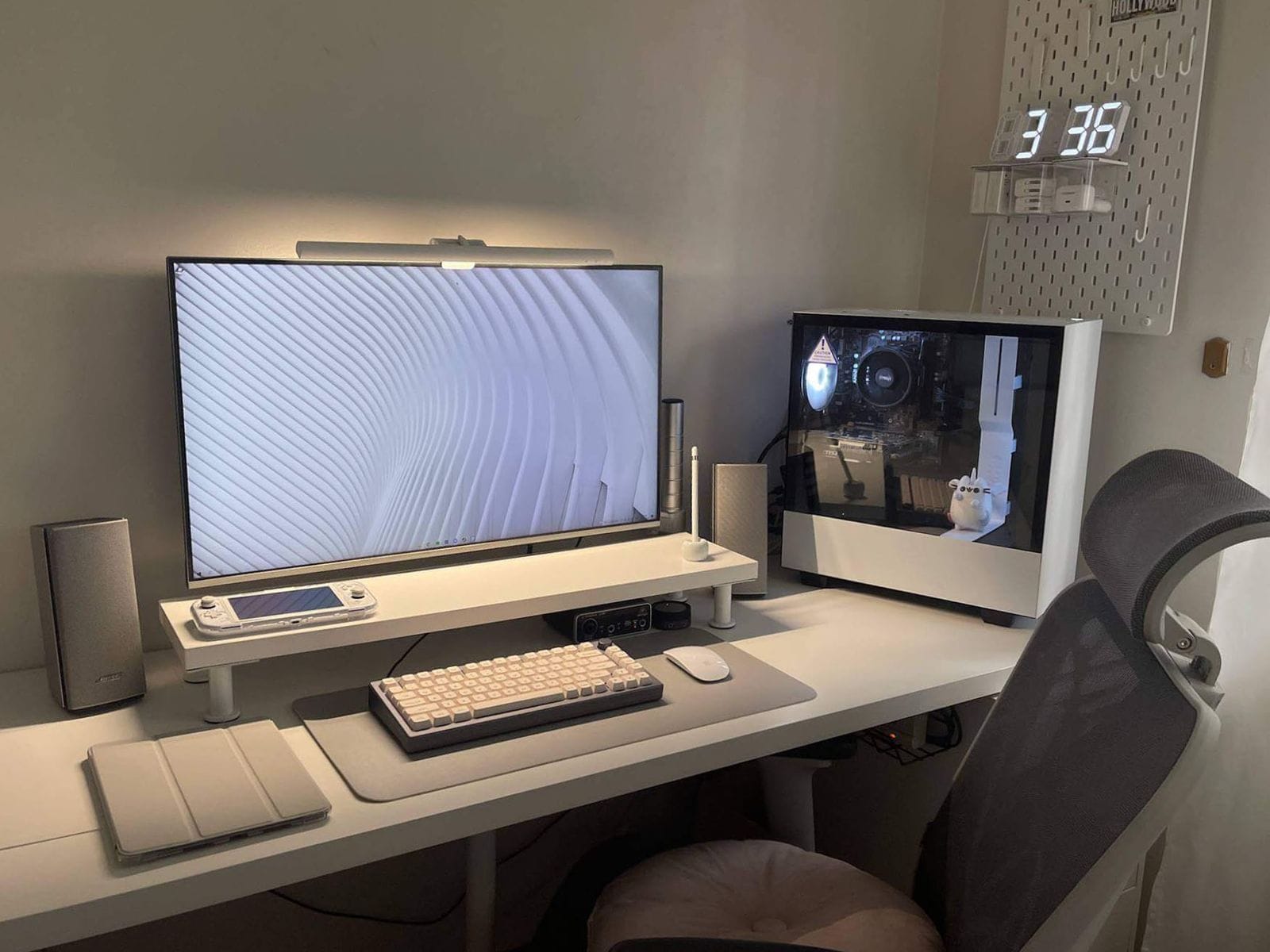
“Do not let your budget constraints limit you. Be imaginative,” says Aliza Ceralde from Manila, Philippines.
“There are many things that you can actually DIY. The bonus part is you can tailor it to your liking!”
6. Low-budget RGB gaming setup. Cost: $1,5K
| Item | Model |
|---|---|
| Monitor | ASUS 24″ 144Hz IPS colour accurate monitor |
| External monitor | 144hz DISPLAY IPS FHD Panel |
| Laptop | ASUS TUF GAMING F15 |
| CPU | Ryzen 7 4800-H |
| RAM | 32GB DDR4 3200MHZ dual channel RAM |
| Gaming SSD | 500GB SSD NVME.2 |
| Graphics card | GTX 1650ti 4GB GDDR5 |
| Internal hard drive | 1TB HDD |
| Soundbar | Clockwork Bluetooth soundbar |
| Headphones | ASUS TUF GAMING H3 |
| Headphone stand | FANTECH tower RGB |
| Keyboard 1 | RK918 RGB mechanical keyboard with custom EVA 01 keycaps |
| Keyboard 2 | ASUS TUF GAMING K1 Membrane |
| Keyboard 3 | GIGAWARE with custom white and grey keycaps |
| Mouse | Custom Onikuma W95 wireless mouse, ASUS TUF GAMING M3 |
| Desk mat | MECHA-K |
“While I’m a huge fan of neon lights and RGB, I didn’t just splash them all over the place. What I did was smarter,” says Gerwyn Manuel, a student, drummer and artist from the Philippines.

“I carefully planned where I’d put them and how they would affect the lighting of my setup. I’m quite proud to say my lights have a distinct style and uniqueness to them.”
“The main purpose of my setup is to show the world that you don’t need a huge budget to build one. What’s more important is creativity, personality, and imagination.”
7. Budget studygram setup. Cost: $1,5K
| Item | Model |
|---|---|
| Monitor | Fujitsu Monitor VL-200SSWR (secondhand) |
| Monitor mount | KENLEI White Single Gaming Monitor Bracket Mount |
| Laptop | MacBook Pro 2015 and MacBook Pro 2020 |
| Speakers | Divoom Ditoo Plus |
| Headphones | JBL 600BTNC |
| Keyboard | Akko ACR64, Tester68, Rumi61, AWS84 |
| Mouse | Rapoo M300 |
| Chair | Unbranded Ergonomic Chair |
| Desk mat | Vegan leather desk mat |
| Laptop stand | Height Adjustable Aluminium Laptop Stand |
| Web camera | Cat 1080p Web Camera |
| Monitor riser | Locally sourced and custom made |
| Docking station | Generic aluminium laptop and tablet holder |
| Pegboard | IKEA SKÅDIS |
“Two main things I was aiming for while creating my setup:
1) it should be comfy enough for me to stay for long hours;
2) it should not be too cosy that I won’t be able to do my work.
I tend to go overboard with the first one, so I had to add the second goal,” says Isabel, a law student from Quezon City, the Philippines.
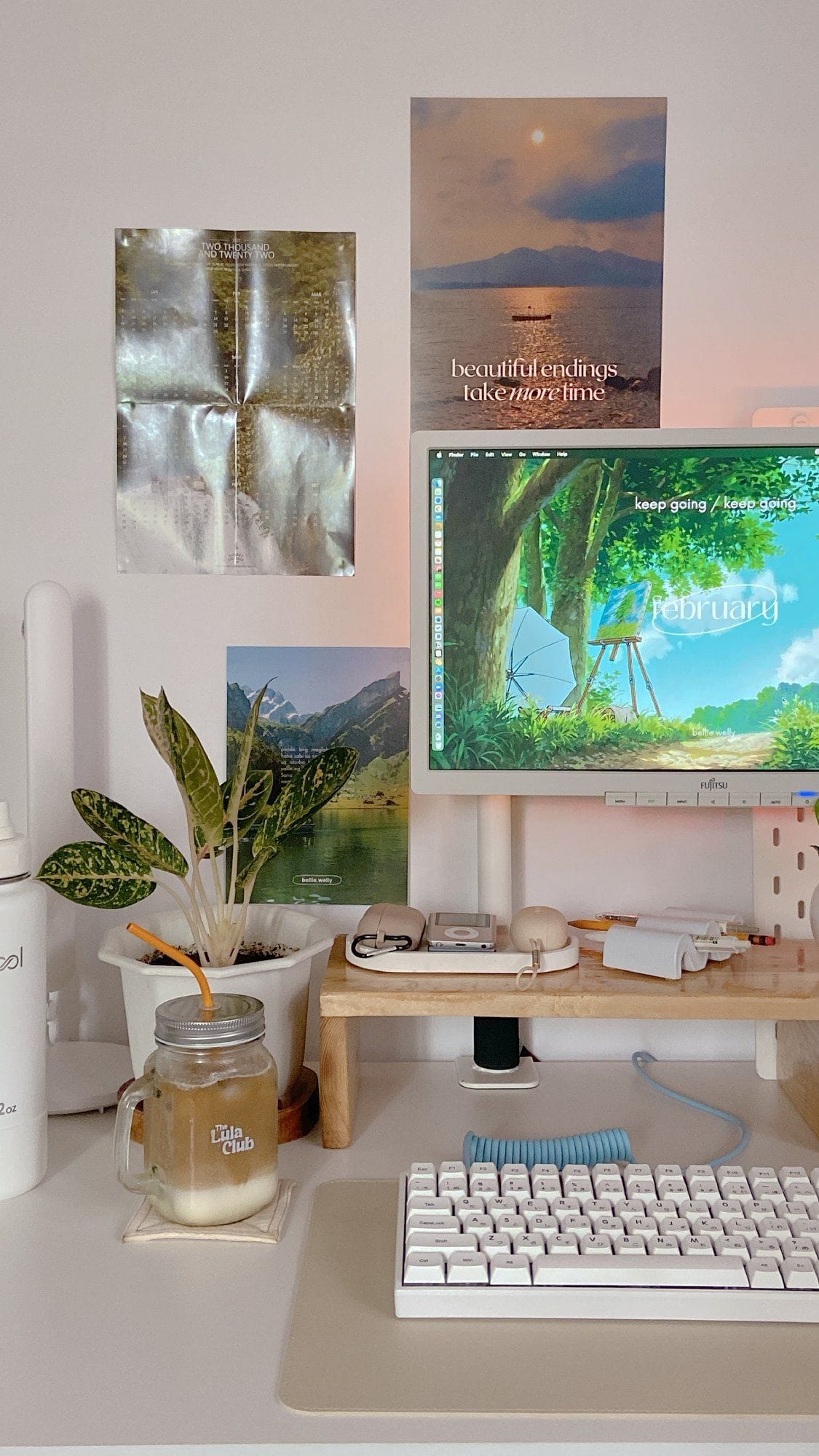
“I had a lot of trial and error before I figured out what my preferences were and which items I needed. I was heavily inspired by other content creators and what usually happened was the following: what worked for them didn’t really work for me.
Some desk setups looked good in photos but weren’t too useful.
I had to re-evaluate whether the item/setup was working for me or it was just an additional clutter to my desk because, aside from avoiding making it too cosy, it had to be tidy.”
8. Creative and relaxed home office. Cost: $1,5K
| Item | Model |
|---|---|
| Laptop | MacBook Pro |
| Monitor | ASUS ROG |
| Monitor arm | Ergotron |
| Standing desk | Uplift sit/stand legs |
“When creating spaces, I always start with function. First, I figure out what are all of the things a space or object needs to do. Then I start understanding how form can help serve that function,” shares Hazel Jennings from San Francisco, US.
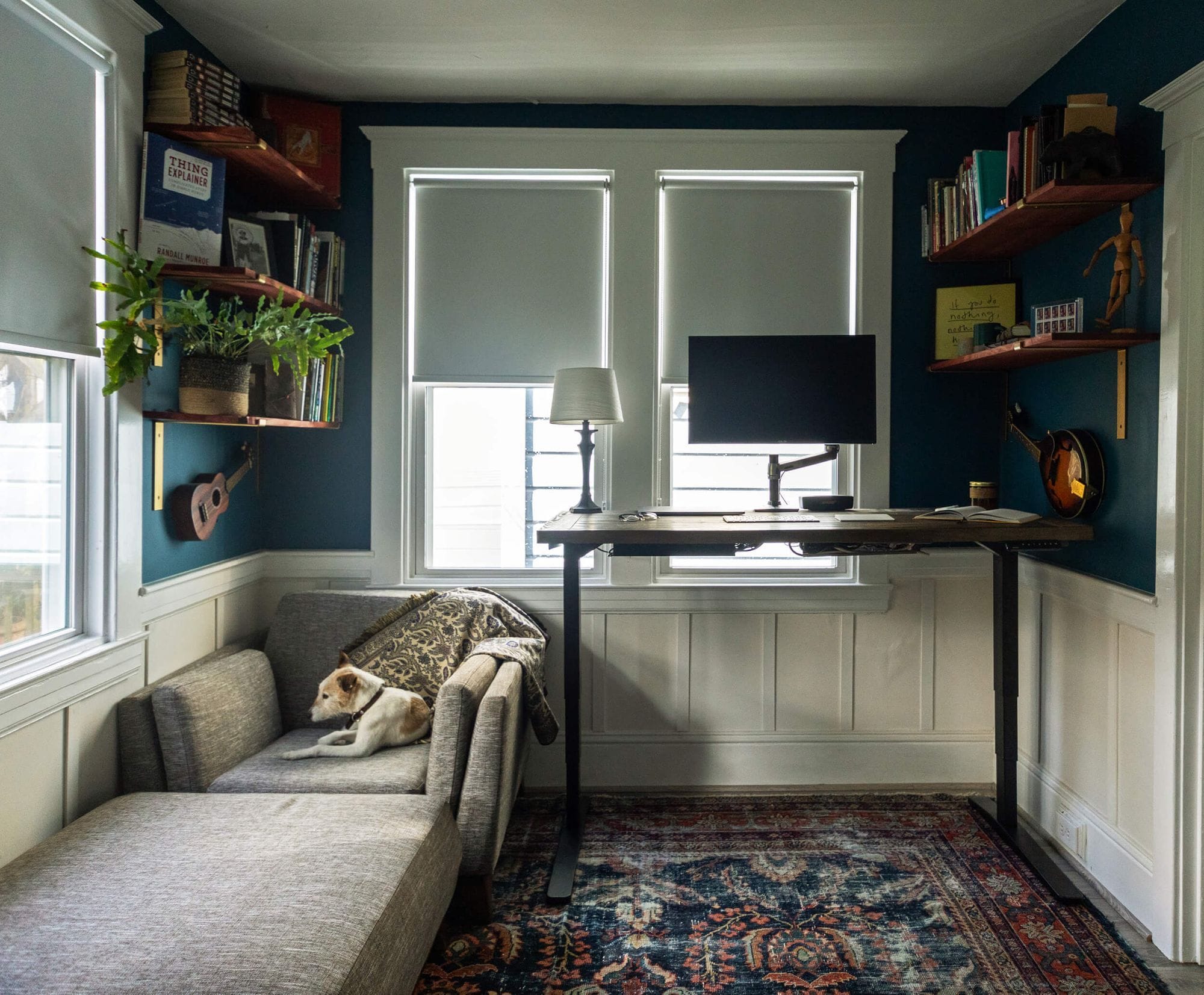
Hazel’s desktop is from a desk she got second hand for $100, attached to sit/stand legs.
“This also isn’t a workspace that was set up all at once. I’ve had a desk in all eleven apartments I lived in between moving out of my mother’s house after high school and moving in with my (now) husband. And then my husband and I combined the desk setups we each had at our own spots and used one shared desk in all four apartments we’ve lived in together. So, nothing came together overnight. And, really beautiful, functional spaces never do.”
9. Custom PC desk setup. Cost: ~$1,8K
| Item | Model |
|---|---|
| Monitor | Lenovo G27Q-20 27″ 2560×1440 165Hz |
| Monitor mount | Loop Alloy Single Monitor Bracket Mount |
| Monitor light bar | Mi Monitor Light Bar |
| Desk light | Elgato Key Light Air |
| Speakers | Tylex XM19 Wireless Bluetooth Speaker |
| Headphones | Corsair HS80 RGB Wireless Headset |
| Keyboard | Corsair K60 RGB Pro SE |
| Mouse | Corsair KATAR PRO Wireless |
| Chair | Ofix Deluxe 8 White Mesh |
| Desk | Ofix Desk 17 |
| Web camera | C80 5MP 1080p Webcam |
| Mouse mat | Corsair MM150 Ultra-Thin Mousepad |
| Plant | IKEA Artificial Potted Plant |
“My room doesn’t have enough space to accommodate my desk setup, so I had to build it in a little corner of my living room. Since I work at night, I’ve designed my workspace to be comfortable and look peaceful while maintaining the gaming aesthetic,” shares Jovie Brett Bardoles.
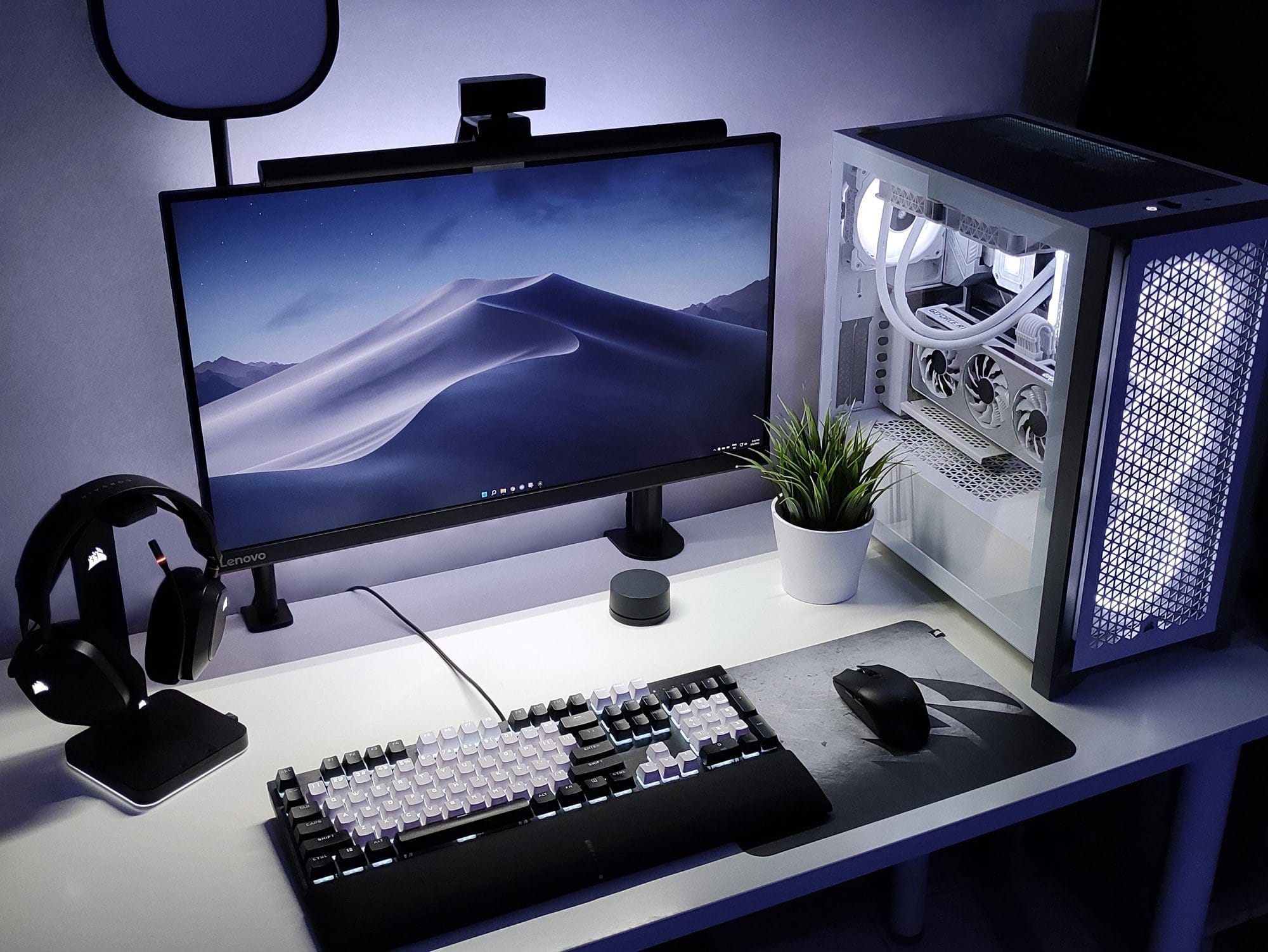
“It was the first PC I built and it took me a year and a half to fill my desk with work-from-home essentials. […] Whenever I had the extra money from work, I’d buy the next part for my PC.”
10. Small and savvy bedroom desk setup. Cost: ~$2K
| Item | Model |
|---|---|
| Computer | M1 Mac Mini |
| Monitor | LG 27UL850 |
| Tablet | iPad Pro |
| Keyboard | Apple Magic Keyboard |
| Mouse | Apple Magic Mouse |
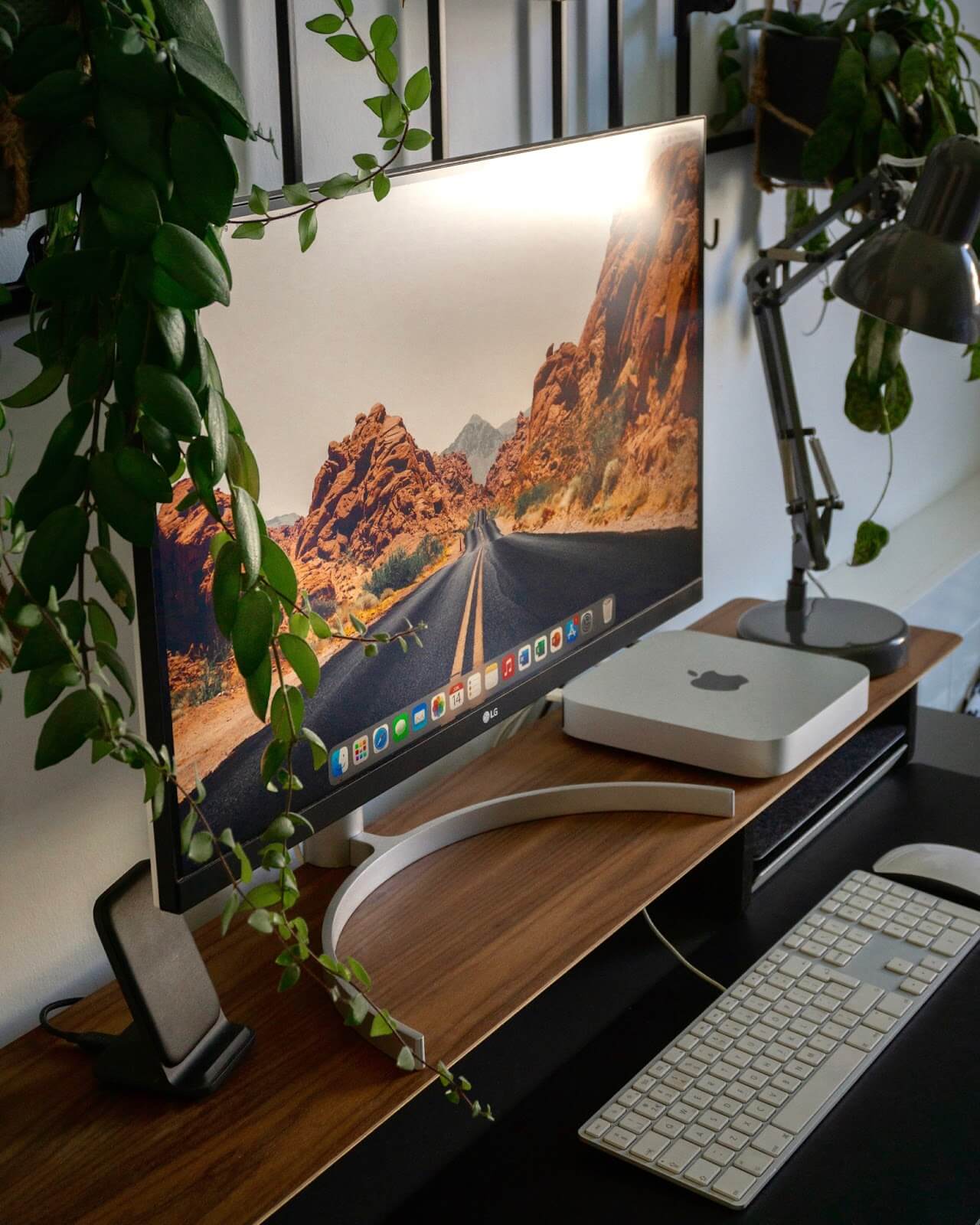
“Since I still live with my parents, I have a workstation in my bedroom. This room is the smallest in the house,” shares Bram van Duijvenvoorde from Netherlands.
“The small size of my bedroom was definitely a challenge. Yet, I managed to make it work by measuring pretty much everything I got before buying anything.”
11. Cut-price and cable-free home workstation. Cost: $2K
| Item | Model |
|---|---|
| Monitor | Lenovo ThinkVision P27h-20 27″ QHD Type-C Monitor |
| Monitor mount | NB North Bayou Monitor Stand H100-B |
| Laptop | Acer Predator G3-605 |
| Speakers | Samsung DVD Home Theater HT-E330K |
| Keyboard | Keychron K8 |
| Mouse | Logitech MX Master 3 |
| Computer table | Height Adjustable Desk Black/Oak-ET114G/ZB01-14070-BH-H18 |
| Chair | IKEA TÄRNÖ |
| Cable manager | Monoprice Cable Management Spine White |
| Desk mat | THMINS Desk Pad |
| Desktop flower pot | eWinner Desktop Glass Flower Pot 3 Bulbs Vase |
| Wrist rest pad | SKEIDO Wooden Keyboard Cushion Hand Wrist Rest Pad |
| Screen light bar | Quntis Screen Light Bar with No Glare (22~29″) |
“I’m the type of person who doesn’t want too many things in my surroundings. Finding the best and most affordable items takes a lot of time, so do your research. That’s my main piece of advice,” says Michael Medina, an IT support specialist based in Dubai, UAE.
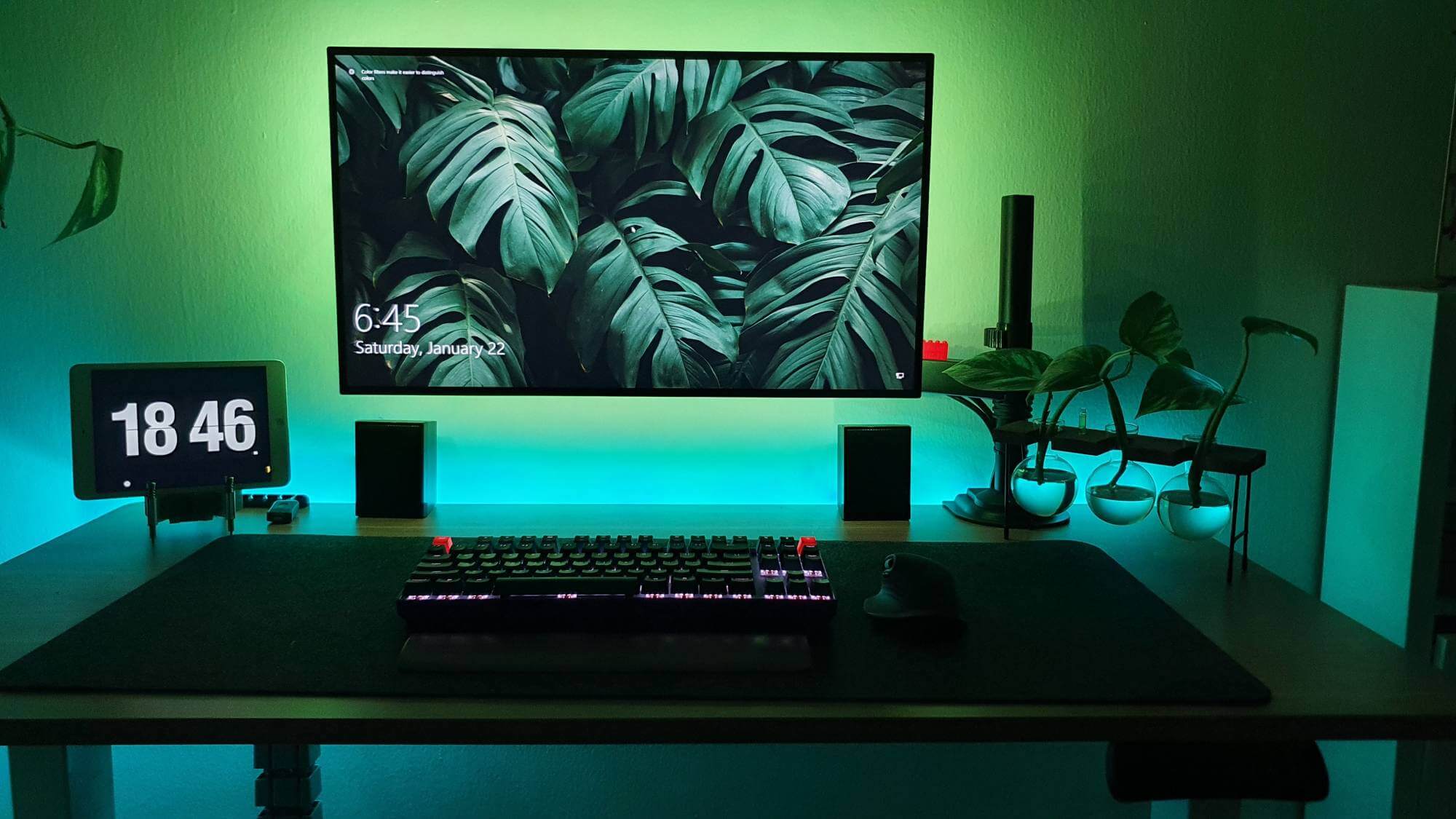
“You should determine your workspace budget first, then start with the larger items (desk, chair, monitor, CPU, mouse, keyboard) and work your way down to the smaller ones (accessories).”
12. Custom-made moody desk setup. Cost: $2K
| Item | Model |
|---|---|
| CPU | Ryzen 5 2600 |
| GPU | Zotac GTX 1660 |
| RAM | Corsair 16 GB |
| Motherboard | MSI B450 |
| Motherboard | MSI B450 |
| Monitor | AOC C24G1 |
| Monitor | AOC C24G1 |
| Monitor mount | Loop Alloy Single Arm |
| Keyboard | iKBC MF87 |
| Mouse | Corsair Ironclaw Wireless |
| Speakers | Edifier R1280DB |
| Gaming headset | HyperX Alpha Gold Edition |
| Headphones | Skullcandy Crusher Wireless Immersive |
“The main problem was the cost. A desk like this would normally cost me around 20,000 Philippine Pesos, or $400,” says Jason Dela Cueva.
“I was lucky to have a friend of mine who had been upgrading his setup at that time. He knew I was struggling to find a nice and affordable table desk. So he offered to have one made for me by the same guy who built a custom workstation for him.”

So Jason found a reference for the desk he wanted on Pinterest and asked the carpenter to make his desktop look like it was a dark walnut one.
“It is not the actual walnut. My desk is made from marine plywood on a laminate dark walnut texture. But the lamination he did was superb. The price was also too good to miss the offer. The carpenter only charged me 6300 pesos ($130) for my desk! He also built a beautiful shelf for me for only 1300 pesos ($27). I like this desk a lot.”
13. IKEA desk setup. Cost: $2,5K
| Item | Model |
|---|---|
| Computer | M1 Mac mini |
| Monitor | LG 32QN600-B |
| Desk | IKEA SÄLJAN worktop |
| Drawers | IKEA ALEX |
| Shelving unit | IKEA VITTSJÖ |
| Chair | IKEA MILLBERGET |
“My setup is about what is important to me. I love music and that explains why I have a bigger speaker. I do a lot of multitasking, hence why I have a big monitor. When you know what’s important to you, it makes it easier to decide on what to buy,” says Nilson Gaspar, a freelance photographer, videographer and graphic designer based in Birmingham, UK.
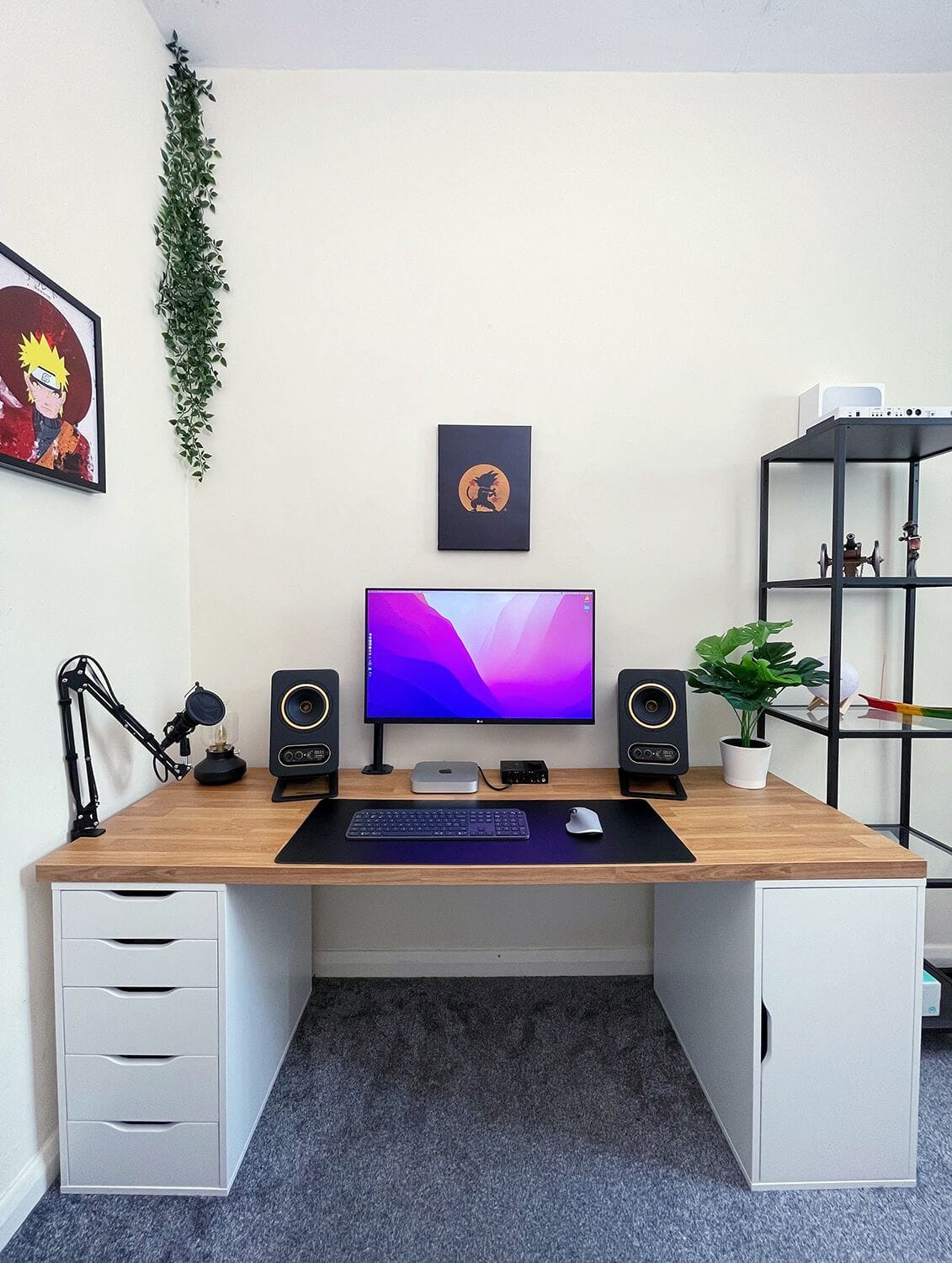
Most of Nilson’s home office furniture is from IKEA. “The worktop is SÄLJAN and the drawers are ALEX. The shelving unit is VITTSJÖ. The chair is the IKEA MILLBERGET, and I would say it is a decent chair. It is not a chair that you would sit and say “wow, this feels so comfortable!” but it is good enough for the price.”
“It took me almost a year to make the setup look the way it is right now. So, don’t be discouraged if your setup is not looking the way you want. Keep making small improvements over time until you’re happy with the way it looks.”
14. Practical Scandinavian workspace. Cost: $2,5K
| Item | Model |
|---|---|
| Monitor | HP X34 |
| Monitor mount | Ergotron LX |
| Monitor light bar | BenQ Lightbar |
| Tabletop | Local wood store |
| Laptop | MacBook Air M2 |
| Speakers | Edifier R1080BT |
| Headphones | SteelSeries Arctis 7, Apple AirPods Max |
| Keyboard | Keychron K2 |
| Mouse | Logitech MX Master 3, Logitech G Pro X |
| Mouse mat | Glorious XXL White |
| Chair | Kinnarps Free Float 6000 |
| Desk shelf | DIY Desk Shelf |
| Laptop stand | Oakywood |
| Docking station | Dell DA310 |
| Web camera | Logitech C505e |
“Having a functional, aesthetic space without distractions, but where I feel at home, is important to me. Just like my practical approach to my blog and job, I really aim to get the most bang for my buck,” says Lars, a data scientist from Copenhagen, Denmark.
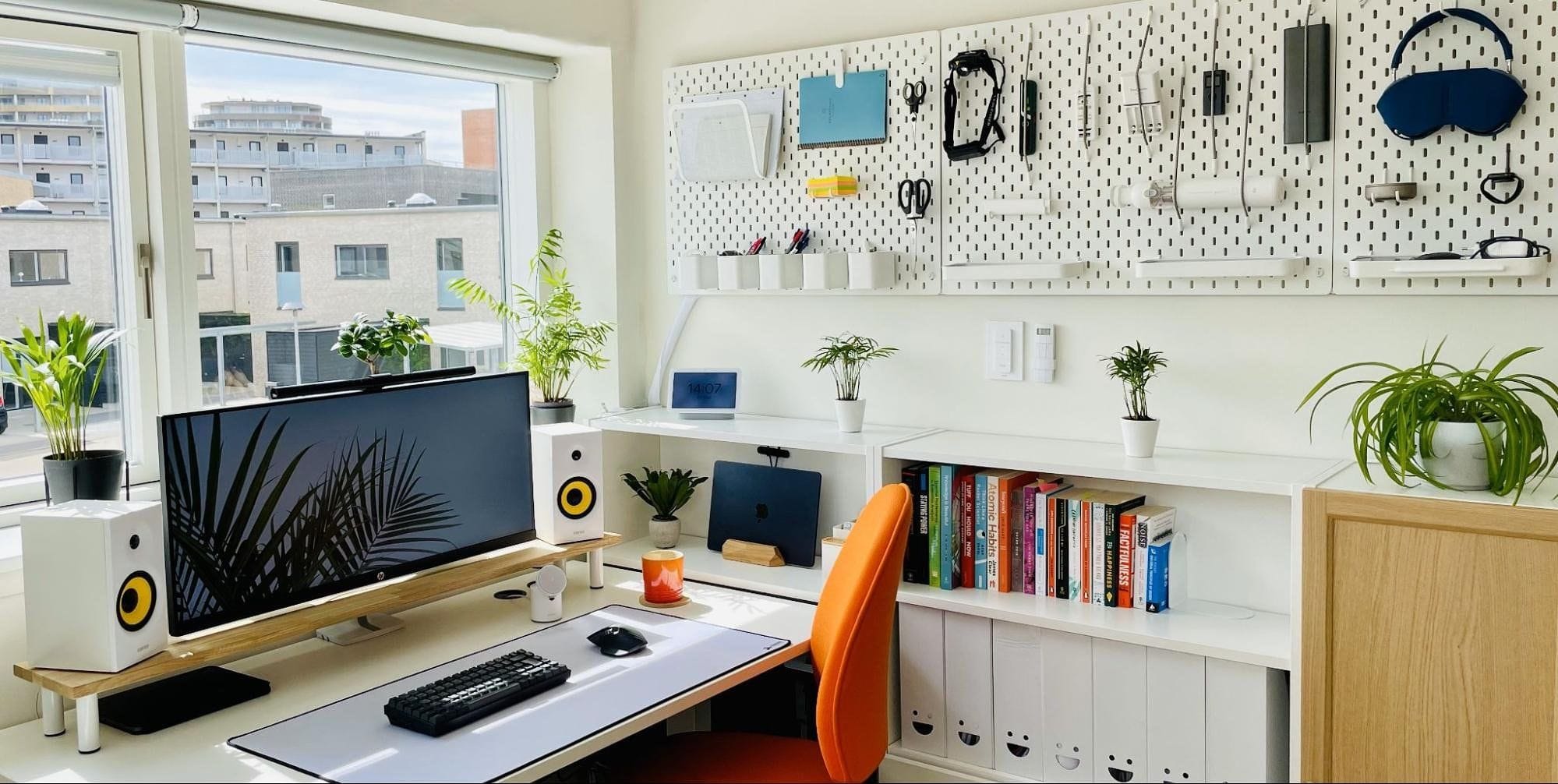
“This means not going for those super pricey Instagram and YouTube setups. Honestly, most are sponsored and out of reach for most of us. IKEA or second-hand will do just fine.”
“I got my chair second-hand from an outlet. I bought the legs for my standing desk from a company that was moving and selling off their furniture. I then added a tabletop that I liked. Most of my posters are DIY in A4 size, so I can change them out whenever I want. I made the desk shelf myself. You can see how I did it in my post called How to Build an Easy DIY Desk Shelf and Monitor Stand in 5 Minutes.”
15. Vintage L-shaped desk setup. Cost: ~$2,7K
| Item | Model |
|---|---|
| Monitor 1 | LG Ultrawide 29″ IPS monitor |
| Monitor 2 | LG 24″ IPS monitor |
| Monitor mount | WALI Premium Dual LCD monitor mount |
| Desk | Mccaslin L-shape executive desk |
| Laptop | HP ZBook Fury 17.3″ G8 mobile workstation |
| Speakers | Edifier R1280T powered bookshelf speakers |
| Keyboard | Logitech MK520 wireless keyboard |
| Mouse | Logitech MX Master 3 wireless mouse |
| Chair | Unknown Brand, 8-Way Adjustable ergonomic chair |
| Desk shelf | Nathan James Theo 6-shelf tall bookcase |
| Desktop PC | Dell Inspiron 5680 gaming desktop PC |
| Mouse mat | KTRIO large mouse pad |
| Docking station | USB-C to HDMI cables for laptop hook-up |
“My ambitious goal was to create a budget-friendly yet sophisticated space that incorporated my individual style with mid-century class, showcased in an exhibition-like manner,” says Ty Faulkner.
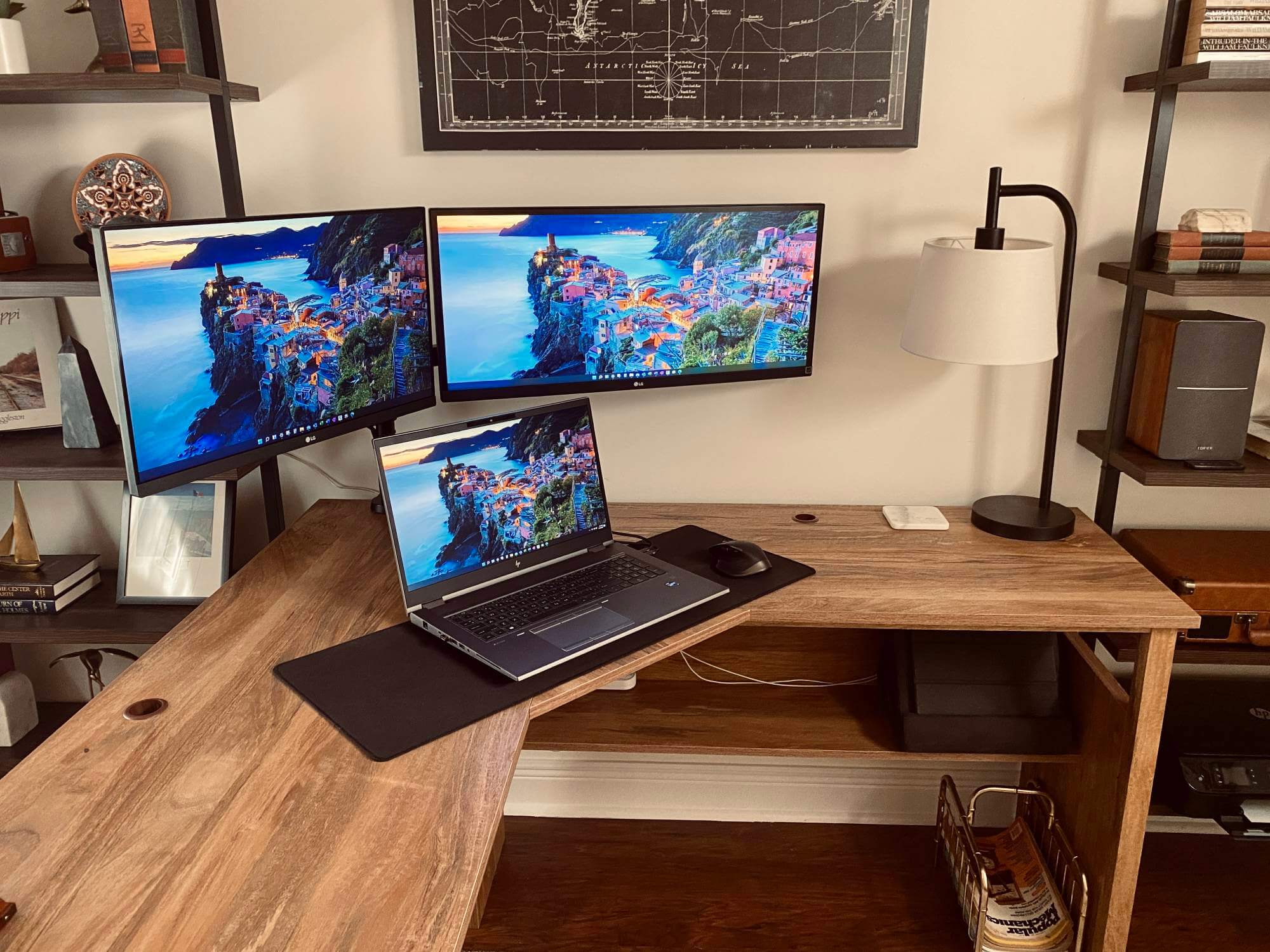
“Look for deals on second-hand items from places like Mercari, eBay or a local thrift store. I’m a huge advocate for reselling & refurbishing and the used market as a whole.
More expensive doesn’t always mean better.
As a seller, you’re able to declutter your space by getting rid of unwanted items, and you get to make some cash while you’re doing it. Plus, you’re essentially upcycling and saving an item from making its way to a landfill. As the buyer, you’re getting to buy an item at a heavily discounted rate. It’s a win-win for all parties.”
16. Budget-friendly WFH desk setup. Cost: $3K
| Item | Model |
|---|---|
| Monitor | LG 32UN880-B 32″ UltraFine Display Ergo |
| Laptop | MacBook Pro 2019 (work), MacBook Air 2020 (personal), ASUS ROG Strix 15 (personal) |
| Speakers | Logitech Z333 |
| Headphones | Bose 700 |
| Keyboard | Logitech MX Keys |
| Mouse | Logitech MX Master 2S |
| Chair | Herman Miller Sayl |
| Mouse mat | Razer Firefly V2 |
| Docking station | Belkin USB-C 11-in-1 Multiport Dock |
| Web camera | Logitech Business Webcam |
| Microphone | Wacom Intuos Pro L |
| Wireless charger | Energea MagDisc Trio |
“I think there is no ‘one-size fits all’ solution when it comes to setting up a workspace,” shares Sigit Adinugroho from Singapore.
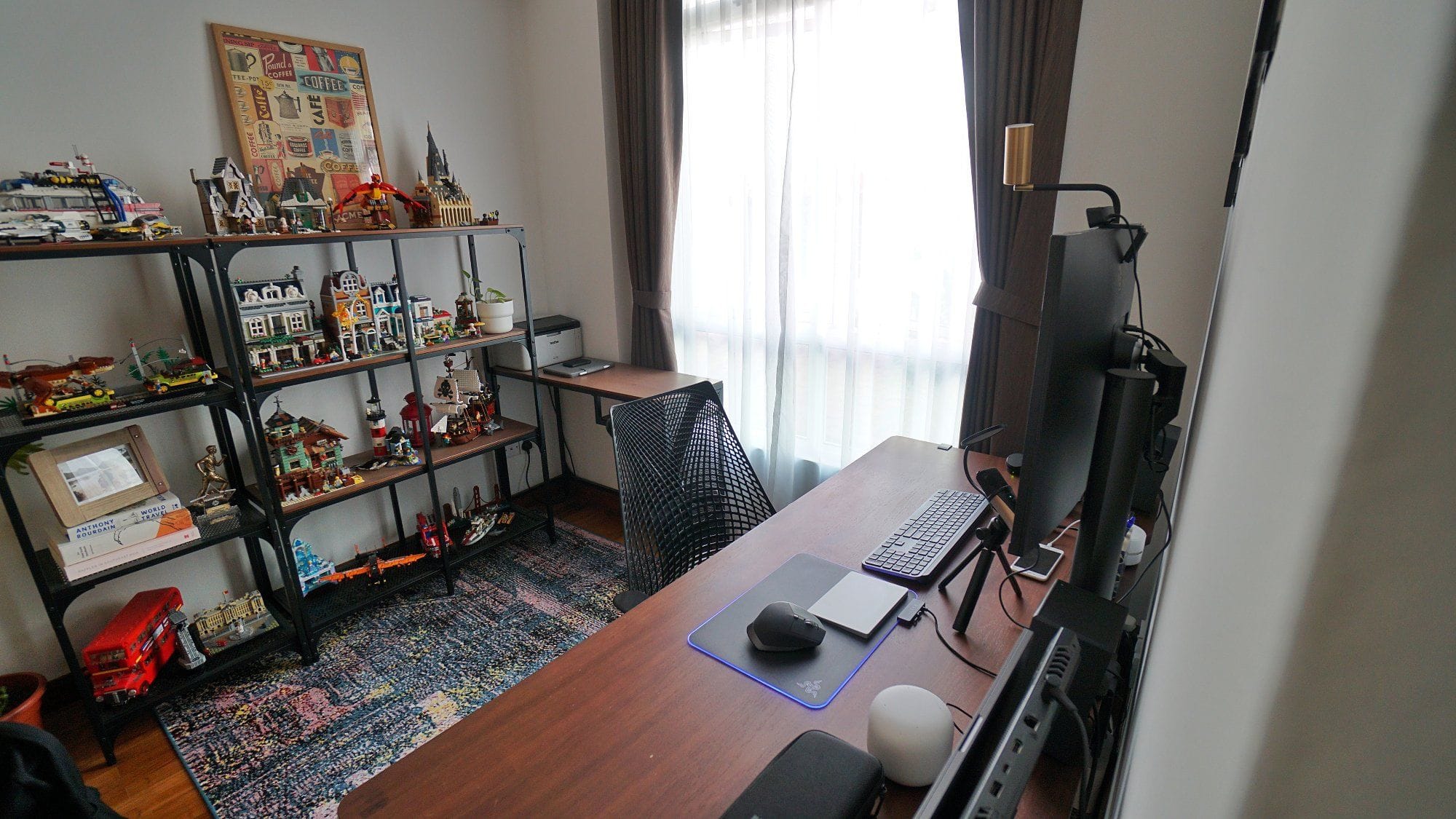
“At first, you might look for inspiration on social media, but you might quickly realise that the desk setups you see are unrealistic because… maybe you don’t have the budget or the space. I think it’s best to start with the space and budget you have and work up from there.”
We’re a reader-supported publication. This article might contain affiliate links. It means we may receive a commission if you click a link and buy a product that our maker has recommended. This article was written independently.
