

You don’t need to spend four figures to build a focus desk setup that actually works with your brain.
Whether you’re pulling together your first ADHD workspace on a student budget or retrofitting a spare corner into an ADHD friendly home office, the ten setups below prove you can do it for anywhere between $85 and $950.
Every one of them was built by someone who deals with distraction, time blindness, or restlessness at their desk — and figured out what to spend on, what to skip, and what to DIY.
1. The Laptop-Only Library Desk — $85
| Item | Model |
|---|---|
| Desk | Thrifted solid wood writing desk, 100x50cm |
| Chair | Existing dining chair with lumbar pillow |
| Laptop | Lenovo IdeaPad 3, 15.6″ (already owned) |
| Timer | Time Timer MOD, 60-minute visual dial |
| Organizer | IKEA KVISSLE letter tray |
| Headphones | Sony MDR-ZX110 on-ear |
“I got diagnosed at 27 and couldn’t afford to redo my whole room. So I started with just the timer and the headphones — the two things that actually affect whether I sit down and work or not.” — Priya, Toronto
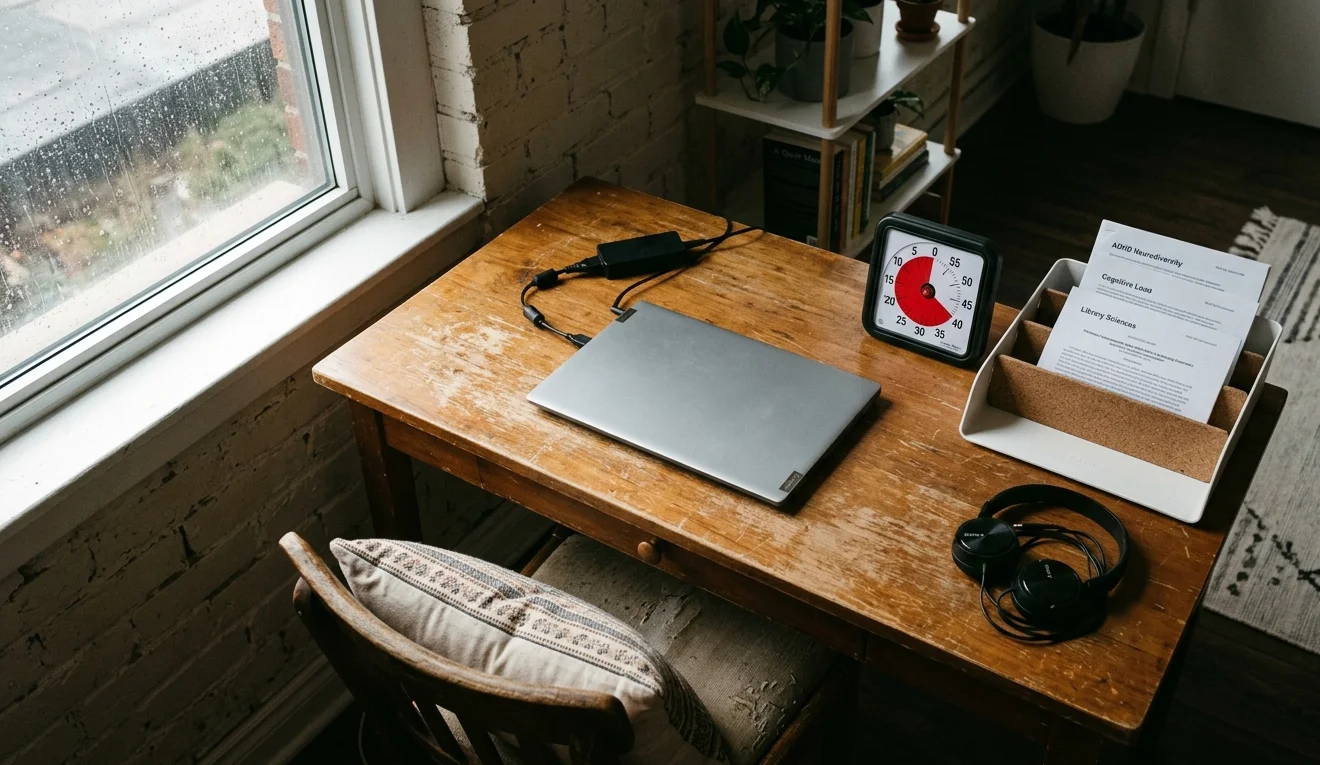
Priya found her desk at a Habitat for Humanity ReStore for $20. “It’s old and has scratches, but it’s solid wood and the right height.” The real spend went toward her Time Timer MOD ($35), which she calls “the single best ADHD purchase I’ve made.” She keeps only her laptop, the timer, and one tray on the surface.
The KVISSLE tray holds her current week’s readings and nothing else. “If I can’t see it, I forget it exists. But if I see too much, I freeze.” That balance — visible but limited — is the core of her ADHD desk organization strategy. She listens to ambient sounds through cheap Sony headphones to block out her roommates.
2. The Chromebook Corner — $140
| Item | Model |
|---|---|
| Desk | IKEA LAGKAPTEN tabletop + ADILS legs, 120x60cm |
| Chair | Amazon Basics mid-back mesh office chair |
| Computer | Acer Chromebook 314 (already owned) |
| Desk mat | Nordik large cork desk pad |
| Timer | Pomodoro app on Chromebook |
| Cable mgmt | Command cord clips, 3-pack |
“My therapist told me to stop working from the couch. So I spent one Saturday afternoon building the cheapest possible desk that wasn’t the couch.” — Dev, Pune, India
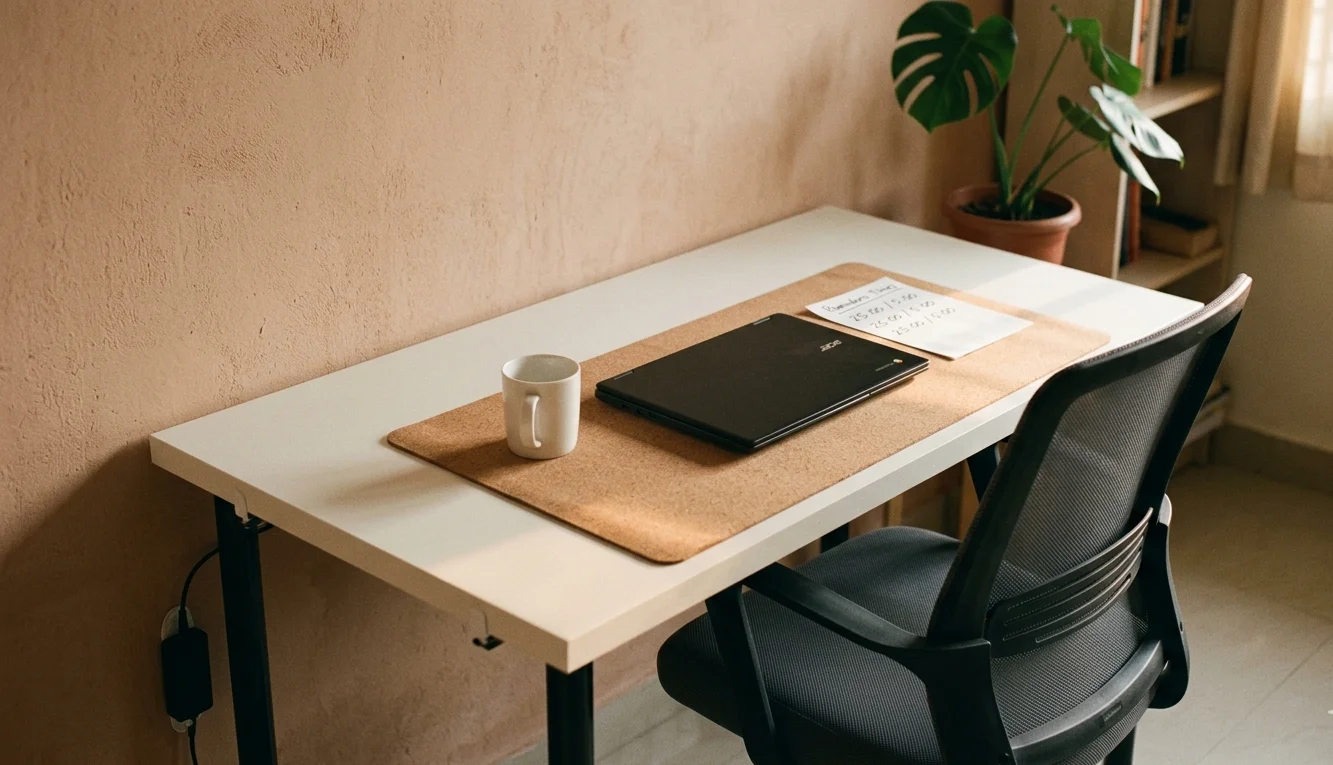
Dev’s ADHD productivity setup cost under $140 total, including the desk mat, which he considers non-negotiable. “The cork gives me something textured to touch when I’m fidgeting. It’s cheaper than a fidget toy and it doubles as a surface protector.” He uses a free Pomodoro timer on his Chromebook screen and keeps no other tabs open during work sessions.
His cable management is three Command clips stuck to the underside of the LAGKAPTEN. “That’s it. Three clips and all my cables are off the floor.” He says reducing distractions at desk started with getting the desk positioning right — facing a blank wall instead of a window.
3. The Standing Pad Setup — $215
| Item | Model |
|---|---|
| Desk | IKEA BEKANT sit-stand underframe (used) + LINNMON top |
| Chair | None (standing only) |
| Laptop | MacBook Air M1 (already owned) |
| Stand | Rain Design mStand |
| Keyboard | Logitech K380 |
| Mouse | Logitech Pebble M750 |
| Anti-fatigue mat | Ergodriven Topo |
| Timer | Minimal Desk Setups Flow Timer |
“I can’t sit still for more than twenty minutes. Literally. So I stopped trying and built a setup that lets me pace, shift weight, and fidget while I work.” — Jess, Portland, OR
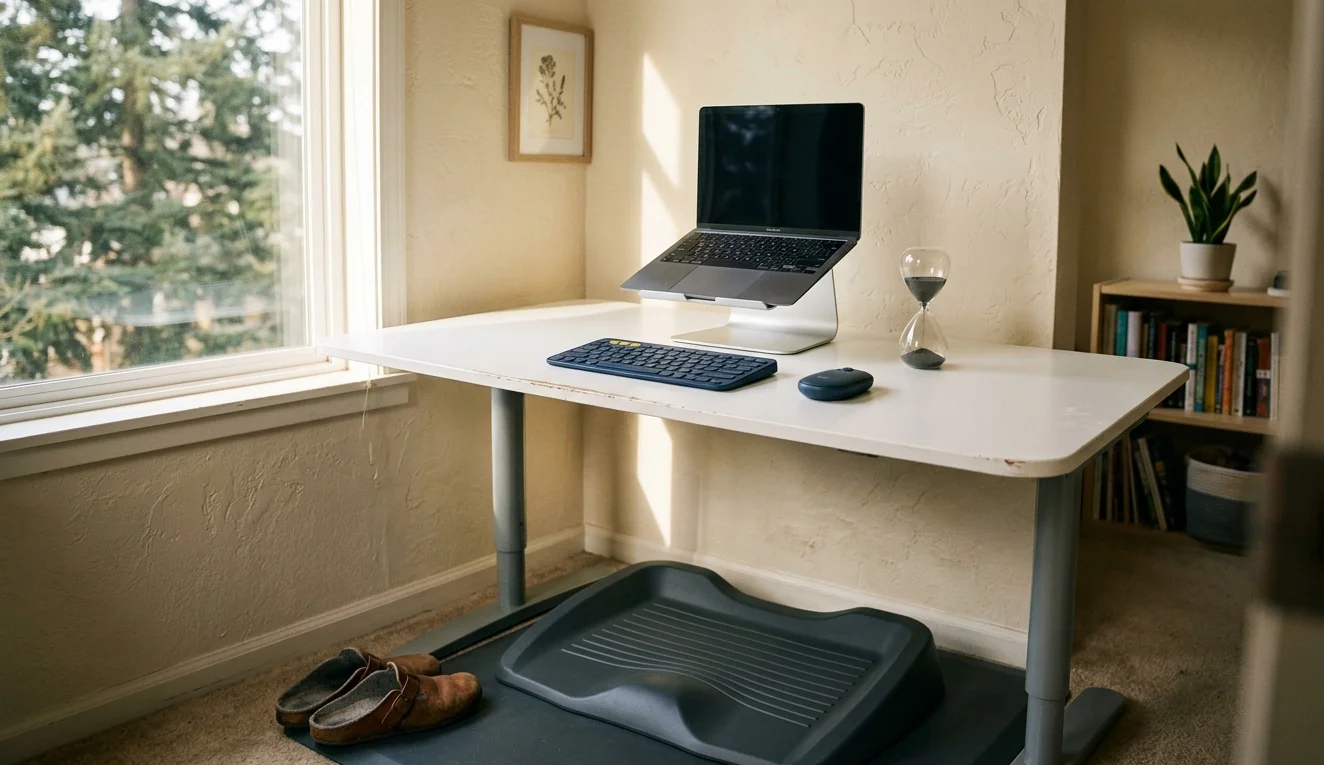
Jess bought the BEKANT underframe secondhand on Facebook Marketplace for $60 and paired it with a $10 LINNMON top. The rest of her budget went toward the Ergodriven Topo mat ($99), which has ridges and a wedge shape that let her rock and shift while standing. “Movement isn’t a distraction for me — it’s fuel.”
A standing desk was the first piece of her ADHD work from home tips she’d give anyone. “If your body wants to move, stop fighting it. Build around it.” She uses the Flow Timer — a physical sand-based timer — instead of her phone because “my phone is where focus goes to die.” The whole focus timer desk setup cost her less than a single Herman Miller armrest.
4. The Dual-Zone IKEA Hack — $310
| Item | Model |
|---|---|
| Desk | IKEA KARLBY walnut countertop, 186cm + 2x ALEX drawers |
| Monitor | Dell P2422H, 24″ IPS (refurbished) |
| Computer | Custom-built Linux PC (already owned) |
| Keyboard | Keychron K6, hot-swappable |
| Mouse | Logitech MX Ergo trackball |
| Desk organizer | IKEA SKÅDIS pegboard, 56x36cm |
| Whiteboard | Quartet glass dry-erase, 12×12″ |
“I split my desk into two zones. Left side is for the computer — that’s deep work. Right side is my analog zone — whiteboard, notebook, pens. I physically turn my chair between them.” — Marcus, Leeds, UK
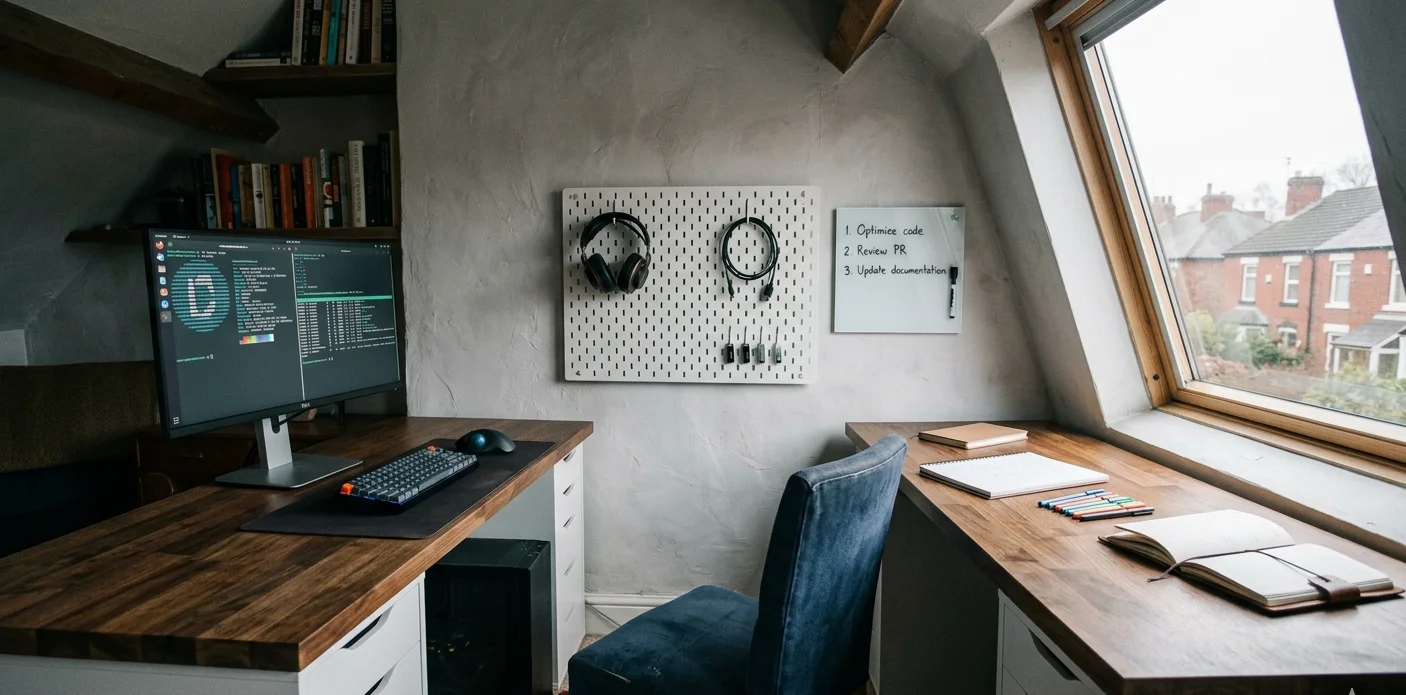
Marcus got the idea for his dual-zone layout after reading about ADHD organization ideas desk strategies that separate “thinking space” from “doing space.” The IKEA ALEX hack gave him enough surface to pull it off without an L-shaped desk.
“The pegboard holds my headphones, a cable for my phone, and three hooks for USB drives. Everything has a fixed spot.” His Quartet whiteboard sits right at eye level and holds only today’s three tasks. “Not tomorrow’s. Not the backlog. Today. Three things.” He calls it the best setup for ADHD he’s tried after years of digital task managers that he’d abandon within a week.
5. The Bedroom Battlestation on a Bookshelf Budget — $380
| Item | Model |
|---|---|
| Desk | IKEA MICKE desk, 105x50cm, white |
| Monitor | AOC 24B2XH, 23.8″ IPS |
| Monitor arm | Amazon Basics single monitor mount |
| Computer | HP Pavilion desktop (refurbished) |
| Keyboard | Redragon K552 mechanical, red switches |
| Mouse | Razer DeathAdder Essential |
| Headphones | HyperX Cloud Stinger 2 |
| Lighting | BenQ ScreenBar Halo |
| Fidget | Speks magnetic desk toy |
“I’m 19 and I game and study at the same desk. My ADHD brain needs the gaming stuff to stay motivated, but it also needs boundaries so I don’t boot up Valorant during an essay.” — Kai, Melbourne, Australia
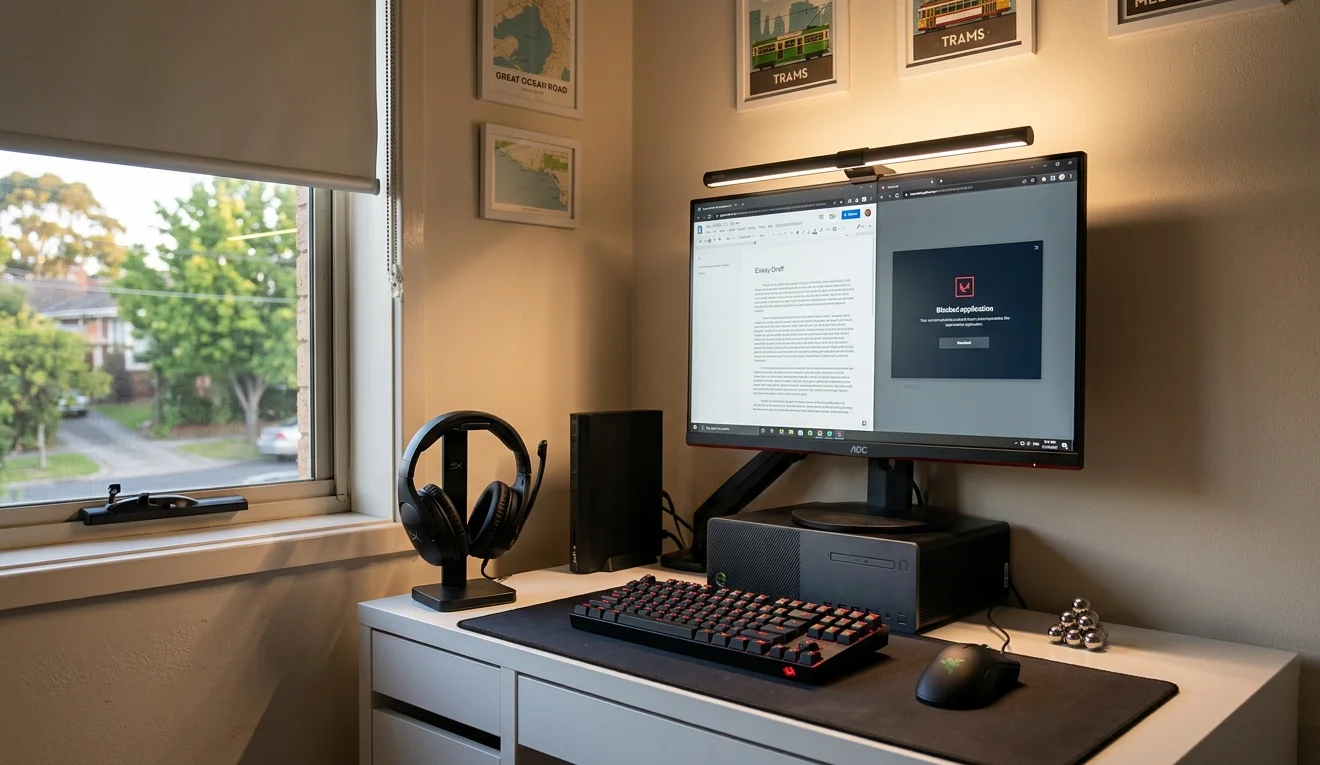
Kai uses the BenQ ScreenBar Halo as a focus cue — warm white during study, cool white during gaming. “The light color tells my brain what mode we’re in. It sounds silly but it actually works.” His monitor and laptop setup was inspired by posts he saw on r/battlestations, adapted for his smaller MICKE desk by adding a monitor arm to free up surface space.
“I keep the Speks magnets right next to my mouse. When I’m thinking or stuck on a problem, I mess with them instead of alt-tabbing to Reddit.” He blocks gaming apps during study hours using Cold Turkey and says that combo of physical fidgeting plus software blocking is the ADHD productivity setup that finally stuck.
6. The Freelancer’s Calm Desk — $430
| Item | Model |
|---|---|
| Desk | IKEA TROTTEN sit-stand desk, 120x70cm |
| Chair | IKEA MATCHSPEL gaming chair (used as office chair) |
| Monitor | LG 27UL500-W, 27″ 4K IPS |
| Laptop | MacBook Air M2 (already owned) |
| Dock | Anker 553 USB-C hub |
| Desk mat | Grovemade matte felt, large |
| Noise machine | LectroFan Evo |
| Organizer | Grovemade desk shelf, walnut |
“I work from a one-bedroom apartment and my partner is here too. The LectroFan is on from 9 AM to 5 PM — it creates a sound wall between us.” — Noor, Amsterdam, Netherlands
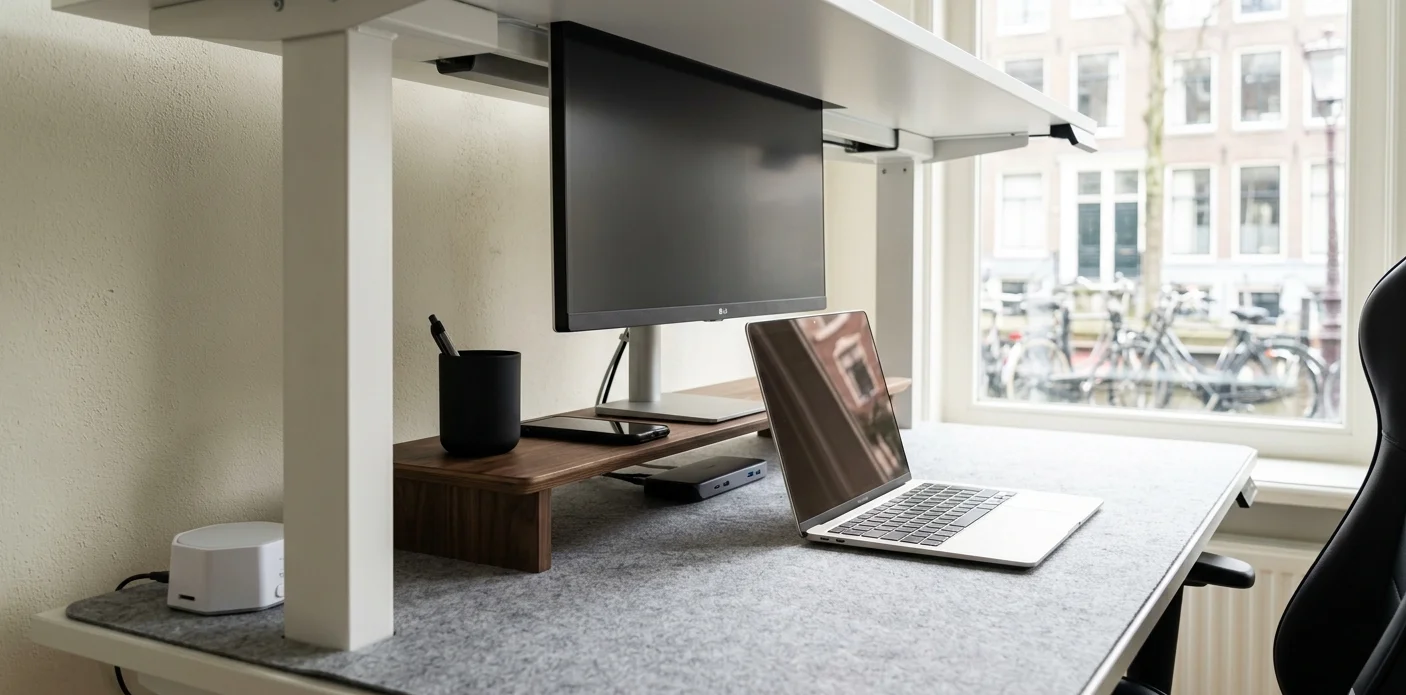
Noor’s ADHD friendly home office strategy centers on sensory control. The felt desk mat muffles her typing and mouse movement. The LectroFan runs a steady brown noise that masks her partner’s video calls. The desk storage shelf holds only her dock, a pen cup, and her phone — face down.
“I tried every productivity app. Notion, Todoist, Sunsama, all of them. What actually worked was a $40 noise machine and putting my phone face down.” She raises the TROTTEN to standing height after lunch, which she says resets her afternoon focus. Her best ADHD work from home tips? “Control your sound, control your sightlines, and stop buying apps.”
7. The Color-Coded Creative Station — $520
| Item | Model |
|---|---|
| Desk | IKEA IDÅSEN sit-stand desk, 120x70cm |
| Chair | Secretlab Titan Evo 2024 (open box) |
| Monitor | ASUS ProArt PA248QV, 24.1″ IPS |
| Laptop | Dell XPS 13 (already owned) |
| Keyboard | NuPhy Air75 V2 |
| Mouse | Logitech MX Master 3S |
| Lighting | Govee RGBIC LED strip behind desk |
| Organizer | Three color-coded IKEA TJENA boxes |
| Timer | Ticktime Cube, 6-sided |
“I color-code everything. Red box is client work. Blue is personal projects. Green is admin. The LED strip behind the desk matches whichever box I’m working from.” — Tomás, Lisbon, Portugal
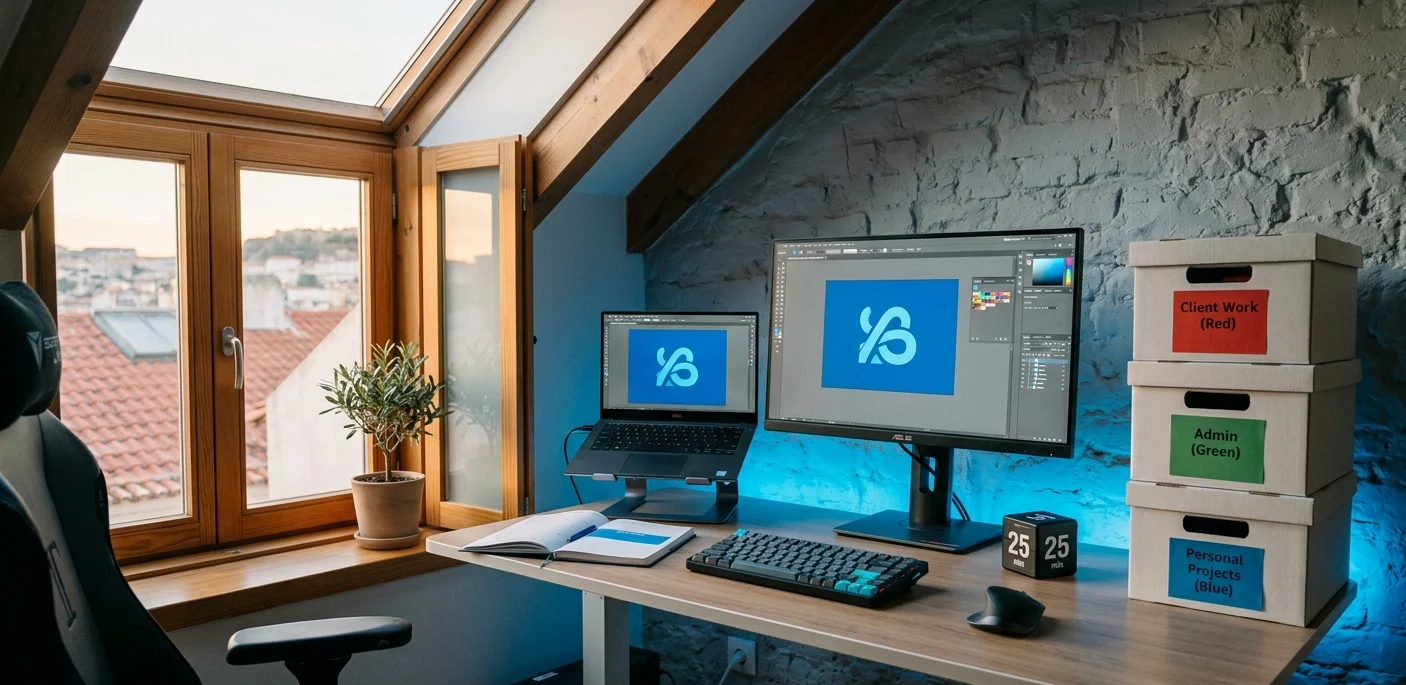
Tomás maps his Govee LED strip colors to task categories — the same colors as his TJENA boxes and his calendar in Google Calendar. “When the wall behind my desk is red, I know I’m on client time. It sounds over-engineered but for my brain it’s like having a traffic light.”
He picked up his Secretlab chair as an open-box return and says it was the single most important upgrade for sitting through long Illustrator sessions. The Ticktime Cube sits next to his keyboard — he flips it to the 25-minute side when starting a Pomodoro and the physical action of flipping it becomes a work routine trigger. His ADHD workspace is proof that color and light can be organizational tools, not just decoration.
8. The Parent’s Closet Office — $620
| Item | Model |
|---|---|
| Desk | Custom pine plank on wall-mounted IKEA EKBY brackets |
| Chair | HON Ignition 2.0 mid-back |
| Monitor | Dell S2722QC, 27″ 4K USB-C |
| Computer | MacBook Pro 14″ M3 (already owned) |
| Webcam | Logitech Brio 300 |
| Headphones | Sony WH-1000XM4 |
| Lighting | Elgato Key Light Mini |
| Cable mgmt | IKEA SIGNUM tray + J-channel raceways |
| Door | IKEA MEHAMN sliding door (added to closet) |
“I have a four-year-old and a two-year-old. My office is a 4×6 foot closet with a sliding door I installed myself. When the door closes, it’s work. When it opens, it’s dad time. My brain needs that hard line.” — Elliot, Denver, CO
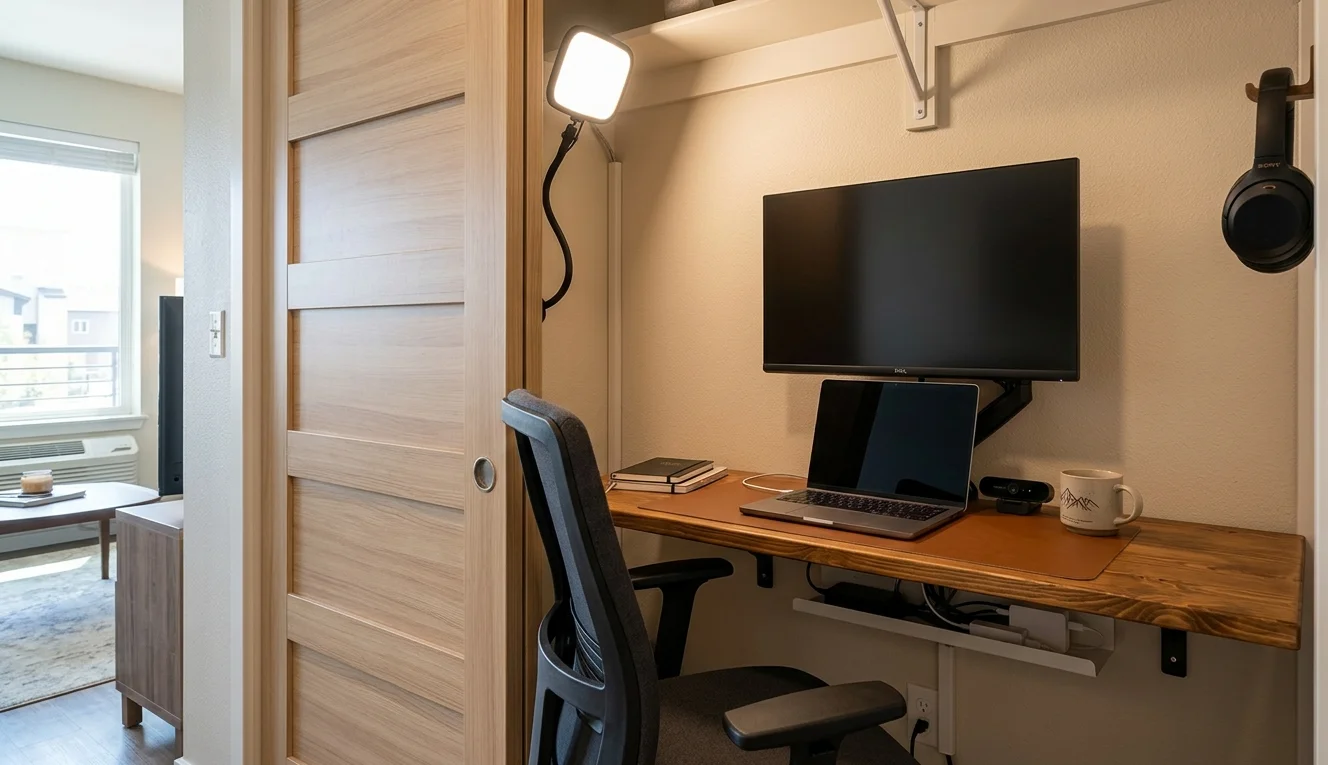
Elliot’s ADHD friendly home office was born from necessity — the kids kept wandering into his previous desk area in the living room. He cut a pine plank to fit the closet width, mounted it on EKBY brackets at standing-optional height, and added a sliding door. Total closet conversion cost, including the door: about $180.
The Sony XM4 headphones are his second-most-used item after the monitor. “Noise canceling isn’t a luxury when you have toddlers. It’s infrastructure.” He hides his cables with a SIGNUM tray under the desk and J-channel raceways down the wall. Elliot says reducing distractions at desk meant building a physical barrier — not just a mental one. “If your environment has a door, use it.”
9. The Dual-Monitor Developer Den — $780
| Item | Model |
|---|---|
| Desk | Fully Jarvis bamboo standing desk, 60×30″ |
| Chair | Autonomous ErgoChair Pro |
| Primary monitor | LG 27GP850-B, 27″ 165Hz IPS |
| Secondary monitor | Dell P2419H, 24″ IPS (vertical, refurbished) |
| Monitor arms | HUANUO dual gas spring mount |
| Computer | Custom Ryzen 5 7600 build (already owned) |
| Keyboard | Keychron Q1 Pro, Gateron Brown switches |
| Mouse | Logitech G Pro X Superlight 2 |
| Headphones | Beyerdynamic DT 770 Pro, 80 ohm |
| Desk organizer | IKEA SKÅDIS pegboard, 76x56cm |
| Footrest | Humanscale FM300 |
“I code eight to ten hours a day. If my setup doesn’t support my ADHD, I lose two or three of those hours to context-switching and restlessness. The vertical monitor changed everything — Discord, Slack, and my terminal live there permanently, so I never have to hunt for them.” — Lena, Berlin, Germany
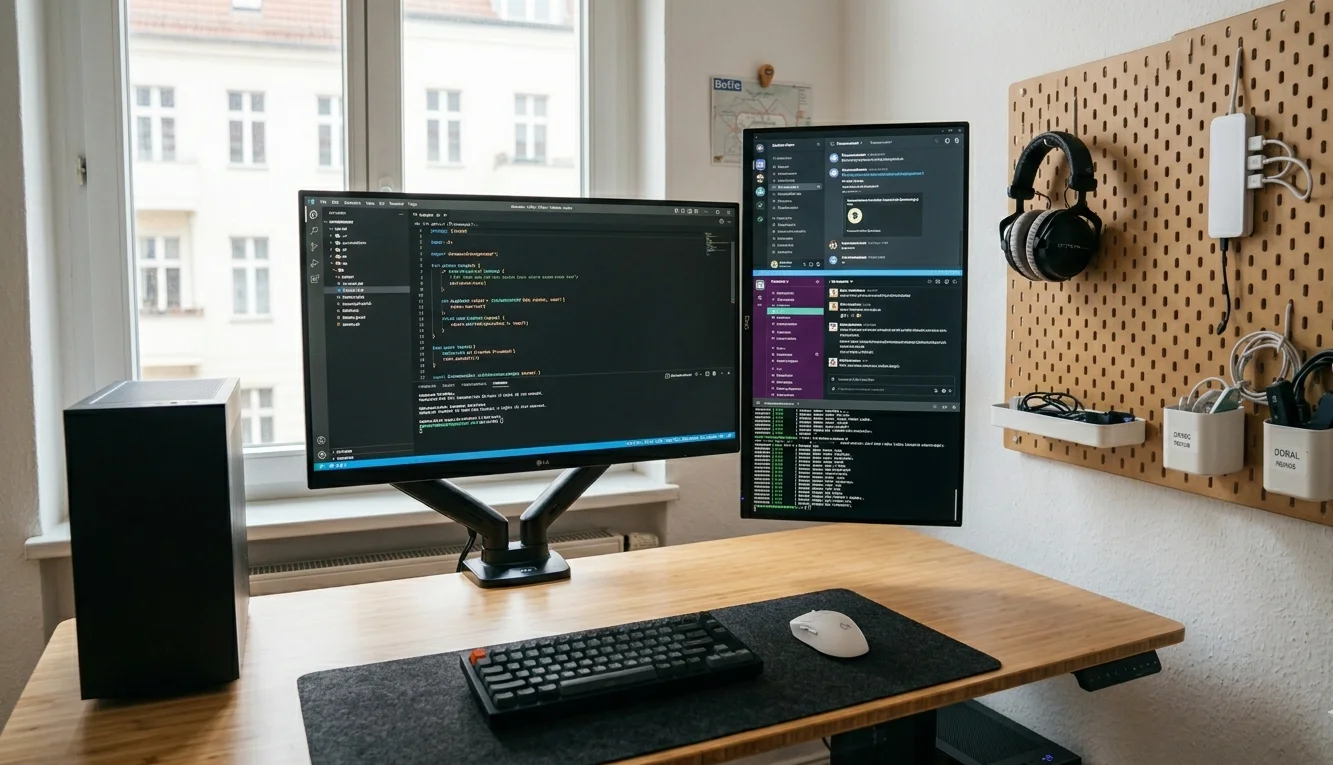
Lena’s ADHD productivity setup is built around what she calls “zero-search computing” — every window has a permanent home, and she never minimizes anything. Main monitor is for her IDE, always full-screen. Vertical monitor holds comms and terminal, split into thirds. “Hunting for a window is the same as losing my train of thought.”
The Humanscale footrest lets her bounce her legs while seated, which she says is her primary work-from-home focus strategy. The pegboard holds her headphones, a USB hub, and two small bins for cables and dongles. Her total monitor arm spend was $40 from Amazon, and she says a dual-monitor arrangement on arms is the single highest-ROI upgrade for any developer with ADHD. “Arms free up desk space, and desk space frees up mental space.”
10. The Full ADHD Command Center — $950
| Item | Model |
|---|---|
| Desk | Uplift V2 standing desk, 60×30″, walnut laminate |
| Chair | Herman Miller Sayl (refurbished) |
| Monitor | Samsung Odyssey G5 34″ ultrawide, 165Hz |
| Monitor arm | Ergotron LX heavy-duty |
| Computer | MacBook Pro 16″ M3 Pro (already owned) |
| Dock | CalDigit TS4 Thunderbolt 4 |
| Keyboard | ZSA Voyager, split ergonomic |
| Mouse | Logitech MX Master 3S |
| Headphones | Apple AirPods Max |
| Webcam | Opal Tadpole |
| Timer | Time Timer PLUS, 120-minute |
| Lighting | BenQ ScreenBar Plus + Govee floor lamp |
| Desk organizer | Grovemade desk shelf + pen holder, walnut |
| Cable mgmt | Uplift wire management kit |
| Whiteboard | Quartet magnetic glass, 24×18″ |
| Fidget | MoKo under-desk bike pedal |
“I spent five years buying the wrong things before I figured out what actually helps my ADHD. The split keyboard fixed my shoulder pain and gave me a clear center zone for my notebook. The under-desk pedal bike lets me burn off restless energy without standing up. And the 120-minute Time Timer is the only reason I can get through deep work blocks.” — Sam, Austin, TX
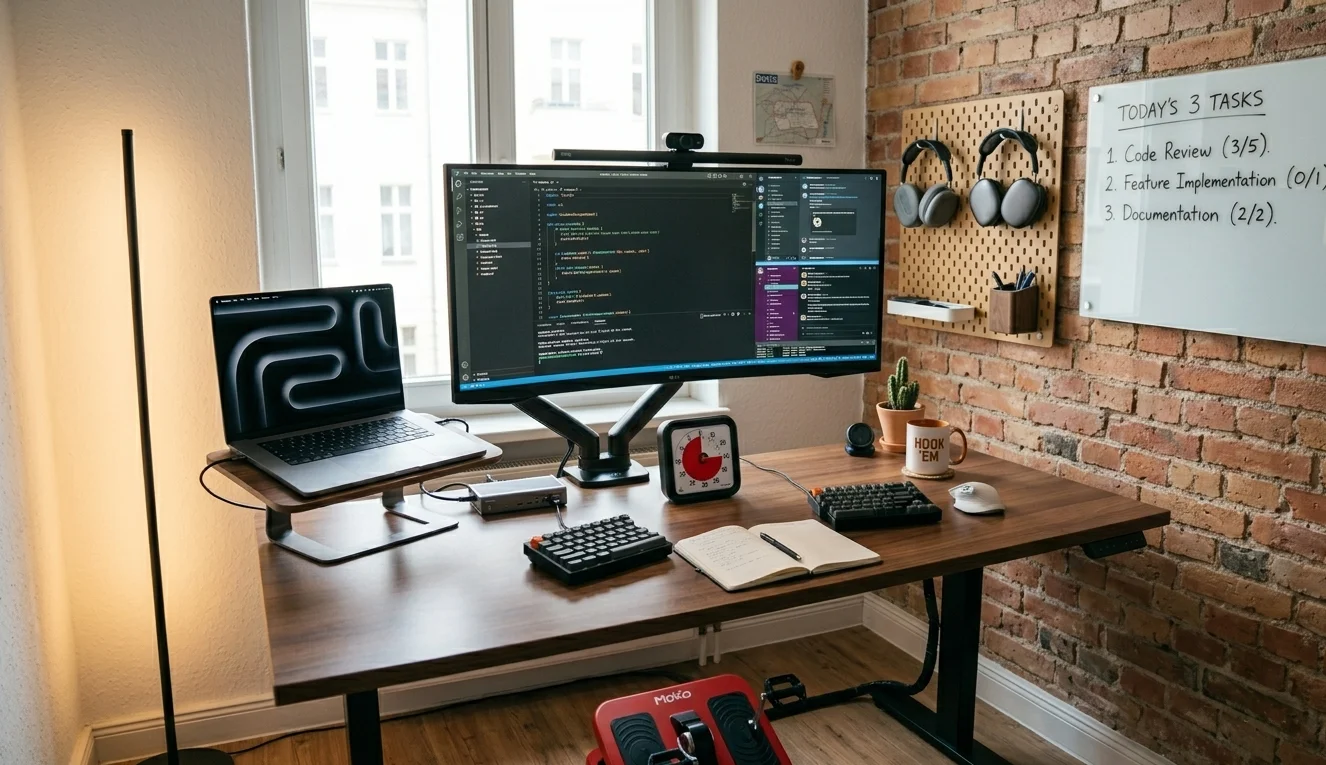
Sam’s setup took three years to reach its current form. He started with just the Uplift desk and a laptop, then added pieces one at a time based on what actually improved his focus. “I kept a spreadsheet. Every time I added something, I tracked whether my average deep-work block got longer or shorter that week. The pedal bike and the timer were the two biggest jumps.”
The ZSA Voyager split keyboard sits about ten inches apart, leaving room for a physical notebook in the center — where Sam writes his daily three tasks, borrowed from the same “today only” approach Marcus uses at his minimal desk setup. The CalDigit dock means one cable connects his MacBook to everything: monitor, keyboard, webcam, and audio. “One cable. That’s the whole routine. I plug in, I flip the timer, I start. If the friction were any higher, I’d procrastinate the setup itself.” Sam’s ADHD command center is the most expensive setup on this list, but he built it gradually — “and half of it came refurbished or on sale.”
