

Your screens, chair, and desk shape how you read the market and how your back feels after six hours at the open. A good trading desk setup keeps charts, news, and order entry within a glance while keeping you out of pain.
The seven ideas below cover different budgets, room sizes, and trading styles, from a single ultrawide to a full monitor wall. Pick the one that matches how you actually trade.
Top 7 Trading Desk Setup Ideas
Triple-Monitor Command Center
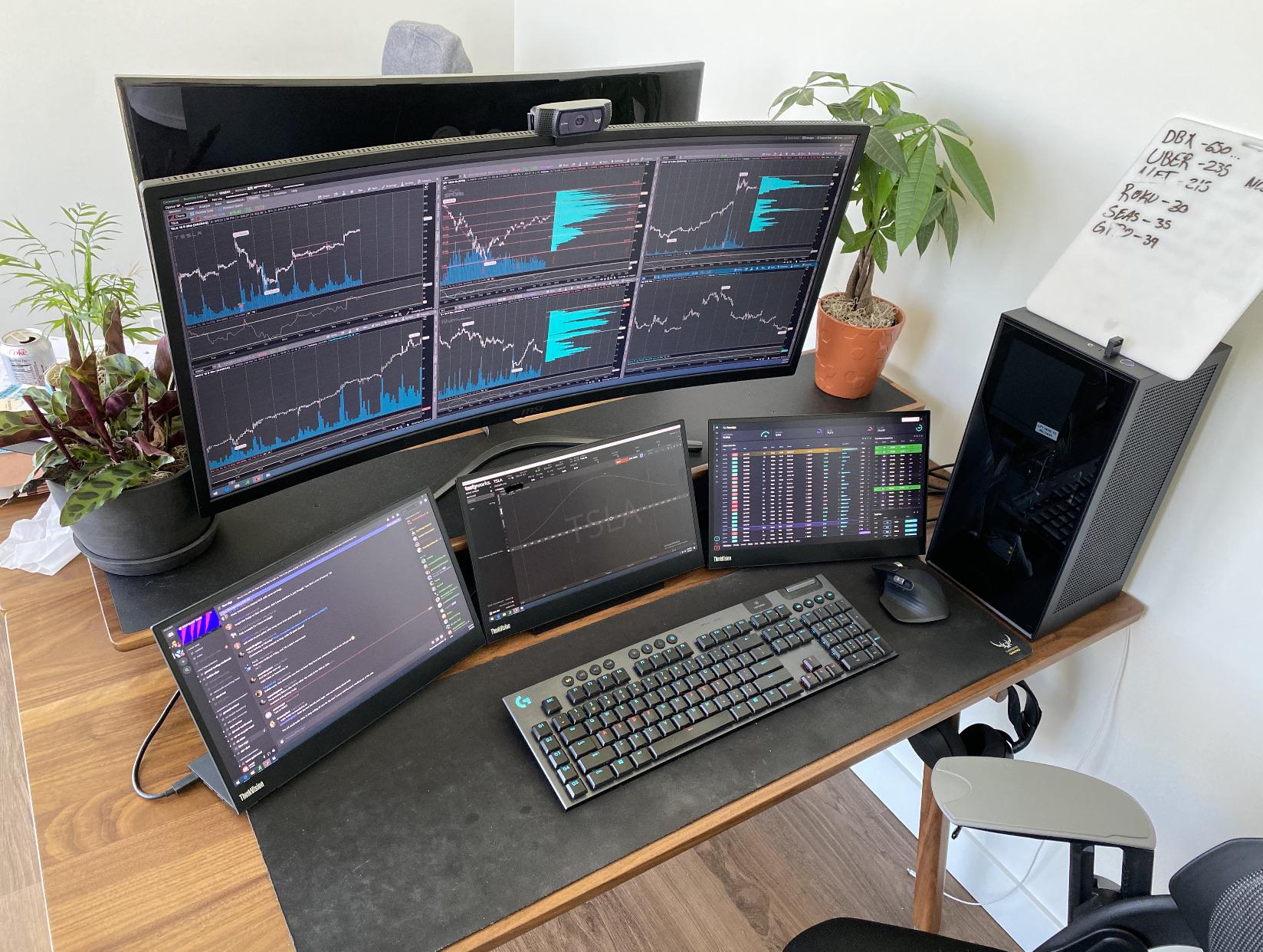
Three screens remain the default for active traders. Put charts on the center display, your platform on one side, and news or scanners on the other.
Monitor arms free up desk space and let you dial in the height, a trick you see across most multi-monitor desk tours. Angle the side panels inward so you read them without turning your head.
Single Ultrawide for a Clean Desk
A 49-inch ultrawide swaps two or three panels for one curved surface. You split it into chart windows with the monitor’s own software, which keeps the desk open and cabling short.
One ER doctor built his workspace around a Samsung G9 ultrawide and kept the surface nearly bare. It suits anyone who hates bezels slicing through a chart.
Standing Desk for Long Sessions
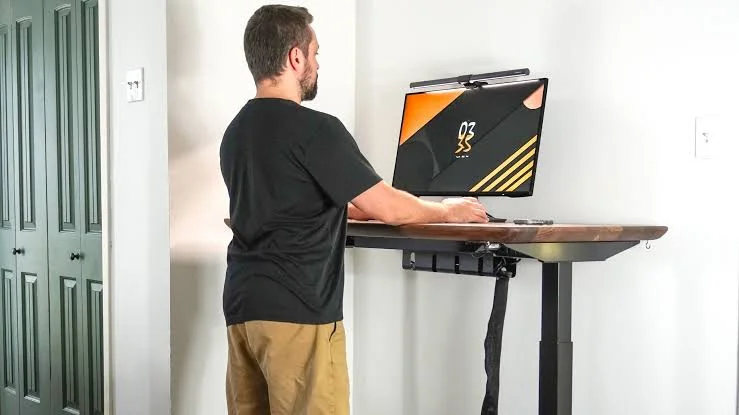
Sitting through a full session stiffens the back and saps energy by the afternoon. A sit-stand desk lets you change position with a button, so you stay sharp into the close.
Most electric frames hold three to four monitors without wobble, and plenty of traders run a whole rig on one, as you can see in these standing desks tested by real users. Set a reminder to stand, or you will forget the feature exists.
Dual-Monitor Budget Build
Four screens are not a requirement for trading well. Two monitors, a sturdy desk, and a supportive chair cover charts and execution at a fraction of the cost.
Buying accessories second-hand, the route many budget desk builds take, leaves more room for a fast computer and a reliable connection. Add screens later if your strategy actually needs them.
Vertical Monitor Stack for Tight Rooms
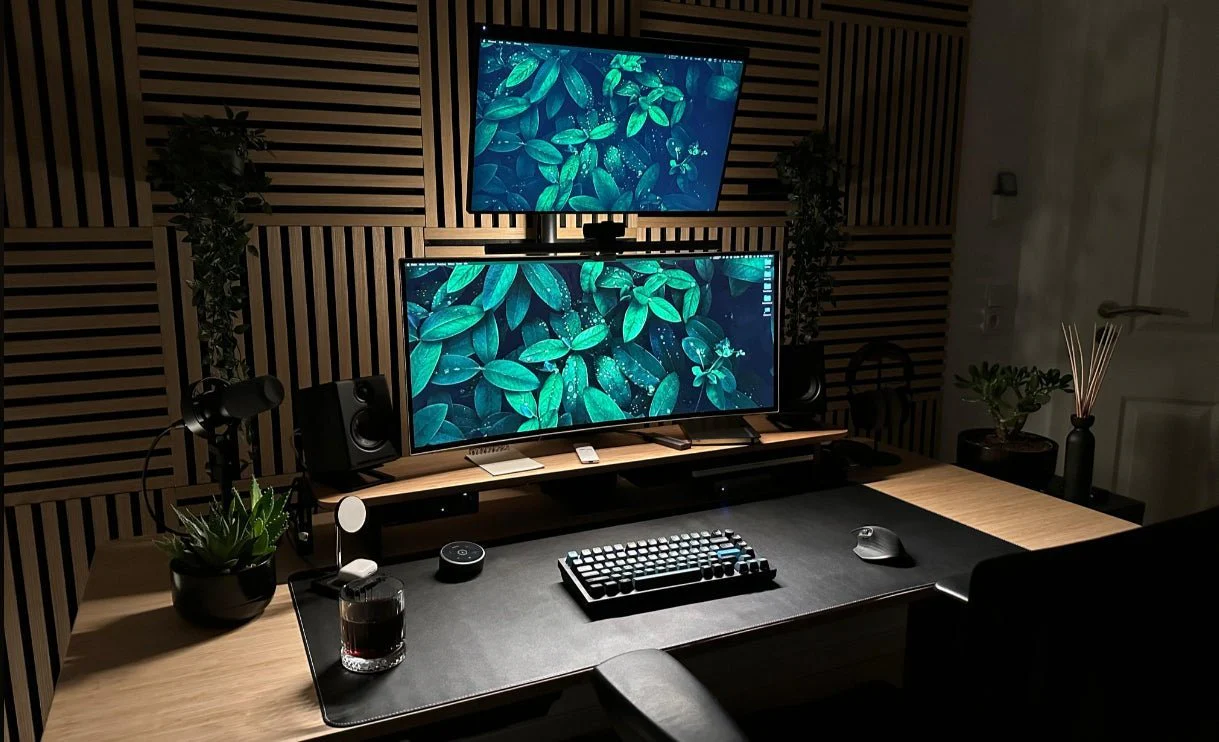
Short on width? Stack two monitors instead of lining them up. A vertical layout fits a narrow desk while leaving room for a chart up top and a watchlist below.
Keep the upper screen at eye level on an adjustable arm so your neck stays neutral. This works well in a bedroom corner or a shared room.
Six-Screen Wall for High-Volume Traders
Traders tracking many markets at once build a wraparound wall, usually three over three. Each screen takes an asset class, a scanner, or a global index, so nothing hides behind a tab.
It is overkill for most people and a daily workhorse for a few. If you trade one or two instruments, this layout fights you more than it helps.
Minimalist Setup That Stays Focused
Less on the desk means fewer things pulling your eye off the tape. A single clean monitor, a quiet keyboard, and hidden cables make a space you want to sit at.
This pared-back Amsterdam workspace shows how far calm can take you. Daily tidying and grouped accessories keep it that way.
What Makes a Good Trading Desk Setup?
Screen count gets the attention, but comfort and clarity decide how you trade after hour four. An ergonomic chair with lumbar support and a height-adjustable desk keep your back out of the conversation. Set the top of each monitor at or just below eye level, about an arm’s length away.
Lighting matters more than people expect. Indirect LED light around 4000–5000K cuts glare during evening sessions. Route cables through a tray or sleeve so the desk stays clear and your chair moves freely, a habit on display in most minimal standing desk builds.
Under the hood, a fast computer with enough RAM runs several platforms at once, and a backup internet line keeps you from missing a fill. Choose the layout that matches your markets and room, then build out from there.
FAQs
How many monitors do I need for a trading desk setup?
Two is enough to separate charts from order entry. Active traders often run three to four. The right number depends on how many markets you watch, not on screen count for its own sake.
Is a standing desk worth it for trading?
Yes, if you sit for long sessions. Switching between sitting and standing eases back strain and keeps energy up. Choose an electric frame rated to hold your monitors steady without wobble.
What size desk is best for a trading setup?
Aim for at least 55 inches wide so multiple monitors, a keyboard, and a mouse fit without crowding. A height-adjustable top adds flexibility to switch between sitting and standing.
Can I build a good trading desk setup on a budget?
Yes. Two monitors, a second-hand ergonomic chair, and a sturdy desk cover the basics. Spend on a fast computer and reliable internet before adding extra screens.
How do I reduce eye strain at a trading desk?
Keep monitors an arm’s length away with the top at eye level. Use indirect lighting around 4000–5000K and add anti-glare filters to cut reflections during long sessions.
