

Your keyboard gets more contact than almost anything else on your desk. The model you choose affects your wrists, your typing speed, and how you feel after a long shift.
Some people want thin, quiet boards for a tidy desk. Others prefer heavy mechanical models with tactile feedback. Wireless cuts cable clutter, compact shapes travel well, and split designs ease wrist strain whether you write reports or code for hours like these developers.
New to the hobby? Read this guide on choosing switches, keycaps, and layouts before you spend anything.
We tested a range of models to find the nine best-selling keyboards for desk setups this year. Each one suits a different budget, style, and use case.
Quick Look at All Nine Keyboards
| Rank | Model | Best For |
|---|---|---|
| 1 | Logitech MX Keys S | Daily drivers |
| 2 | Logitech MX Keys Mini | Compact desks |
| 3 | Logitech Pop Icon Keys | Tight budgets |
| 4 | Logitech Ergo K860 | Plug-and-play comfort |
| 5 | ZSA Voyager | Split board fans |
| 6 | Keychron Q Max | Mechanical lovers |
| 7 | Keychron C3 Pro | Cheap mech entry |
| 8 | Wooting 80HE | Hardcore gamers |
| 9 | SteelSeries Apex Pro TKL Wireless Gen 3 | Wireless gamers |
1. Logitech MX Keys S
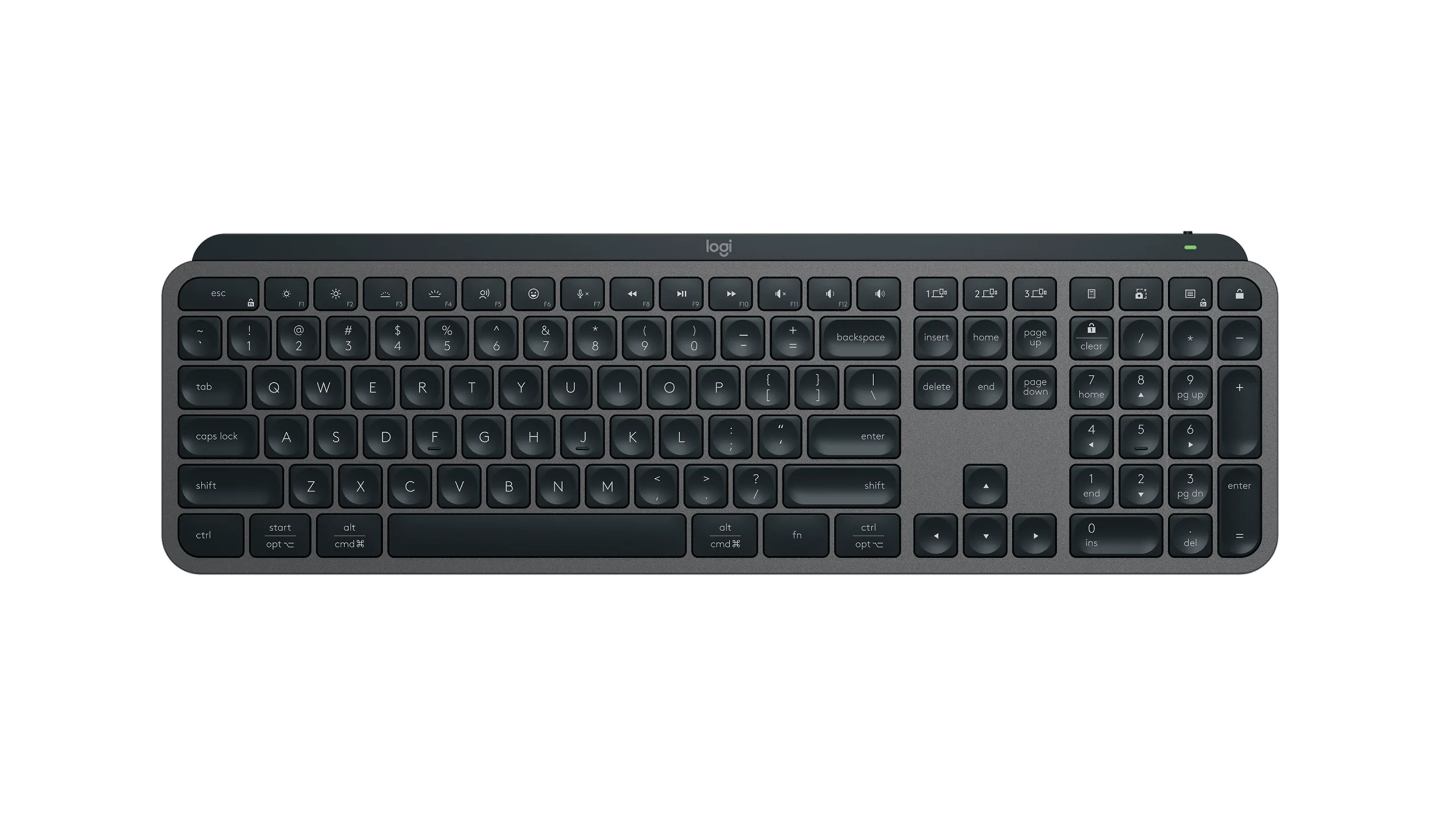
The MX Keys S is the safe pick for most desks. It measures just under 17 inches wide and 0.8 inches tall, with a slim profile.
The dished keycaps catch your fingertips and cut typos. Backlighting switches on when your hands move close. Turn it off and the battery lasts five months; leave it on and you get about 10 days.
Logi Options+ handles custom keys and brightness. The board pairs with three devices over Bluetooth or the Logi Bolt dongle, and it runs on Windows, macOS, ChromeOS, Linux, and iPadOS. A USB-C port handles charging.
2. Logitech MX Keys Mini
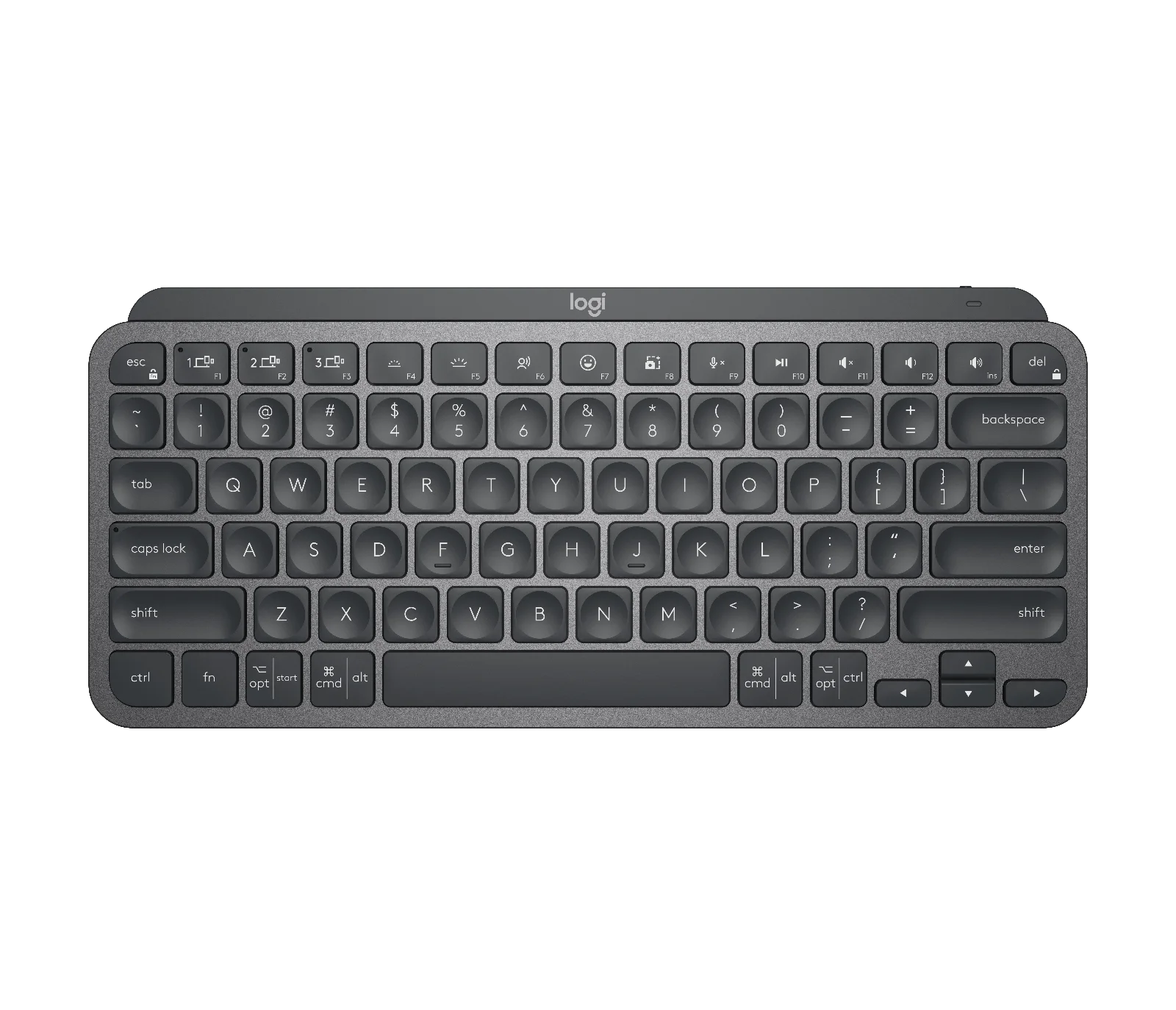
The Mini is the smaller version of the MX Keys S. It drops the numpad and costs $10 less.
You get the same dished caps, smart lighting, and software. If your desk is short on space and you rarely type numbers, the Mini fits well. The saving is small, so many buyers stay with the full-size model.
3. Logitech Pop Icon Keys
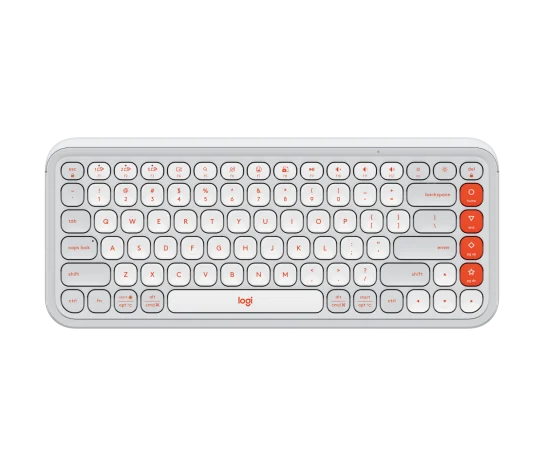
At $50, the Pop Icon Keys is the budget winner. The 75% layout skips the numpad but adds four custom keys on the right.
Another 11 function keys are programmable through Logi Options+. The caps have a slight dip and stay quiet under your fingers.
Two AAA cells last about three years, and you can pair three devices at once. It works with Mac, Windows, Linux, ChromeOS, iPadOS, iOS, and Android.
4. Logitech Ergo K860
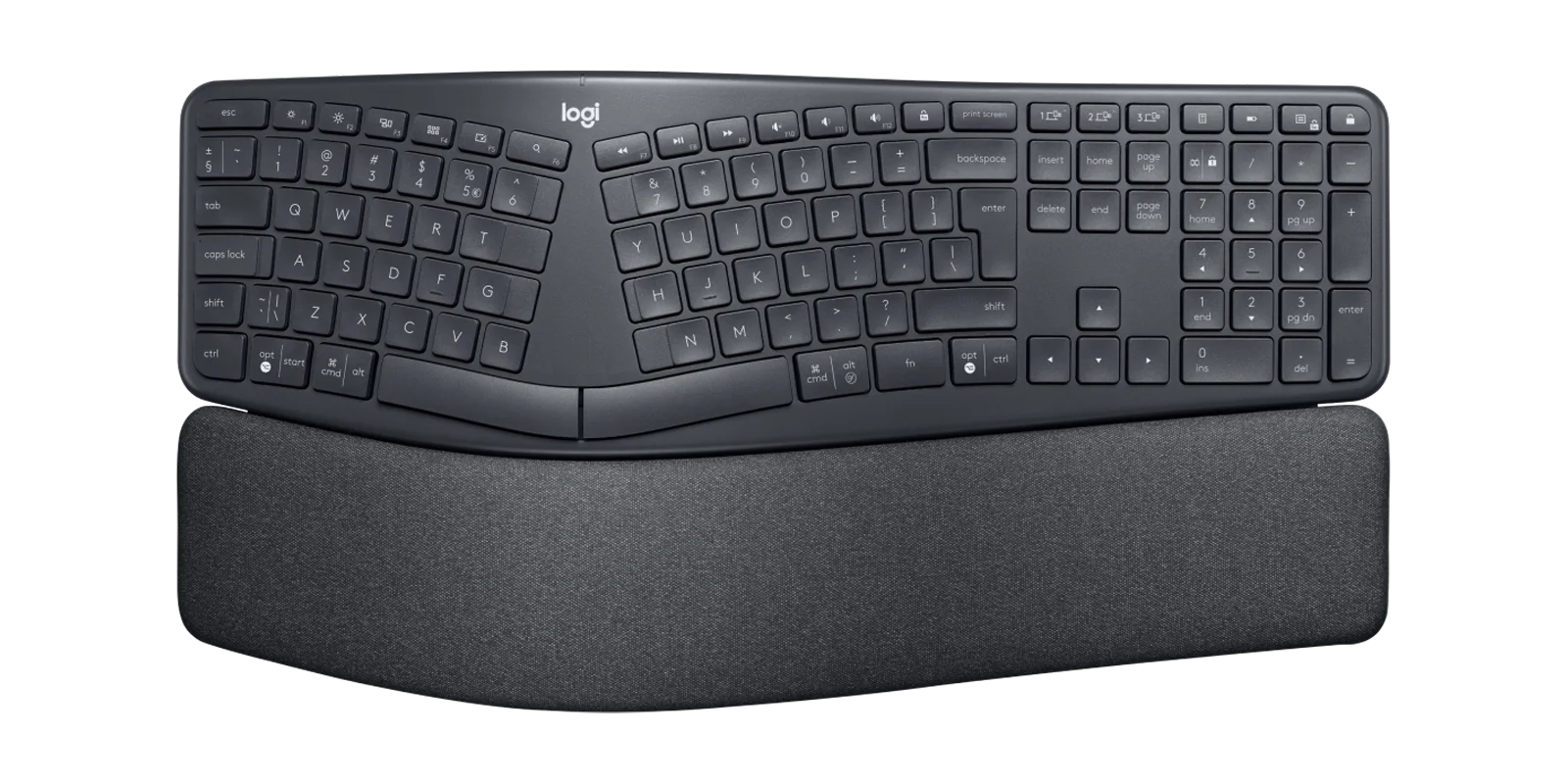
The Ergo K860 makes wrist comfort simple. It uses an Alice-style split, gentle tenting, optional negative tilt, and a soft palm rest.
The scissor keys feel light, and you keep a numpad, arrow keys, and a function row. There is almost no learning curve, so typing feels close to a normal board while your forearms stay straighter.
It connects to three machines over Bluetooth or Logi Bolt.
5. ZSA Voyager
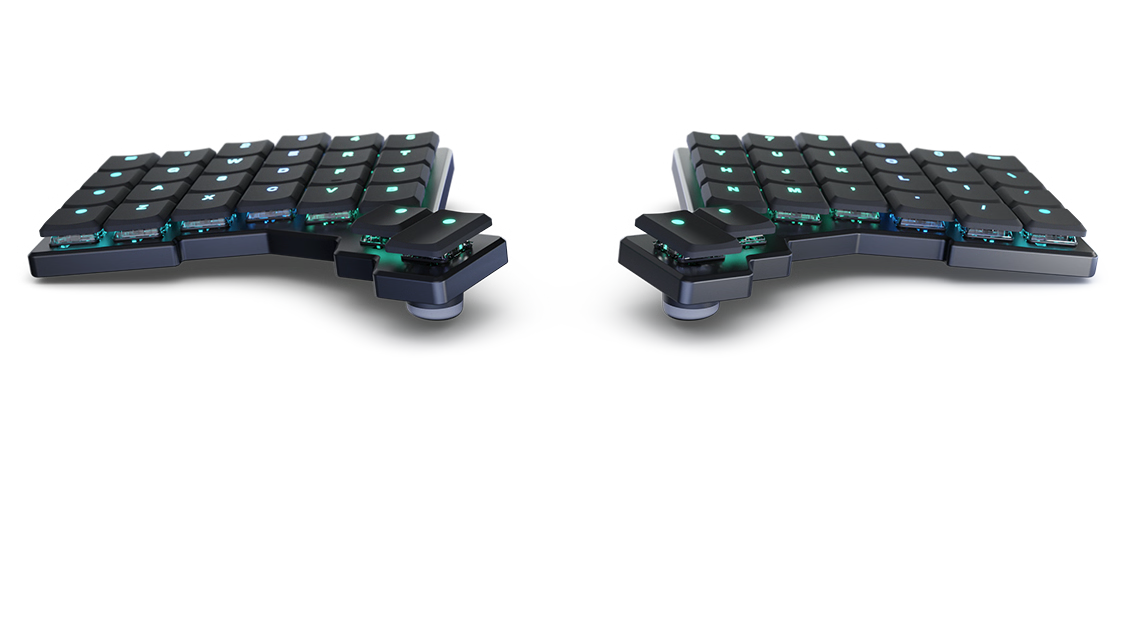
This $365 split board uses Kailh Choc low-profile switches. Plan for about three weeks of relearning.
Your thumbs handle return, shift, control, and layer keys. The two halves sit up to a foot apart, which opens your chest and shoulders. Programmable layers extend its reach, and magnetic knobs add tenting lift.
For real-world context, see how one maker fits custom boards into his Zurich gaming and work setup.
6. Keychron Q Max
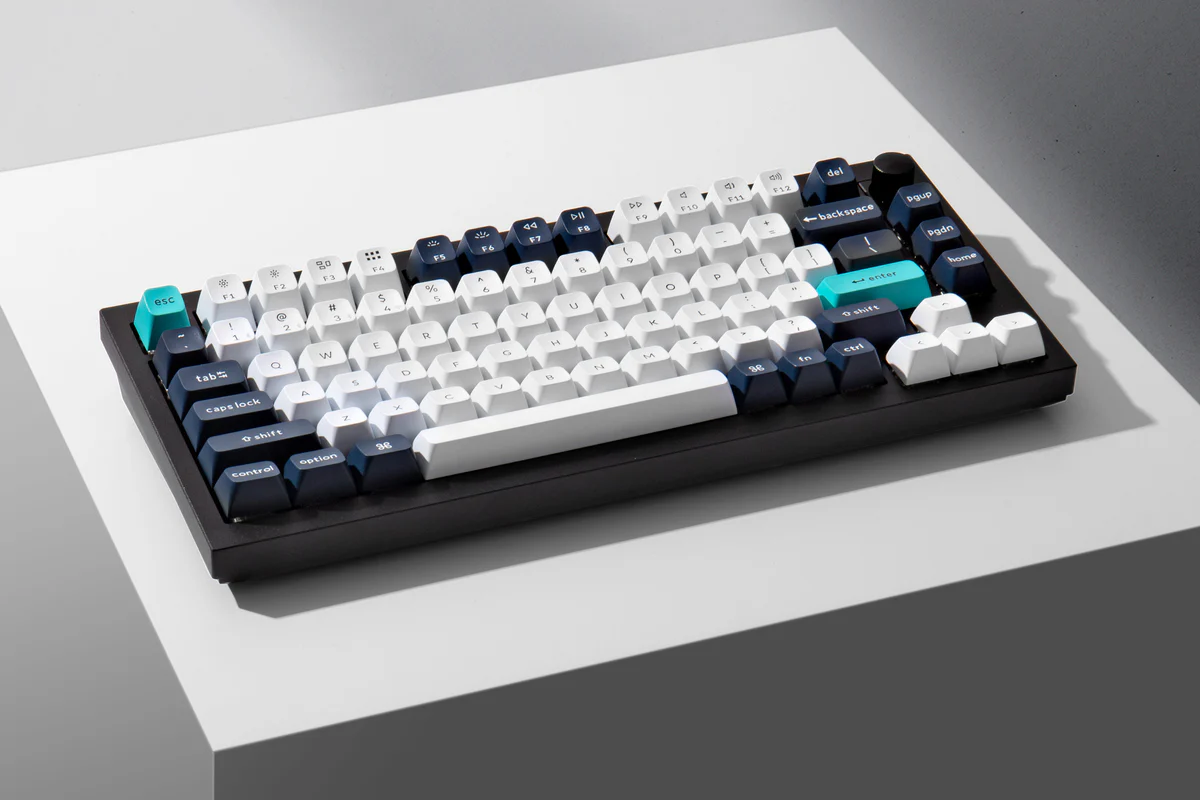
The Q Max starts at $189 and brings serious build quality. The all-aluminum case feels heavy and cool, and the PBT caps sit slightly tall.
Hot-swap sockets and Gateron Jupiter switches let you change the feel anytime. The double gasket mount gives each press a soft, springy bounce.
It connects over 2.4GHz, Bluetooth, or USB-C, and ships with Mac and Windows caps plus a knob. Once you settle in, you can change the feel with switch lubing, foam, or spring swaps.
7. Keychron C3 Pro
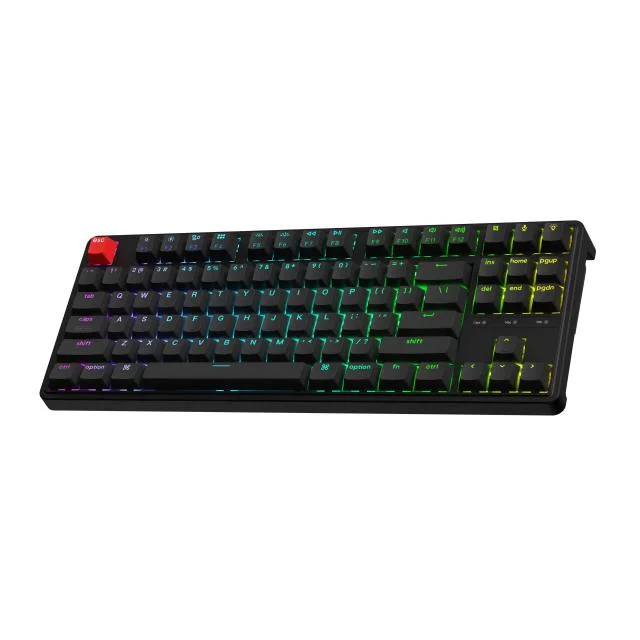
The C3 Pro is the cheap mechanical pick at under $50. Factory-lubed switches, a gasket mount, and inner foam keep it quiet and crisp.
Brown switches sound clacky. It runs wired only and ships with red LEDs by default. Pay $10 more for RGB and hot-swap. The ABS caps feel a touch slick next to PBT, but the value is hard to beat.
8. Wooting 80HE
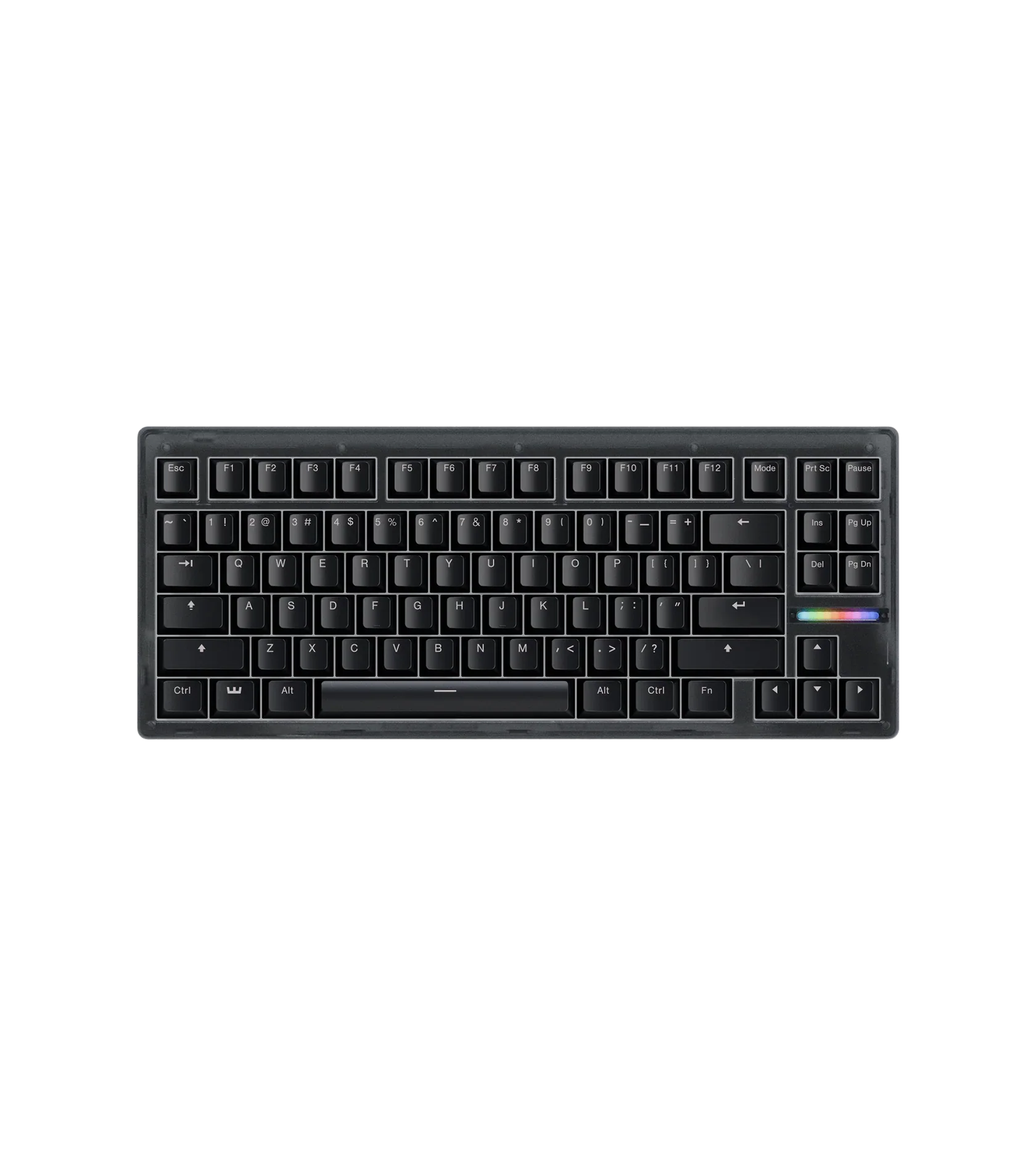
This $199.99 board uses Lekker Hall-effect sensors that read how far you press each key. You can set actuation depth per key, run rapid trigger for faster repeats, and bind two commands to one key.
In a shooter, a light press on W walks and a full press sprints. Wootility software handles the tweaks. The PBT caps and pre-lubed switches feel smooth, though the case is all plastic.
9. SteelSeries Apex Pro TKL Wireless Gen 3
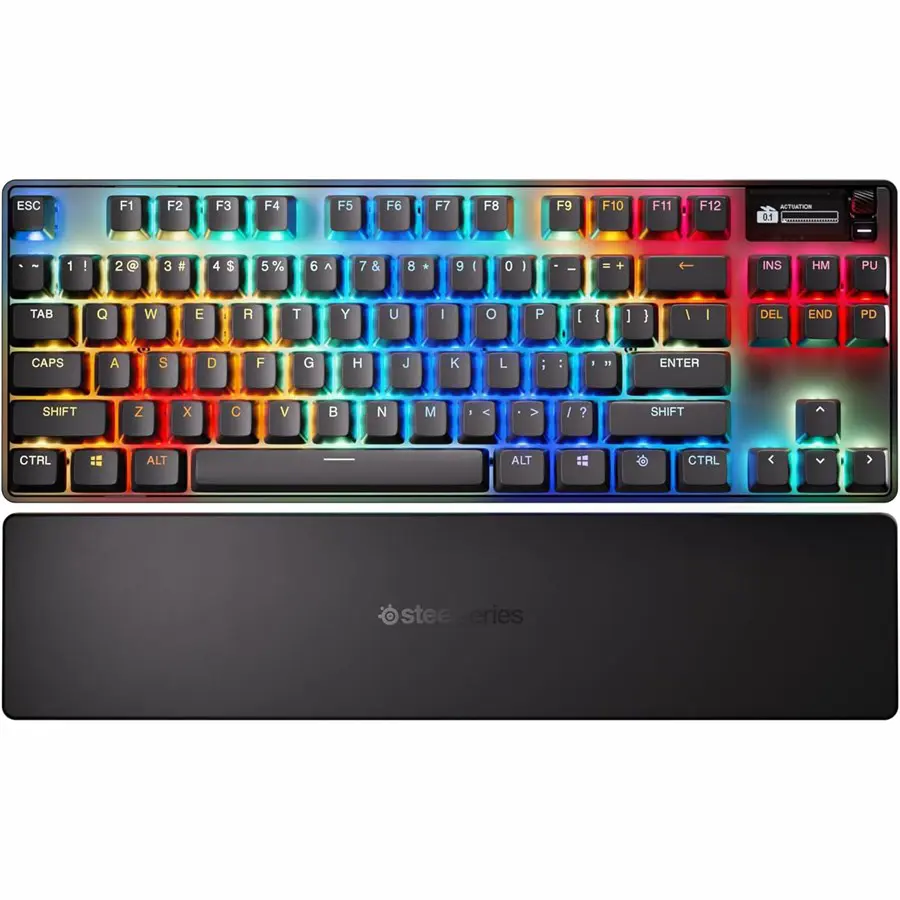
At $270, this wireless TKL pairs OmniPoint 2.0 analog switches with adjustable actuation and rapid trigger. A protection mode blocks accidental key hits, and preset profiles cover popular games.
You get PBT caps, an aluminum top plate, and a magnetic wrist rest. It connects over 2.4GHz, Bluetooth, or USB-C.
For a sense of how gamers build around boards like this, look at this ultrawide battlestation and this geek WFH battlestation.
How to Pick the Right Keyboard for Your Desk
| Need | Pick | Price |
|---|---|---|
| Quiet office work | MX Keys S or Pop Icon | $50–$130 |
| Comfort focus | Ergo K860 or Voyager | $130–$365 |
| Typing joy | Keychron Q Max | $189+ |
| Cheap mech start | Keychron C3 Pro | Under $50 |
| Gaming edge | Wooting 80HE or Apex Pro | $200–$270 |
Wired or wireless
Wired boards plug into USB-A or USB-C and avoid lag. Wireless models use Bluetooth or a 2.4GHz dongle and clear your desk. Bluetooth boards need charging now and then.
Size and layout
Full layouts include a numpad. Tenkeyless drops the numpad for a shorter width. Compact 60% and 75% boards keep only letters, numbers, and modifiers.
Mechanical or membrane
Mechanical boards last longer, sound better, and feel more satisfying. Linear switches glide. Tactile switches add a bump. Clicky switches make a sharp noise. Hall-effect and optical switches give gamers finer control.
FAQs
What is the best keyboard for a desk setup in 2026?
The Logitech MX Keys S suits most desks. It has a slim build, dished keycaps, smart backlighting, and pairs with three devices. Buyers who want a cheaper option pick the $50 Logitech Pop Icon Keys.
Are mechanical keyboards better than membrane keyboards?
Mechanical keyboards last longer, sound better, and feel more responsive than membrane boards. They cost more but support switch swaps and repairs. Membrane boards stay cheaper, quieter, and lighter for basic typing.
Which keyboard is best for wrist pain?
The Logitech Ergo K860 reduces wrist strain with an Alice-style split, tenting, and a palm rest. The ZSA Voyager split board helps more but needs about three weeks to relearn.
What is the best wireless gaming keyboard?
The SteelSeries Apex Pro TKL Wireless Gen 3, at $270, pairs analog OmniPoint switches with adjustable actuation and rapid trigger. It connects over 2.4GHz, Bluetooth, or USB-C.
How much should I spend on a desk keyboard?
Budget boards start under $50, like the Keychron C3 Pro and Logitech Pop Icon Keys. Mid-range mechanical and gaming boards run $150 to $270. Premium split boards reach $365.
