

Name: Joel Honkanen
Location: Järvenpää, Finland
Occupation: Student
Cost of setup: ~€3K ($3,2K)
Hello! Tell us a bit about yourself
Hey! My name is Joel, and I’m a third-year Energy engineering student at the University of Applied Sciences.
My studies mainly focus on energy production, delivery, and storage methods, along with energy efficiency, hydrogen economy, and carbon dioxide recovery.
I finished my earlier ICT degree in 2013, where I think my interest in PCs and setups comes from.
During the seven years between my studies, I worked mainly in the technology industry.
In my teenage years and early adulthood, I was lost.
I didn’t have a plan for the future.
I lived a carefree and wild youth and wasn’t interested in getting an education, as I didn’t feel competent or smart enough.
I drowned my feelings and tried to pretend they weren’t there.
Although my life and feelings didn’t change immediately, I started working on myself and heading in the right direction.
I believe my turning point came in early 2017 when I met my partner.
For the first time ever, I felt loved despite my incompleteness and was accepted just the way I was.
In 2020, my partner and I bought our first rowhouse (55 m2), and since then, we’ve acquired two cats and a dog (Elsa).
Now, the house is getting quite small for all of us!

Take us through your setup
| Item | Model |
|---|---|
| Main monitor | Samsung Odyssey G5 |
| Second monitor | Samsung T35F |
| Main monitor mount | ARCTIC X1-3D |
| Second monitor mount | ARCTIC X1 |
| Monitor light bar | Xiaomi MI Light Bar |
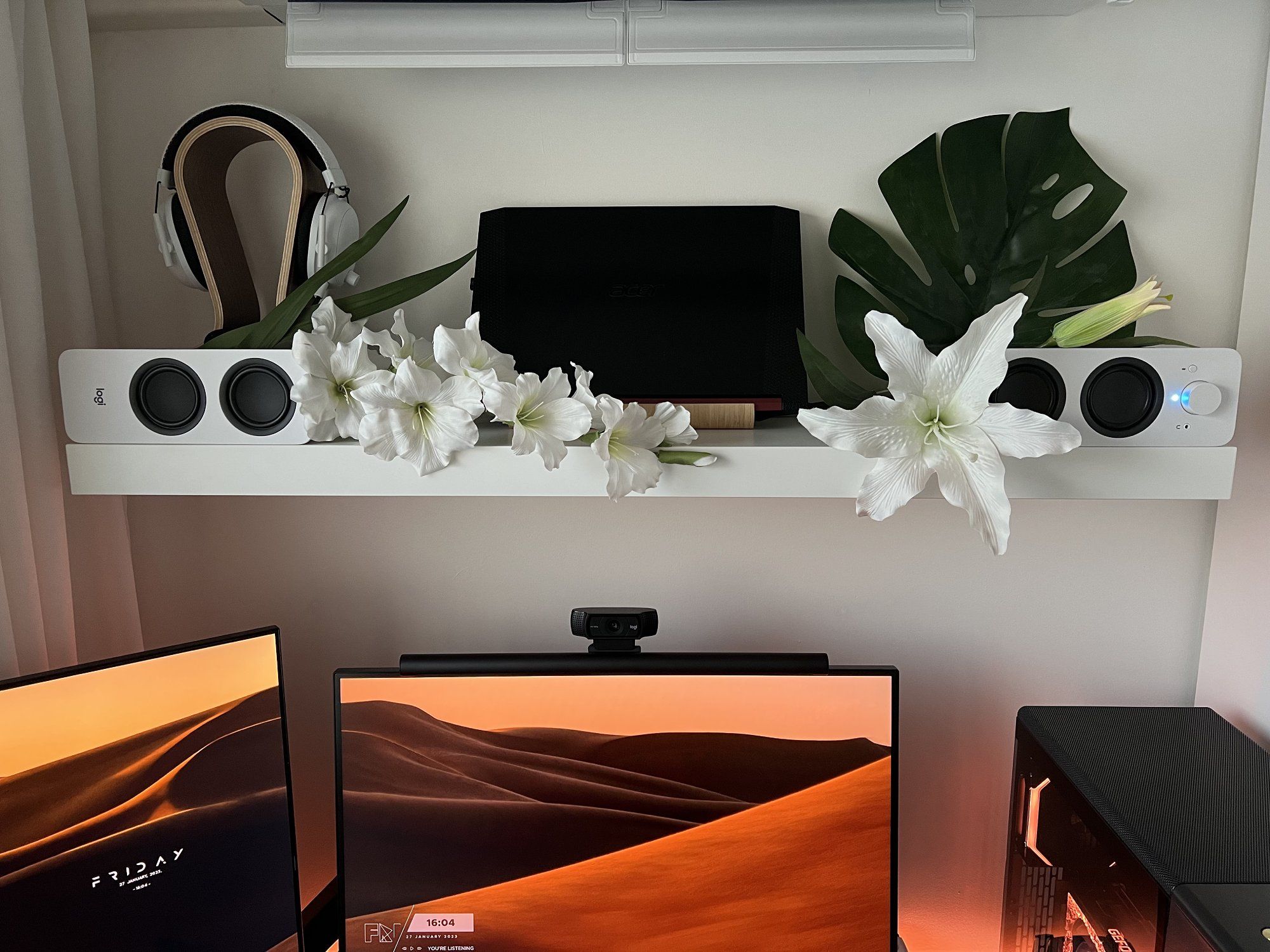
| Laptop | Acer Nitro 5 |
| Speakers | Logitech Z207 |
| Headphones | Razer BlackShark V2 Pro, Wireless |
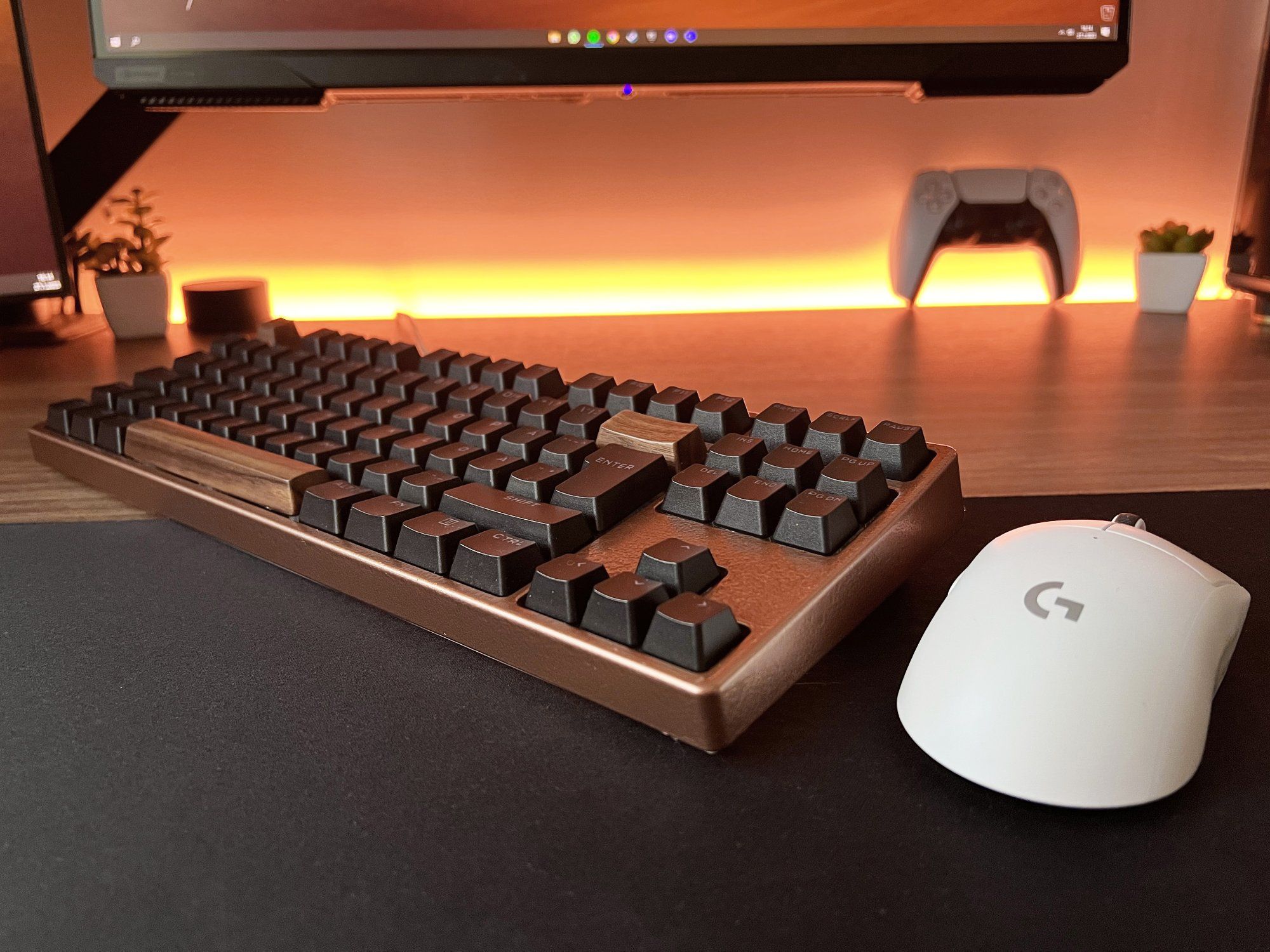
| Keyboard | Xtrfy K4 Tenkeyless (painted frame, keycaps replaced and sound mods) |
| Mouse | Logitech G PRO X Superlight |
| Mouse mat | Logitech G840 XL |
| Chair | IKEA JÄRVFJÄLLET |
| Desk | IKEA TROTTEN (tabletop replaced with Elfen Ergodesk 120×80 cm) |
| Laptop stand | IKEA VIVALLA |
| Web camera | Logitech C920 |
| Lighting | LIFX Smart LED Light Strip |
| PC Component | Product |
|---|---|
| Case | Fractal Design North |
| CPU | AMD Ryzen 5 5600X (All cores manually overclocked @4,65 GHz) |
| GPU | Palit GeForce RTX 3080 Ti Gamerock – 12GB |
| RAM | G.Skill Trident Z Royal DDR4-3600, 16 GB, CL16 |
| Motherboard | ASUS ROG Strix B550-F GAMING |
| CPU cooler | NZXT Kraken X53, 240 mm AIO |
| PSU | Phanteks Revolt Pro 850 W |
| SSD | Kingston 1TB KC2500 NVMe (2x500GB) |
| Case fans | Lian Li UNI FAN SL120 – 120 mm x3 |
| Mod cables | Kolink Core Adept Braided Cable Extension Kit |
| GPU bracket | NZXT Vertical GPU Mounting Kit, PCIe 4.0 (no specified model) |
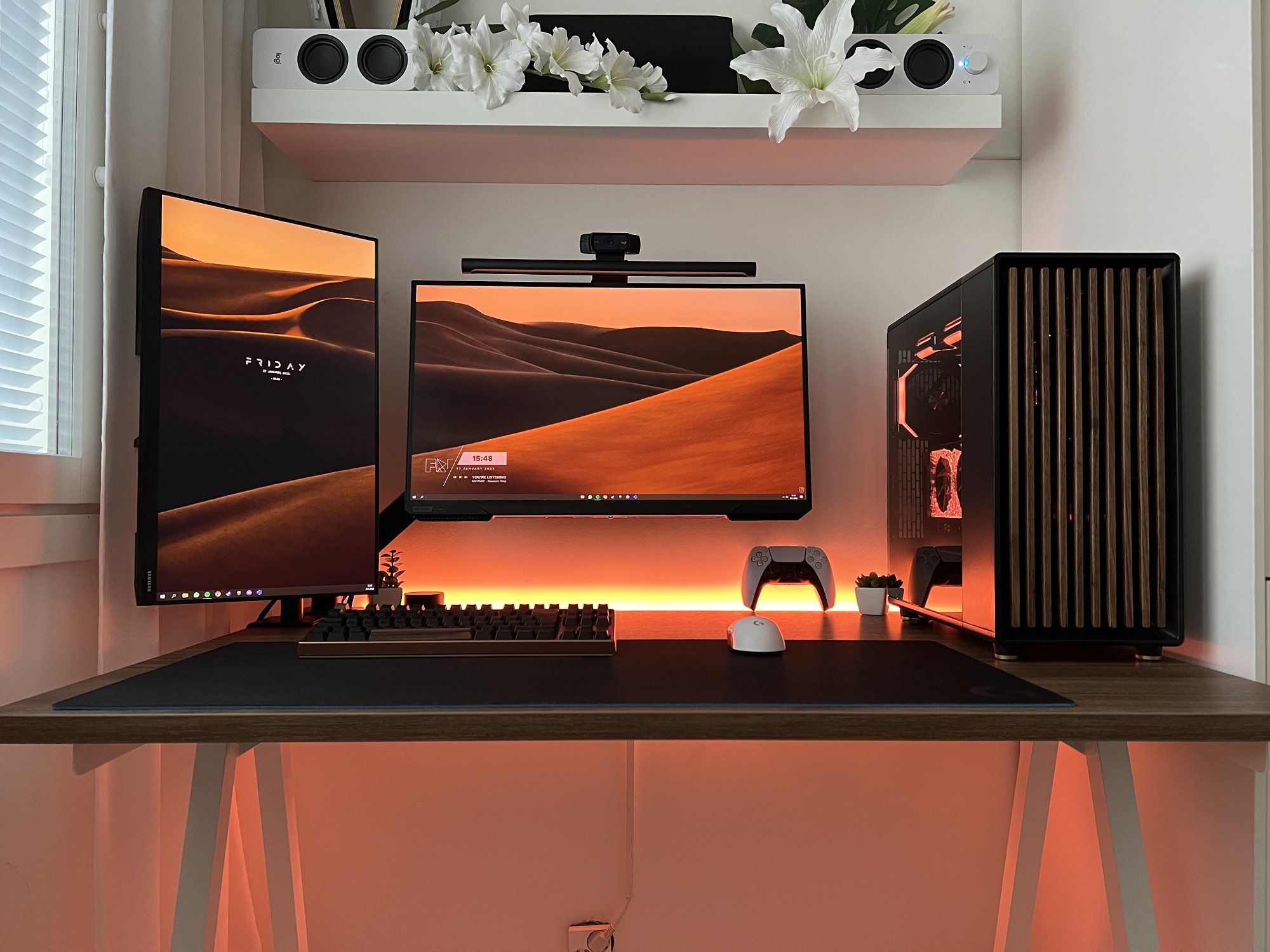
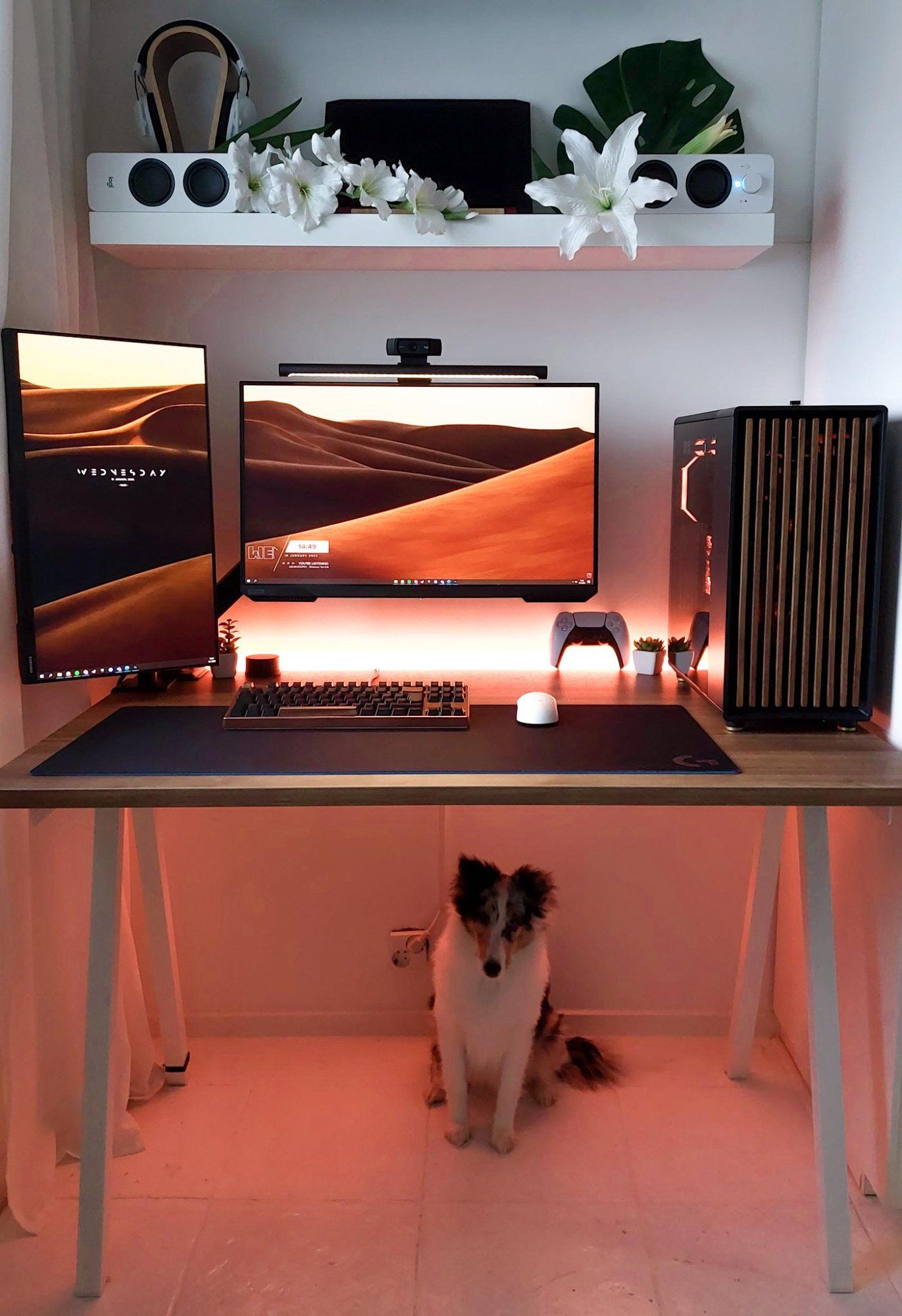
The key features of my setup are aesthetics and efficiency.
Since I spend a lot of time using it for both schoolwork and gaming, practicality, sleek look, and reliability are extremely important to me.
Building my current desk setup began in December 2020 when I bought the PC components during Black Friday sales.
At the time, I didn’t care as much about the appearance of the desk setup as I do now.
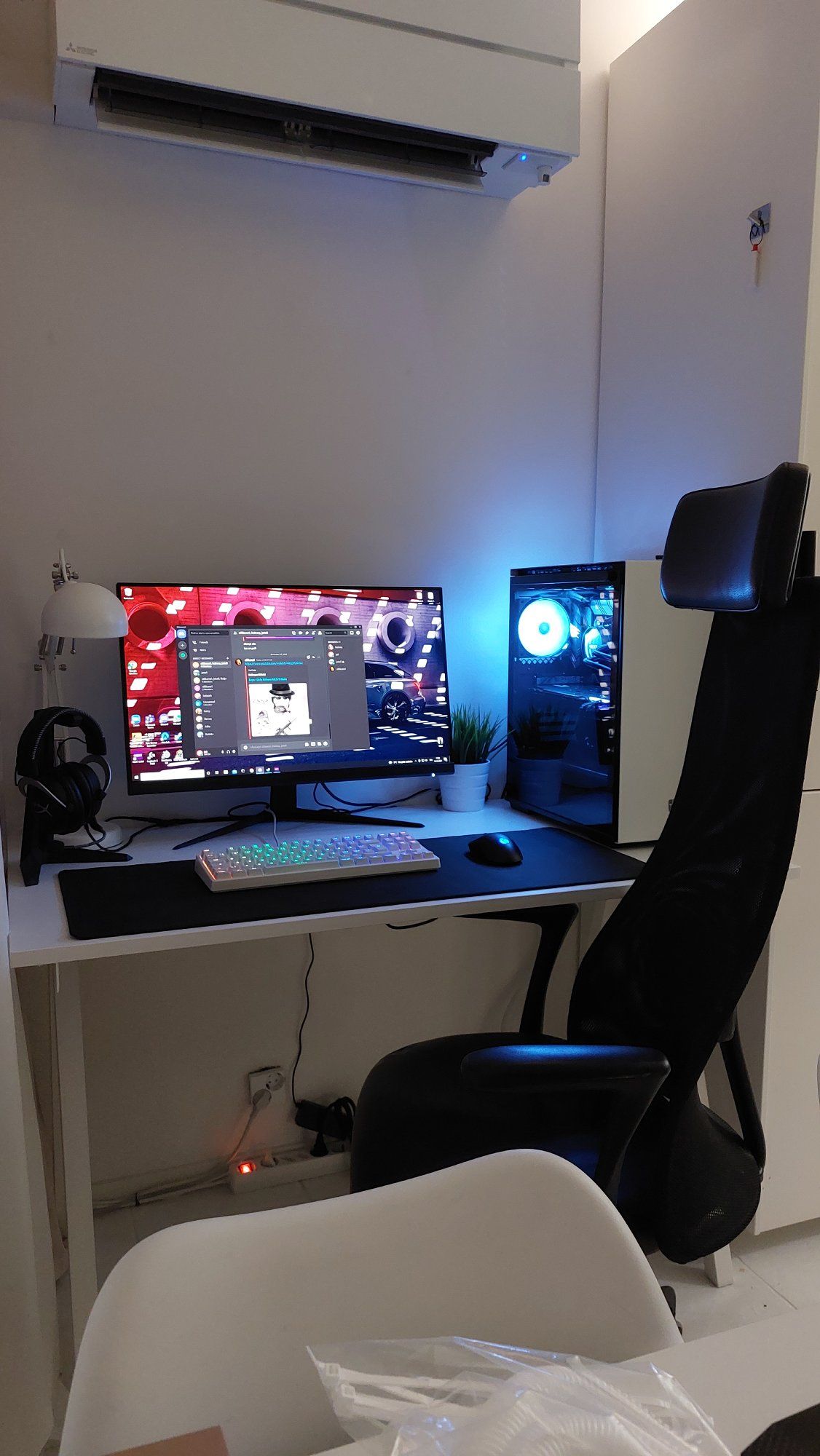
I literally just put the components together and plugged the cords in, and that was enough for me back then.
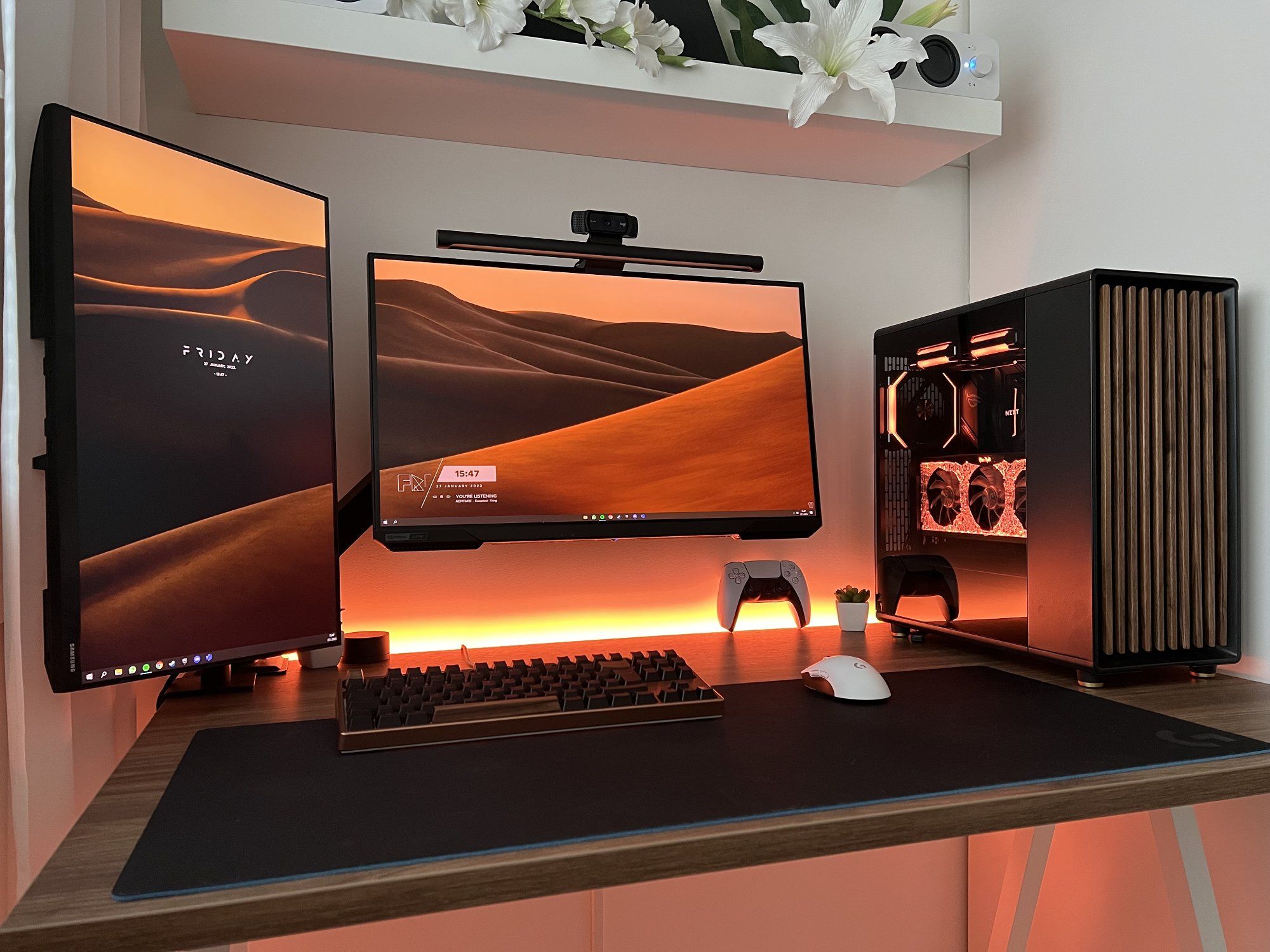
Over the past year, the setup has undergone many changes and is hardly recognisable from what it was before.
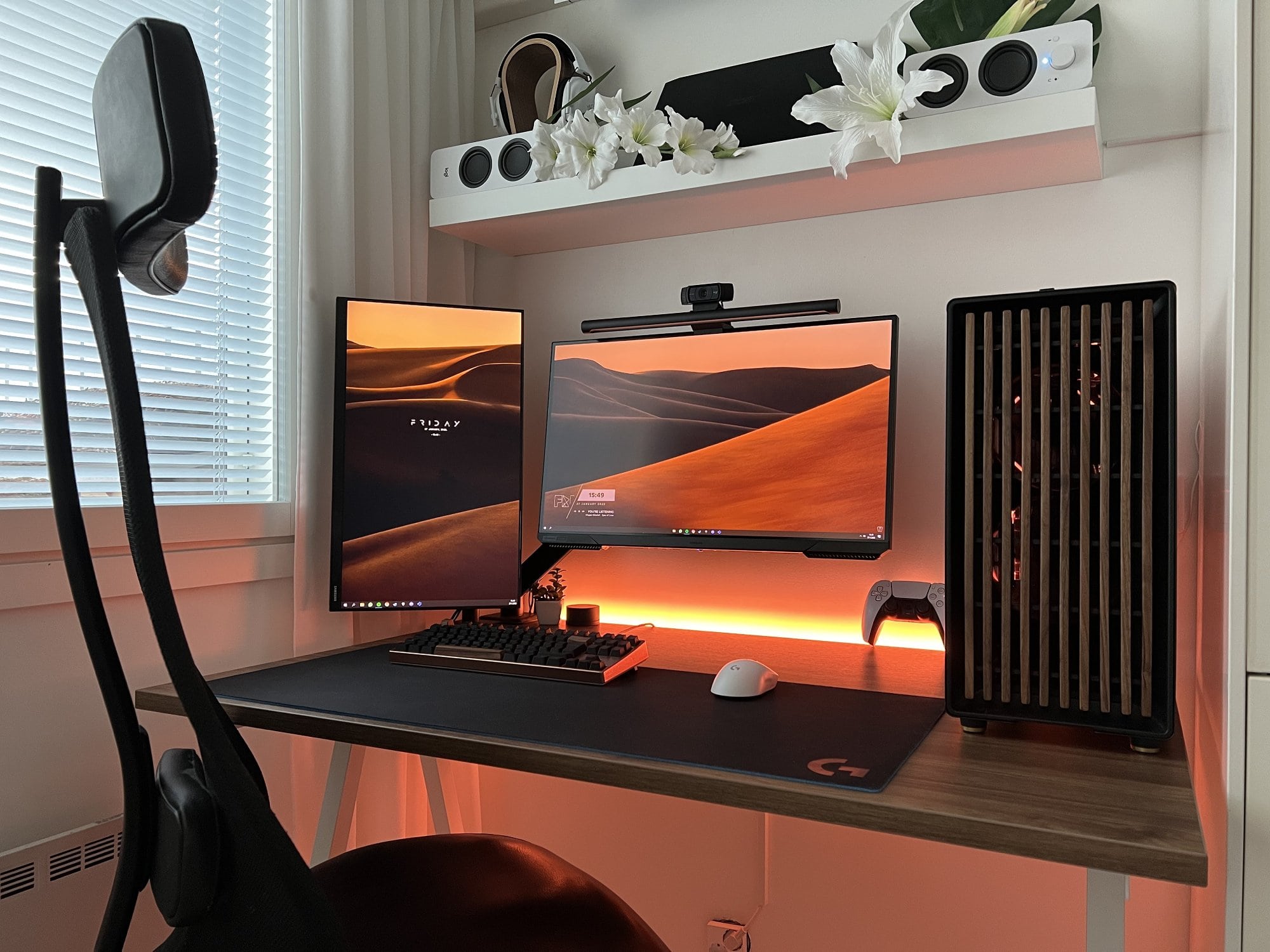
Despite the limited space in our apartment, the setup is actually pretty compact, but we have planned to buy a bigger house after we have both graduated from school.
There is always something I want to improve in this setup, and that’s what I love to do with it (except my wallet doesn’t).
I enjoy taking inspiration from others’ setups and also sharing my own ideas.
In terms of future upgrades, I think my next step might be adding a walnut-coloured wall shelf.
Looking further ahead, my long-term plan is to upgrade my PC to a DDR5 platform and custom loop cooling.
What’s your favourite item on your desk?
I prefer to keep my desk clean and free from extra stuff due to its small size.
But my favourite item on my desk is undoubtedly my PC.
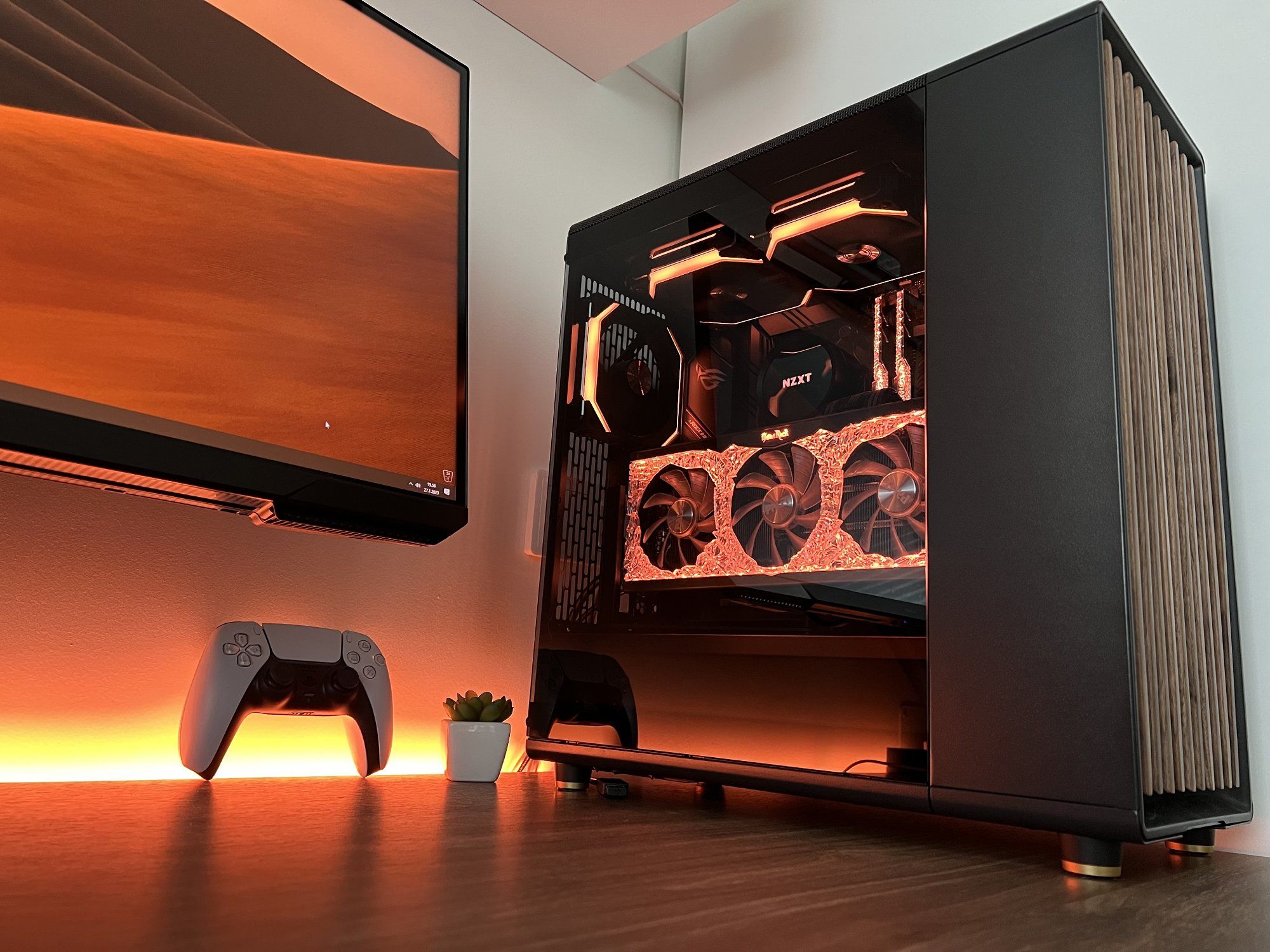
I have put so much time, love, and money into building it.
I have replaced almost every component during this year.
The PC cost me about 2100 euros.
What apps or tools do you use to get things done?
I am using a few applications for 3D modelling on behalf of the school.
My favourite one might be SolidWorks 3D, which is modern modelling software for several uses, but in general, I use it for designing components and other goods for my own use.
I’m also using Catia V5 for pipe and power plant design.
Any tips for other makers who want to improve their workspaces?
Find out in advance how powerful PC components are and what kind of monitors you need for your own use so that you don’t have to update them immediately to new ones, as it can be expensive.
And don’t forget to hide your cables! It makes a huge difference to your setup’s appearance.
What does your typical day look like?
I’m not a morning person, but usually, my responsibilities force me to wake up at 6 am.
I’ve always been more of a night owl, preferring to be awake in soft lighting by my PC while others are sleeping.
On my days off, I like to stay up until 3 am and wake up around 10 am.
Immediately after waking up, I make some coffee, brush my teeth, feed my pets, and take a walk with my doggo Elsa.

After my morning routines, I drive to school, study, and then return home to work on projects and other school-related stuff.
I typically spend six hours at my desk daily.
When I am not working, I love playing disc golf outside with my friends or playing video games in the wintertime.
I mostly enjoy first-person shooters and battle royale games, such as Apex Legends, Super People and CS:GO.
Sometimes, I like to lean back, take a controller, and play something slower, like Rocket League and Witcher.
We’re a reader-supported publication. This article might contain affiliate links. It means we may receive a commission if you click a link and buy a product that our maker has recommended. The interview was done independently.
