

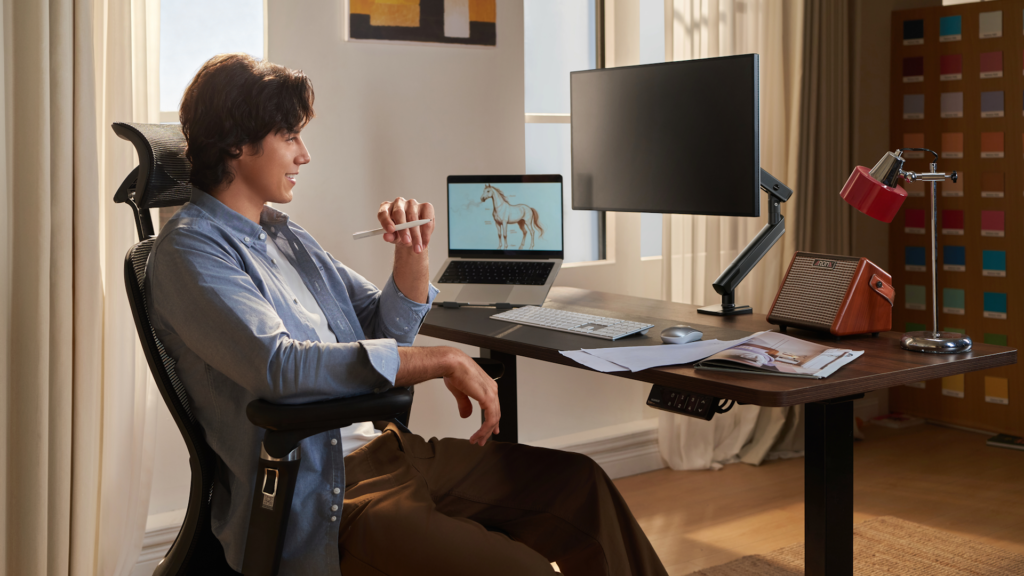
An ergonomic desk setup comes down to three measurable positions: monitor top at or just below eye level, elbows bent between 90 and 110 degrees at the keyboard, and feet flat on the floor or a footrest, with hips slightly above knee height.
Most desk-related pain traces back to one of these three being wrong, not to the price of the furniture involved.
Why Most Desk Setups Get Ergonomics Wrong?
The typical home desk setup starts with a laptop placed directly on a table, which forces the screen ten to fifteen degrees below eye level and pulls the neck into a forward tilt for hours at a time.
That single habit, repeated across a full workday, is responsible for a large share of the neck and upper back pain remote workers report, a trend BBC has covered as remote and hybrid work arrangements have become permanent for many companies.
The fix costs very little: a laptop stand or a stack of books raises the screen to the correct height, though it requires pairing with an external keyboard and mouse once the laptop itself is elevated.
The Three Measurements That Matter Most
Ergonomic desk setup guidance often lists a dozen adjustments, but three account for most of the difference in how a body feels after a long day:
- Monitor height and distance. The top of the screen should sit at or slightly below eye level, roughly an arm’s length away. A monitor positioned too low forces a forward head posture; one too high strains the neck upward.
- Elbow and wrist angle. Elbows should bend between 90 and 110 degrees while typing, with wrists staying flat rather than angled up or down. A desk or chair at the wrong height is the most common cause of wrist strain, more so than the keyboard itself.
- Hip and knee position. Hips should sit slightly above knee height, with feet flat on the floor or a footrest. Chairs set too low force the knees above hip level, which restricts circulation and adds pressure to the lower back over time.
Chair Selection Without Overspending
A chair with adjustable lumbar support and seat height matters more than any other single piece of desk furniture, but adjustable does not have to mean expensive.
Commercial-grade office chairs regularly appear on secondhand marketplaces and office liquidation sales for a fraction of retail price, since companies replace furniture on a depreciation schedule that has nothing to do with how much useful life remains in the chair itself.
A secondhand chair with working lumbar and height adjustment outperforms a new chair without those features, regardless of price.
Movement Matters as Much as Position
Even a perfectly measured ergonomic desk setup causes discomfort if a person sits in it without moving for eight hours straight. Research on sedentary behavior consistently points to movement frequency, not just posture, as a major factor in desk-related pain.
A simple standing break or short walk every 45-60 minutes reduces stiffness more reliably than any single furniture upgrade, and it costs nothing.
Budgeting an Ergonomic Setup
A functional ergonomic desk setup, covering a chair, a monitor riser or arm, and a separate keyboard and mouse, can typically be assembled for $150-300 using a mix of secondhand and entry-level new items, well below the cost of premium all-in-one desk bundles.
Coverage from Business Insider on remote work patterns has noted that founders and early employees increasingly treat workspace quality as a retention factor, not just a comfort issue.
For founders and remote workers managing a tight budget during a company’s early months, this is one of the few workspace investments that pays off in reduced pain and fewer sick days rather than just aesthetics.
Teams working with early-stage fundraising partners, including startupbooted fundraising, sometimes fold a modest equipment allowance like this directly into a first operating budget, treating it as a functional cost rather than a discretionary expense.
Conclusion
An ergonomic desk setup does not require an expensive bundle of matching furniture. It requires getting three measurements right, monitor height, elbow angle, and hip position, and building in regular movement throughout the day.
Founders and remote workers who fix those fundamentals first, using secondhand equipment where it makes sense, get most of the benefit of a premium setup for a fraction of the cost.
FAQ
What is the single most important part of an ergonomic desk setup?
Monitor height typically has the biggest impact, since an improperly positioned screen is the most common cause of neck and upper back pain from prolonged desk work.
Do standing desks solve ergonomic problems on their own?
Not by themselves. A standing desk used with the same poor monitor height or wrist angle simply moves the same problems into a standing position; the underlying measurements still need to be correct.
How often should someone take a break from an ergonomic desk setup?
Standing or walking for a few minutes every 45-60 minutes is a widely cited benchmark for reducing stiffness and discomfort from prolonged sitting.
Can a good ergonomic setup be built on a tight budget?
Yes. A functional setup covering a chair, monitor riser, and separate keyboard and mouse can typically be assembled for $150-300 using secondhand office furniture.
