

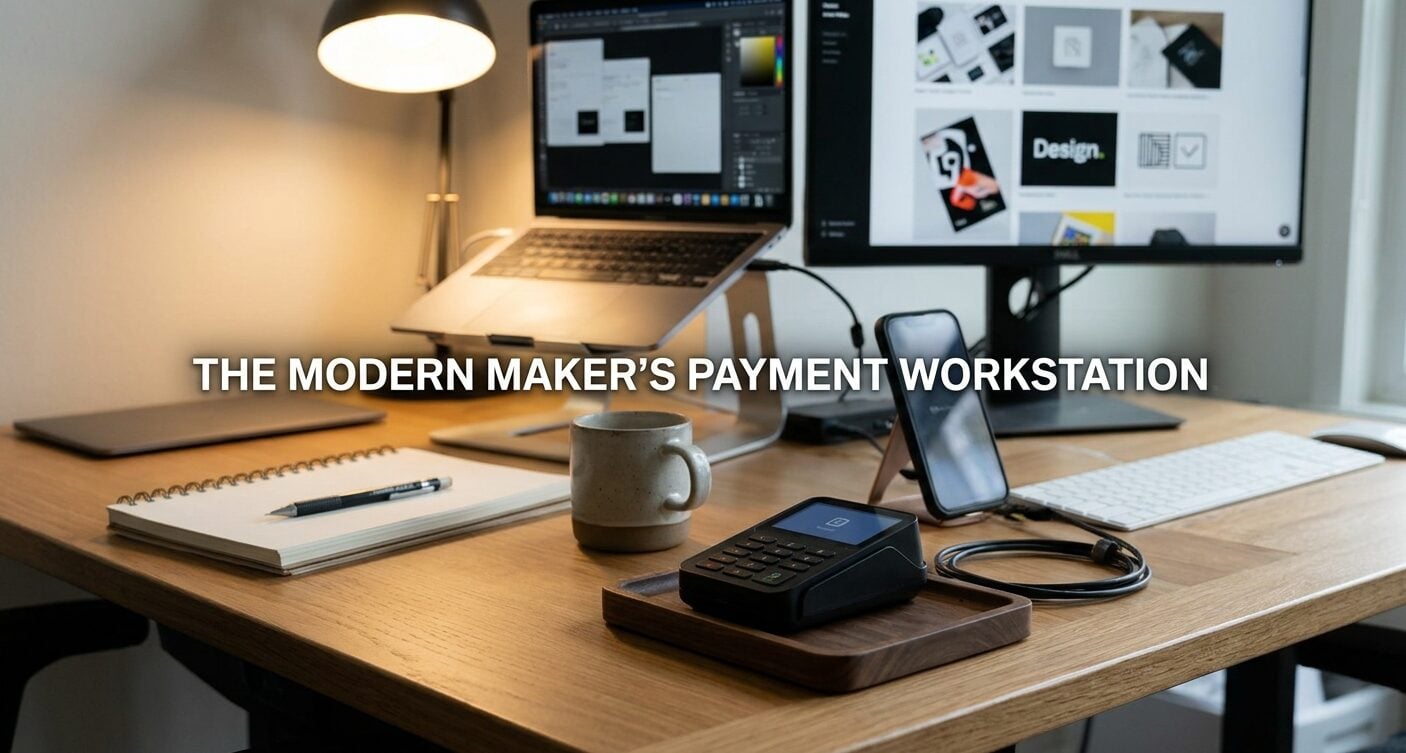
Walk into almost any small studio now and the desk tells the whole story. There’s a laptop up on a stand, probably one monitor, and a lamp somebody keeps moving around. Near the sketchbook sits a mug of coffee that went cold an hour ago.
Plenty of designers and tattoo artists take orders from that exact desk, online and from people who just drop by, which is why a card reader ends up there too. Which terminals and cards actually fit?
Compact POS Terminals for a Small Studio Desk
Ten years ago a card machine looked like a grey brick and spat out paper receipts. Most studios kept it shoved in a drawer with old chargers and a stack of business cards from 2015.
Someone would dig it out once a client was already at the door holding a wallet, and then the whole room stood around while it searched for a signal. Not great.
Newer devices are about the size of a phone, and a few of them don’t bother with a card slot at all. The Inqud POS terminal, for example, works with QR codes: the amount pops up on screen, the buyer scans it with a crypto wallet app and that’s it, nobody touches anything.
For a print studio shipping risograph posters to collectors in other countries, it’s simply one more way to get paid, sitting next to the regular card reader rather than replacing it.
Choosing one is less exciting than the product photos suggest. Mostly it comes down to width, since a terminal bigger than a paperback ends up elbowing the keyboard.
Then people ask about USB-C (anything else is a pain) and about color, because a matte black body kind of disappears beside the monitor while shiny plastic with a giant logo sticks out. And there’s the screen, which ideally goes dark by itself and doesn’t light up the corner of every Zoom call.
Tap to Pay on a Phone: The Freelancer’s Mobile Terminal
Plenty of independent makers skip the hardware question entirely. Tap to Pay on iPhone, and the Android versions that come through apps like Square, SumUp or Stripe, let an ordinary phone take contactless payments, so the buyer just holds a card or a watch near the back of it and leaves with the print.
Think of a freelance illustrator who sells maybe three framed pieces a month at the studio door. Why on earth buy a terminal for three sales?
The catch shows up fast, though. That same phone is the camera, the Spotify remote and the kiln timer, and trying to take a payment halfway through recording a glazing video is a mess.
Studios with steady foot traffic usually give in and get a small dedicated terminal, mostly so the phone can go back to being a phone.
Smart Cards, NFC Tags and QR Stands
Some of the handiest payment gear doesn’t look like payment gear at all. A cheap NFC sticker hidden under a glass desk mat can open a checkout page when someone taps their phone on that spot.
Metal smart business cards do the same trick, with a portfolio link on top, and tattoo shops have taken deposits through little printed QR stands for years. Nobody even notices them anymore.
No batteries, no cables, nothing to charge on a Sunday night. On a desk built around empty space, that counts for a lot. Sounds logical, right?
Desk Setup and Payment Hardware Ergonomics
Funny thing is, placement turns out to matter more than the model. For a right-handed client it usually goes on the right, close to the front edge. That way nobody has to stretch over the keyboard and send the stylus rolling off the tablet.
Charging is the next headache. One 65W GaN charger with three ports can usually keep the laptop, the phone and the terminal going, which means two fewer plugs crammed into the power strip under the desk.
Anyone who films tutorials or streams has seen this one: a little device blinking at the edge of the frame, and suddenly that’s all the audience looks at. Shift it six inches to the left. Problem gone.
Oddly enough, a tray fixes half the problem. Grab a small walnut one, or aluminum if the desk leans techy, and suddenly the terminal looks planned rather than like a parcel somebody forgot to open.
Throw in a short braided cable, clip it under the desk edge, and that corner stops looking messy in photos. About ten minutes of work.
Hybrid Sales: Studio, Pop-Up Market and Online Store
Selling from just one spot is rare these days. Take a ceramicist: Etsy orders Monday to Friday, studio doors open on Saturday, and twice a month two heavy crates of mugs get dragged off to a design market. One payment setup has to cope with all of that.
At the market, battery life suddenly beats looks. A terminal that dies at three in the afternoon, right when the crowd shows up, costs actual money. Wi-Fi at markets? Usually terrible.
Before the weekend it makes sense to check whether the device can run on a phone hotspot or takes its own SIM card. A few models save payments offline and push them through later, others simply freeze. Finding that out at the kitchen table beats finding it out in front of a queue.
Then comes the boring part. If sales from the studio, the website and the market end up in one dashboard, tax season is fine. If they don’t, it’s a long evening of matching screenshots with bank statements, and nobody has ever enjoyed that evening.
Questions Worth Asking Before Buying Payment Hardware
Before ordering anything, it helps to sit down with a few blunt questions. How many people actually pay in person in a normal month, not in December? Cards only, or QR payments and digital assets too? Does the device talk to the online store or invoicing app already in use? And what do the fees look like per transaction and per month, written as numbers rather than “competitive rates”?
Then there’s the question that gets skipped all the time. Is this way of paying even legal and regulated in the country where the studio is registered?
Card processing, crypto and tax reporting work differently from place to place, and the rules get updated often enough that thirty minutes with an accountant is money well spent.
The Quiet Desk
Well, that’s about it. The right payment setup is the one nobody thinks about until a client asks “can I pay by card?”, and then it’s just there, charged and within reach.
For some studios that’s a phone. For others it’s a compact terminal in a wooden tray plus an NFC tag under the desk mat. Hardly anyone needs more.
