

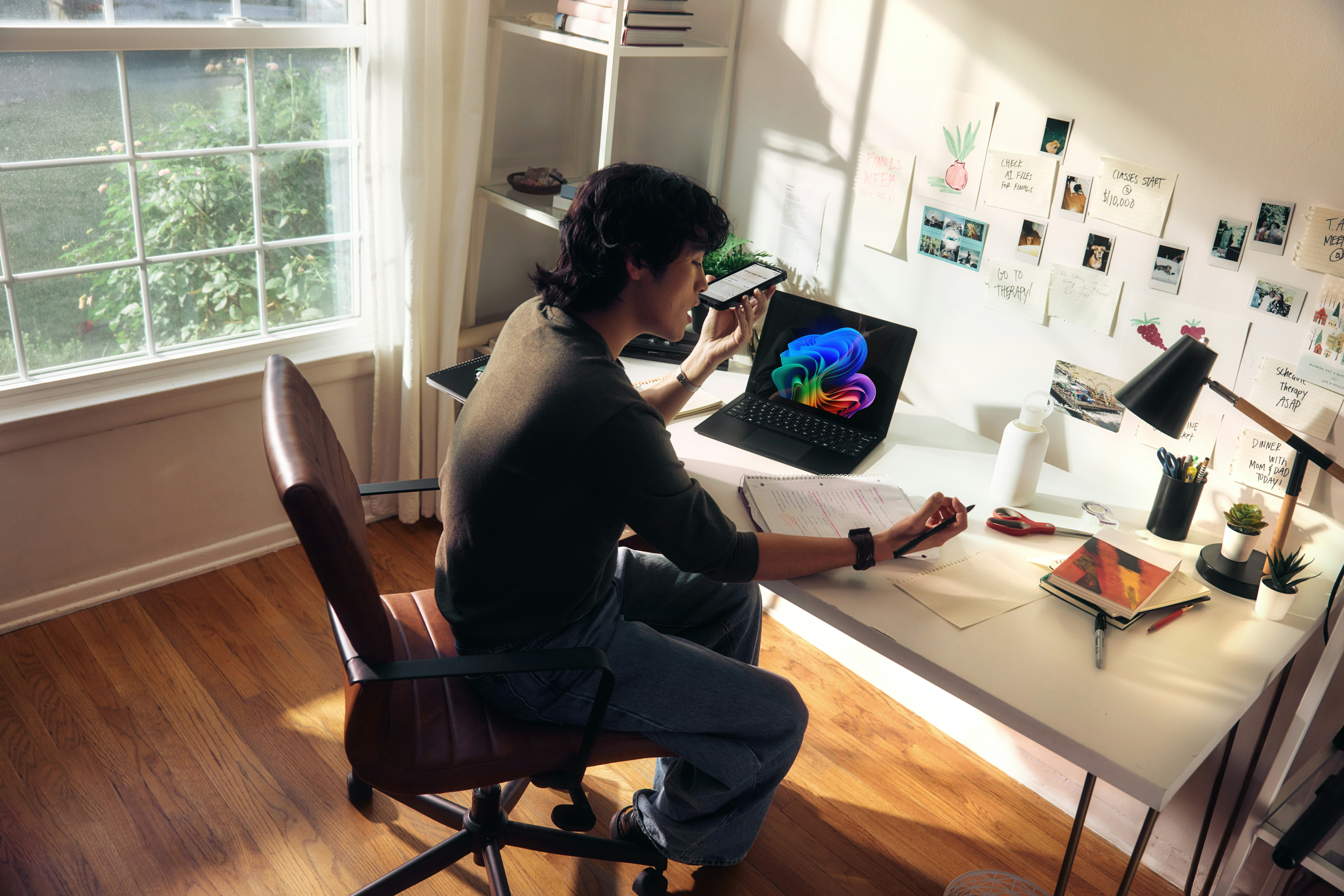
There’s a particular kind of home office fatigue that has nothing to do with your desk chair or your monitor arm.
It’s the low-grade friction of a setup that technically works but never quite clicks — the browser tabs you can’t close, the files you can never find on the first try, the sense that your tools are managing you instead of the other way around.
Most people respond to this by shopping. A new keyboard, a better webcam, a second monitor. Sometimes that helps. Often, it just adds another thing to configure.
The more useful fix usually isn’t hardware at all. It’s a workspace audit — a deliberate look at how you actually use the tools already sitting on your desk, and where small AI-assisted adjustments could remove friction you’ve stopped noticing because you’ve gotten used to it.
None of what follows requires a purchase. It requires about an hour and a willingness to change habits that feel fine but aren’t.
1. Start With What You Actually Repeat
Before touching any settings, spend a day noticing what you do more than twice a day. Renaming files the same way. Typing the same three-sentence email opener. Manually converting a spreadsheet into a summary for a client.
These repeated micro-tasks are the clearest signal of where automation earns its keep, and they’re almost always invisible until you write them down.
Most people skip this step and jump straight to installing tools, which is how they end up with five half-used apps instead of one that actually fits a real habit.
2. Let Your Notes App Do More Than Store Notes
If you’re still using a notes app purely as a digital notebook, you’re leaving most of its value on the table. Modern note tools with AI search can surface a specific meeting point from three weeks ago faster than you could scroll to find it, and several now automatically summarize long voice memos.
The shift here isn’t about switching apps — it’s about actually using the search and summarization features that are probably already sitting in the one you have.
3. Reconsider Your Network Setup, Not Just Your Wi-Fi Speed
Home office security tends to get treated as an afterthought, something handled once during setup and never revisited. That’s worth reconsidering, especially if you work with client data or log into multiple company systems from the same machine.
One practical adjustment is assigning a fixed IP address to your connection rather than relying on one that changes with each session — it simplifies remote access permissions and reduces the friction of being flagged by security systems that don’t recognize a new IP each time you log in.
For anyone curious about how that works in practice, there are more details on PIA’s dedicated IP feature, which lays out the mechanics reasonably clearly.
4. Turn Your Calendar into a Filter, Not Just a Record
A calendar that only logs what happened is doing half its job. The more useful version actively filters your day — blocking focus time before it fills with meetings, flagging when two commitments quietly overlap, or auto-declining anything scheduled outside your working hours.
Several calendar tools now do this with AI-assisted scheduling suggestions, and the difference between a calendar you check and a calendar that checks you is bigger than it sounds.
5. Clean Up Your File Naming Before It Becomes a Problem
This one isn’t glamorous, but it compounds. A consistent naming convention — date, project, version — takes 10 minutes to establish and saves you from the slow accumulation of files called “final_v2_actually_final.”
Some cloud storage tools now offer AI-assisted renaming and tagging that can retroactively organize a messy folder, which is worth trying before you manually sort through years of clutter.
6. Audit Your Desk the Way You’d Audit a Workflow
Physical space matters here too, even in an article mostly about software. If your desk setup hasn’t been reconsidered since you first assembled it, it’s worth revisiting with fresh eyes — not to buy new furniture, but to notice whether your current arrangement still fits how you actually work now versus how you worked when you set it up.
For a broader look at how different home office layouts handle this, our piece “Best 9 Writer Home Office Setup Ideas” is a useful companion read, even if writing isn’t your specific focus.
7. Automate the Email Triage You’re Already Doing Manually
Most people sort their inbox by hand every single day, applying the same mental rules — this sender matters, this one can wait, this one is spam dressed as a newsletter.
AI-assisted email tools can now learn and apply those same rules automatically, which sounds small until you calculate how many minutes a day you spend making the same three decisions repeatedly.
A few adjustments worth making in one sitting:
- Set up filters for recurring newsletters and automated reports so they skip the primary inbox
- Turn on AI-assisted priority sorting if your email client offers it
- Create a template for your most common reply type instead of rewriting it each time
- Unsubscribe from anything you consistently archive without reading
8. Rethink How You Use Voice Tools
Dictation software has improved considerably, to the point where drafting an email or a rough outline by speaking it can be faster and less mentally taxing than typing, particularly for people who think out loud.
It’s worth testing even if you were unimpressed by voice tools a few years ago — the accuracy gap has narrowed enough that it’s a genuinely different experience now.
9. Don’t Underestimate the Value of a Weekly Reset
None of these adjustments stay optimized on their own. A 15-minute weekly review — checking which filters are working, which habits have crept back in, and which tools you stopped using and forgot about — keeps a workspace audit from becoming a one-time event that quietly decays.
This matters more than it used to, given how much remote and hybrid work has reshaped daily routines; anyone wanting a broader sense of how widespread that shift has become can look at the top remote work statistics and trends right now, which give a clear picture of just how permanent these habits have become for a large share of the workforce.
The Setup You Already Have Is Probably Enough
It’s tempting to treat a sluggish home office as a hardware problem, because buying something feels like progress in a way that adjusting a setting doesn’t. But the tools most people already own are more capable than they’re currently used.
The audit isn’t about acquiring more; it’s about noticing where your current setup is quietly working against you and closing that gap one small change at a time. Do that consistently, and the new gear starts to feel a lot less necessary than it did last week.
