
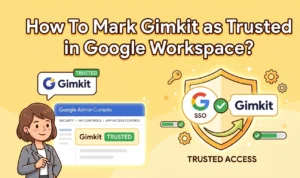




Google Workspace for Education has a privacy update that changes how students under 18 access third-party tools using school-issued Google accounts. If your school uses Google Single Sign-On for Gimkit, an admin needs to act before access breaks. This guide covers who is affected, why it happened, and the exact steps to mark Gimkit as trusted in Google Workspace.
Who Needs to Mark Gimkit as Trusted in Google Workspace
This only applies when all three conditions below are true. If any one is missing, no action is needed on your end.
| Condition | What It Means |
|---|---|
| School uses Google Workspace for Education | Your district manages student accounts through Google |
| Students sign in with Google SSO | Students use school-issued Google credentials to access Gimkit |
| Students are under 18 | Age is the factor that triggers this requirement |
Schools where students use personal email accounts or join games as guests are not affected at all.
Why Google Workspace Now Requires Explicit App Approval
Gimkit did not change any of its own policies. This is a Google Workspace for Education privacy update. Google now requires schools to explicitly approve third-party apps before students under 18 can sign in through Google SSO.
Until a Google Workspace admin marks Gimkit as trusted, it sits outside the school’s approved app list. That is the only thing this process changes.
How to Mark Gimkit as Trusted in Google Workspace: Step-by-Step
Only a Google Workspace for Education administrator can complete this. Teachers should forward these steps to their IT department or school admin directly.
Once saved, all Google Workspace for Education accounts at your school can sign into Gimkit without interruption. Teachers who use Gimkit assignments or manage active Gimkit classes will see student access restore immediately.
What Happens If Gimkit Is Not Marked as Trusted in Google Workspace
Students under 18 with school-managed Google accounts will lose the ability to sign in through Google SSO. They do not lose access to Gimkit entirely. Students can still join live games and complete activities without logging in at all — accounts are optional for gameplay.
If a student needs account access, the “Forgot Password” option lets them set up a standard email and password login. That bypasses Google SSO and works without any admin approval. Students who want to open a Gimkit account through email will find the setup quick.
What Teachers Can Do While Waiting for the Admin Change
Share this guide with your IT department and ask them to mark Gimkit as trusted in Google Workspace. That resolves the issue permanently. In the meantime, students can join all live sessions as guests — hosting a Gimkit game works the same way regardless of student login status.
For teachers reviewing alternatives during any transition, Blooket vs Kahoot and the Quizizz vs Kahoot vs Quizlet breakdown explain how each platform handles student access and login. Teachers on Gimkit Pro should note that all Pro features come back once Google SSO access is restored.
FAQs
Does this affect schools that don’t use Google Workspace?
No. Schools that don’t use Google Workspace for Education or Google Single Sign-On are not affected by this change. No action is required on their end.
Will students lose Gimkit data if Google SSO is blocked?
No data is lost. Account access through Google SSO may be blocked temporarily, but all saved data remains. Students can sign in with an email and password while waiting for the admin change.
How do teachers confirm Gimkit has been marked as trusted?
Ask your Google Workspace administrator directly. Gimkit cannot view your school’s internal admin settings, so confirmation has to come from whoever manages the Google console for your district.
Does Gimkit comply with student data privacy laws?
Yes. Gimkit follows FERPA and COPPA and meets data privacy standards for California, Texas, Georgia, North Carolina, and New York. Schools can contact privacy@gimkit.com for specific data agreements.
Can students use Gimkit without Google SSO?
Yes. Students can join any game as a guest with no login. Those who need account features can create email and password access through the “Forgot Password” option, which works without Google SSO.


Francesco is a maker, engineer, and 3D printing enthusiast passionate about building tools and spaces that inspire creativity. With a background in software development and hands-on hardware projects, he explores the intersection of digital fabrication, productivity, and modern workspaces. When he’s not designing or experimenting, Francesco shares insights to help others create smarter, more efficient environments for work and making.