




Quizizz rebranded as Wayground in June 2025. The login URL quizizz.com/login now redirects to wayground.com, and all existing accounts, quizzes, and credentials carry over automatically. Here is how to sign in, create an account, fix access errors, and understand what each account type can do after logging in.
How Does Quizzis Login Work?
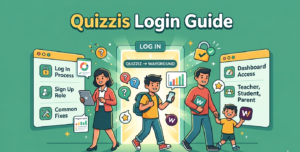
Go to quizizz.com or wayground.com and click “Log In” in the top-right corner. Select a sign-in method, choose your role if it is your first time, and the dashboard loads immediately.
- Open quizizz.com or wayground.com in any browser.
- Click “Log In” in the top-right corner.
- Choose a sign-in method: Google, Microsoft, email and password, or Clever SSO.
- First-time users pick a role: Teacher, Student, or Parent/Guardian.
- The dashboard loads with saved quizzes, assignments, and reports.
Schools on Clever can log in directly from the Clever dashboard without entering separate Quizizz credentials.
How to Create a Quizzis Account
Go to quizizz.com or wayground.com and click “Sign Up.” Select your role, then connect a Google or Microsoft account, or register with an email address and password. Confirm your school or organization to finish setup.
Students joining a single live session do not need an account at all. They can enter a 6-digit game code at join my quiz and play immediately. An account is only needed to track progress across sessions or access homework assignments.
Common Quizzis Login Problems and Fixes
Most login failures come from cached browser data, mismatched Google accounts, or school firewall restrictions.
| Problem | Cause | Fix |
|---|---|---|
| Forgotten password | Old or changed credentials | Click “Forgot Password?” and follow the reset link sent to your email. |
| Google sign-in blocked | School-restricted Google account | Ask IT to whitelist quizizz.com and wayground.com. |
| Page fails to load | Cached data or outdated browser | Clear cookies and cache, then retry in Chrome or Firefox. |
| Access blocked on school Wi-Fi | Firewall restrictions | IT administrator must allow both quizizz.com and wayground.com domains. |
| Clever SSO not connecting | Integration not set up | School admin must enable Wayground inside the Clever dashboard. |
What You Can Access After Quizzis Login
The dashboard layout changes depending on the account role selected during registration.
- Quiz builder and AI generator
- Assignment manager
- Student analytics and reports
- Google Classroom sync
- Assigned quizzes and lessons
- Live session game codes
- Progress history
- Flashcard practice mode
- Assigned content view
- Completion tracking
- Linked student accounts
- Activity summaries
The free Starter plan covers individual teachers with unlimited quiz creation. Paid tiers add AI-generated quizzes from PDFs, audio and video questions, and advanced class reporting. A full breakdown of each tier is in the Quizizz pricing guide.
Teachers comparing platforms before choosing one can read the Quizizz vs Kahoot vs Quizlet feature breakdown or the Kahoot vs Quizizz comparison. For another platform’s sign-in setup, the Blooket login guide covers a similar walkthrough.
FAQs
Can students use Quizzis login without an account?
Yes. Students can join any live game by entering a 6-digit code at wayground.com/join. No account is needed. An account is only required to track progress or access homework assignments between sessions.
Is Quizzis login the same after the Wayground rebrand?
Yes. The login steps are identical. Quizizz.com/login redirects to wayground.com, and all credentials, classes, and quiz content carry over automatically without any action from the user.
How do I reset my Quizzis login password?
Click “Forgot Password?” on the login page, enter your registered email, and follow the reset link. Google or Microsoft account holders should reset their password through those platforms directly, not through Quizizz.
Why is Quizzis login blocked on my school network?
School firewalls may restrict quizizz.com or wayground.com. Ask your IT administrator to whitelist both domains and enable cookies for the site. Clever SSO users may also need Wayground enabled in the Clever dashboard.
Does Quizzis support Clever SSO login?
Yes. Schools using Clever can access Quizizz (Wayground) directly from the Clever portal without a separate username or password. A school administrator must enable the Wayground integration inside Clever for this to work.

