
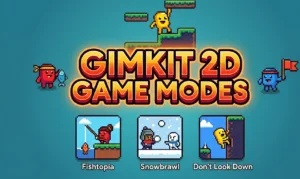





Gimkit 2D game modes place students inside interactive maps instead of a static answer screen. Players control small animated characters called Gims, earn in-game resources by answering questions correctly, and use those resources to compete, survive, or explore. These are the only Gimkit formats that award XP and GimBucks, making them the default choice when teachers want students earning cosmetic rewards.
What Are Gimkit 2D Game Modes?
A Gimkit 2D game mode puts each student inside a two-dimensional environment with a Gim character they control directly. Correct answers generate currency or items; those items then power whatever the specific mode is built around — fishing, snowball fights, farming, or platform climbing.
All official 2D modes were built using Gimkit Creative, the same sandbox editor teachers and students can access today. On desktop, Gims move with arrow keys or WASD. On mobile, a virtual joystick handles movement. If maps or characters fail to load, enabling WebGL in Gimkit 2D mode resolves most display problems.
All Gimkit 2D Game Modes: Top-Down and Platformer
Gimkit has 13 active 2D game modes split across two camera styles. Top-down modes use an overhead view with four-directional movement. Platformer modes switch to a side-view camera where gravity affects every jump.
Top-Down Gimkit 2D Game Modes
| Mode | Type | Objective |
|---|---|---|
| Fishtopia | Casual | Catch fish using bait earned from correct answers |
| Farmchain | Strategy | Grow and sell crops, expand your farm |
| Tag: Domination | PvP | Tag opponents to pull them to your team |
| Capture The Flag | Team PvP | Grab the enemy flag and return it to base |
| Snowbrawl | PvP | Knock out other players with snowballs |
| Snowy Survival | Survival | Avoid the player holding the Snowball Launcher |
| One Way Out | Co-op | Escape a spaceship overrun by enemy plants |
| Blastball | PvP | Eliminate opponents using blast weapons |
| Apocalypse | Survival | Fight zombie waves and stay alive |
Platformer Gimkit 2D Game Modes
| Mode | Type | Objective |
|---|---|---|
| Don’t Look Down | Racing | Climb six summits before time runs out |
| Dig It Up | Exploration | Mine the map and collect buried resources |
| Knockback | PvP | Push opponents off platforms to eliminate them |
| Color Clash | Team PvP | Paint platforms to claim territory for your team |
How to Select a Gimkit 2D Game Mode
Click Play on any kit and the mode picker appears. 2D options and traditional modes appear in the same list. Click a mode to select it — a yellow outline confirms the choice — then press Continue in the upper-right corner.
Gimkit does not save the previous session’s mode; you pick fresh each time. Locked modes require a Gimkit Pro subscription. For full session setup including student join codes and host controls, the Gimkit host guide covers the complete flow.
XP and Cosmetics Only in Gimkit 2D Game Modes
XP is exclusive to 2D formats. Students earn it through correct answers and in-game objectives. Accumulated XP converts to GimBucks, which unlock Gimkit cosmetics — character skins, particle trails, and lobby stickers. Classic modes like The Floor Is Lava award no XP regardless of how many questions students answer.
Gimkit Classes lets teachers track student XP progress across sessions. Gimkit assignments extend 2D play into homework-style tasks outside class, giving students another route to earn XP without a live hosted session.
Free vs. Gimkit Pro: Which 2D Game Modes Are Available?
Free accounts access several 2D modes and still earn XP inside those. Gimkit Pro unlocks the full catalog, including newer releases like Color Clash and Diamond Rush, plus the complete cosmetic library. The core gameplay loop — answering questions to earn resources — stays identical across both account types. Pro expands range rather than changing how any individual mode works.
Snowbrawl and Capture The Flag handle large groups well since both support team-based play that keeps eliminated players engaged. For lower-stakes sessions, Fishtopia works at any class size — no elimination mechanic, students move at their own pace.
FAQs
How many Gimkit 2D game modes are there?
Gimkit has 13 active 2D game modes, split across nine top-down modes — including Fishtopia, Snowbrawl, and One Way Out — and four platformer modes such as Don’t Look Down and Knockback. Gimkit continues adding new modes over time.
Can students earn XP in non-2D Gimkit game modes?
No. XP and GimBucks are only awarded in 2D game modes. Classic formats like The Floor Is Lava do not generate XP regardless of how many questions students answer correctly during a session.
What is the difference between top-down and platformer modes in Gimkit?
Top-down modes use an overhead camera where players move in all four directions across a map. Platformer modes use a side-view camera with gravity, requiring players to jump between platforms rather than moving freely in all directions.
Do free Gimkit accounts have access to 2D game modes?
Yes. Free accounts can access several 2D modes and earn XP inside those. Gimkit Pro unlocks every mode in the catalog, including newer additions like Color Clash and Diamond Rush, as well as the full cosmetic library.
Which Gimkit 2D game modes work best for large classes?
Snowbrawl and Capture The Flag perform well with large groups since both use team mechanics that keep more students engaged simultaneously. Fishtopia suits any size class and has no elimination, making it a good option when competitive energy is too high.

